Have you ever wondered what happens when you leave a server completely exposed to the open internet? Well, in the world of cybersecurity, we use something called a “honeypot” to find out.
A honeypot is, in essence, a decoy server designed to mimic a legitimate target, like an internal network, web server, mail server, or DNS server, to attract attackers. By sitting behind or outside a firewall, it silently monitors everything an attacker attempts to do.
To see what kind of traffic is lurking out there, I decided to put up my own honeypot server. I monitored it for an entire month. Here is exactly how I built it, as well as the interesting, yet scary, information it gathered.
[
The Infrastructure Setup
To get started, I spun up a virtual machine (VM) on DigitalOcean. Running a honeypot can be resource-intensive, so you need a machine with a bit of muscle.
My server specifications were:
- Provider: DigitalOcean
- Operating System: Ubuntu 24.04 (LTS) x64
- Memory: 8 GB RAM
- Storage: 160 GB Disk
- Compute: 4 vCPUs
- Region: SFO2

Installation: Deploying T-Pot
For the honeypot software, I chose T-Pot, an incredible open-source, multi-honeypot platform provided by Telekom-Security.
Here are the exact commands I used to update the server, create a dedicated user, and install T-Pot:
# Update and upgrade the system
sudo apt-get update && sudo apt-get upgrade

# Create a new user for the honeypot
sudo adduser destiny
sudo usermod -aG sudo destiny
su destiny

# Clone the T-Pot repository and install
git clone https://github.com/telekom-security/tpotce
cd tpotce
./install.sh

# Reboot the system once the installation is successful
sudo reboot
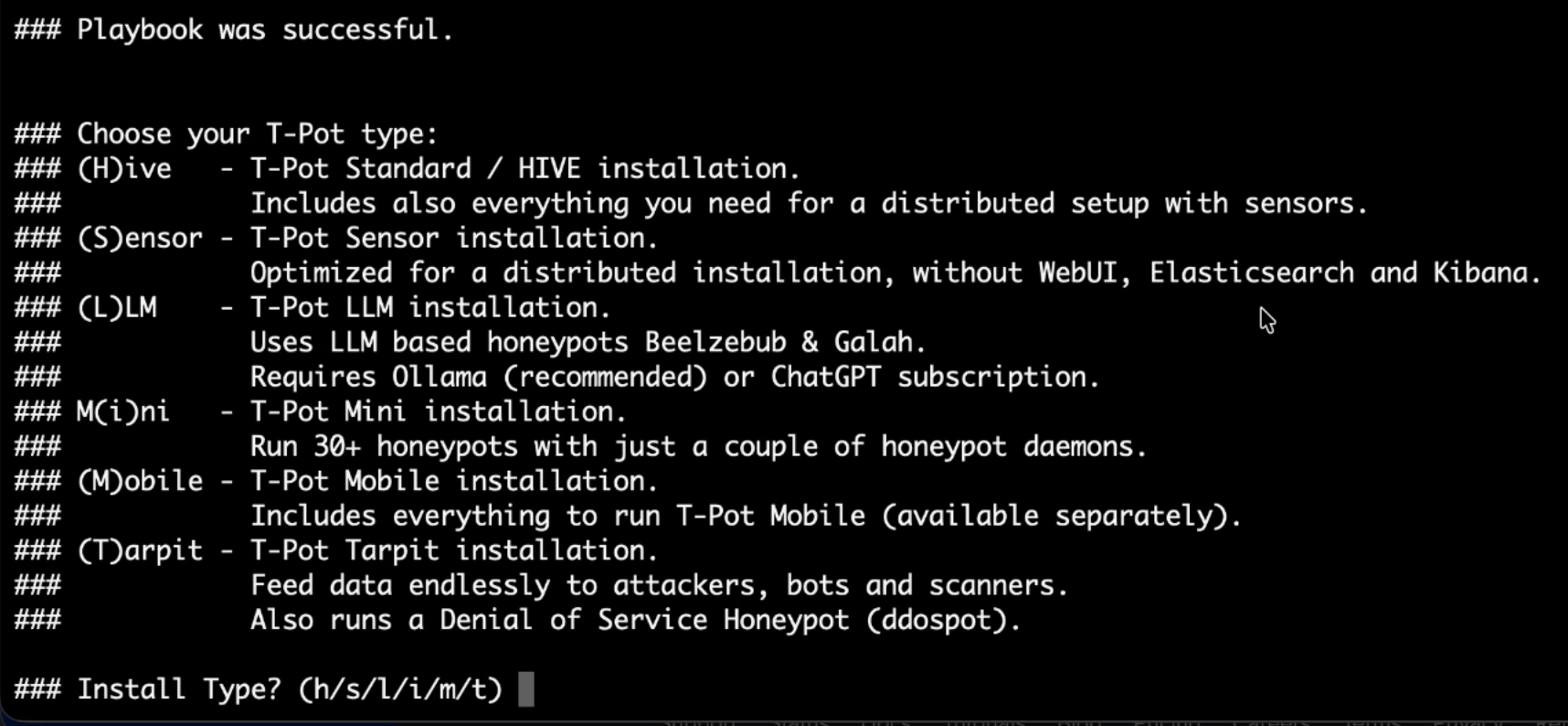
During the ./install.sh process, the script will ask you to choose your installation type. I selected option H for the (H)ive - T-Pot Standard / HIVE installation. This option installs everything you need for a distributed setup.
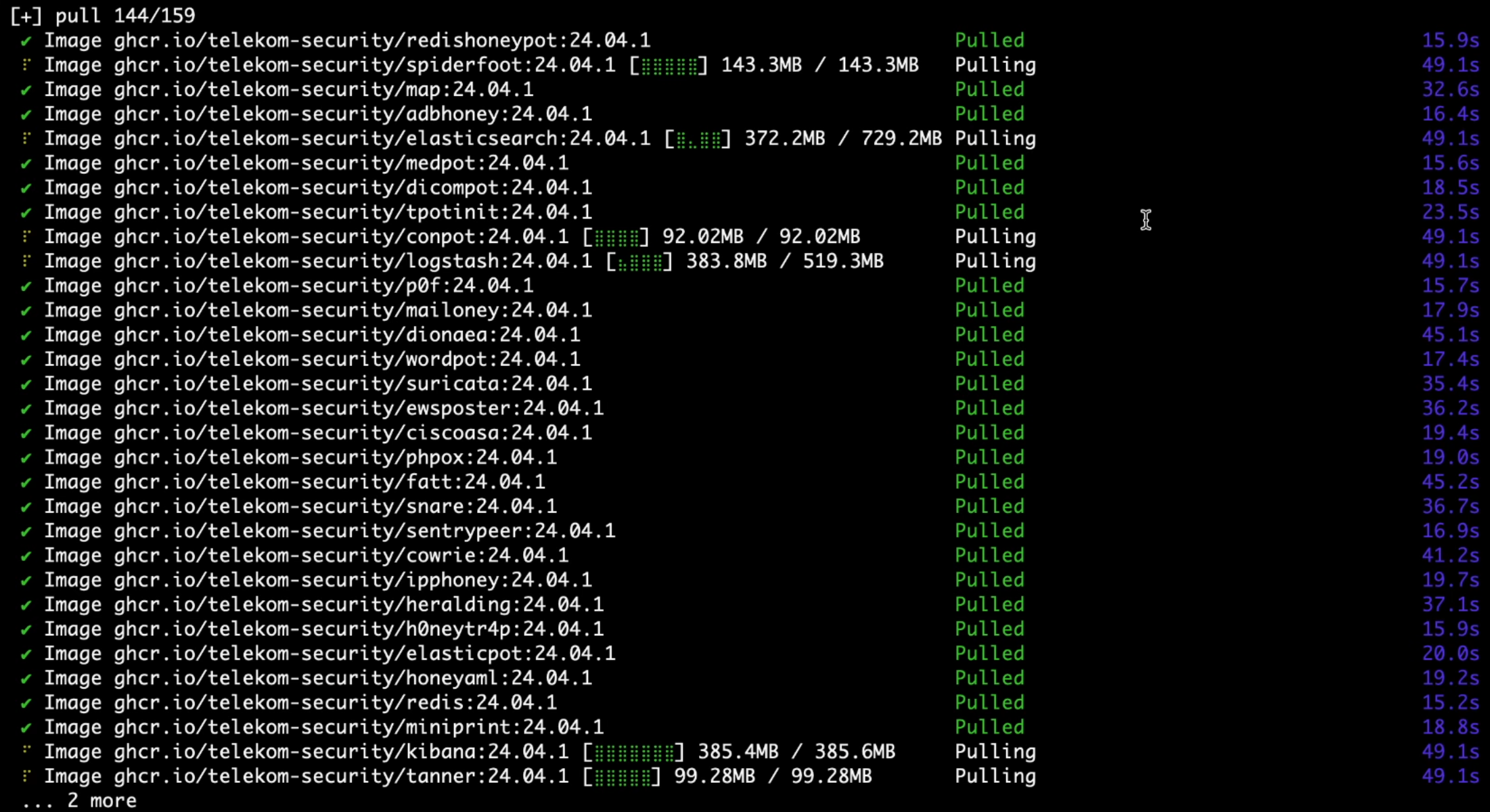
Once initiated, the script automatically pulls all the necessary Docker images for various honeypots and tools, including Cowrie, Dionaea, Elasticsearch, Kibana, Logstash, and many more.
Accessing the Dashboard
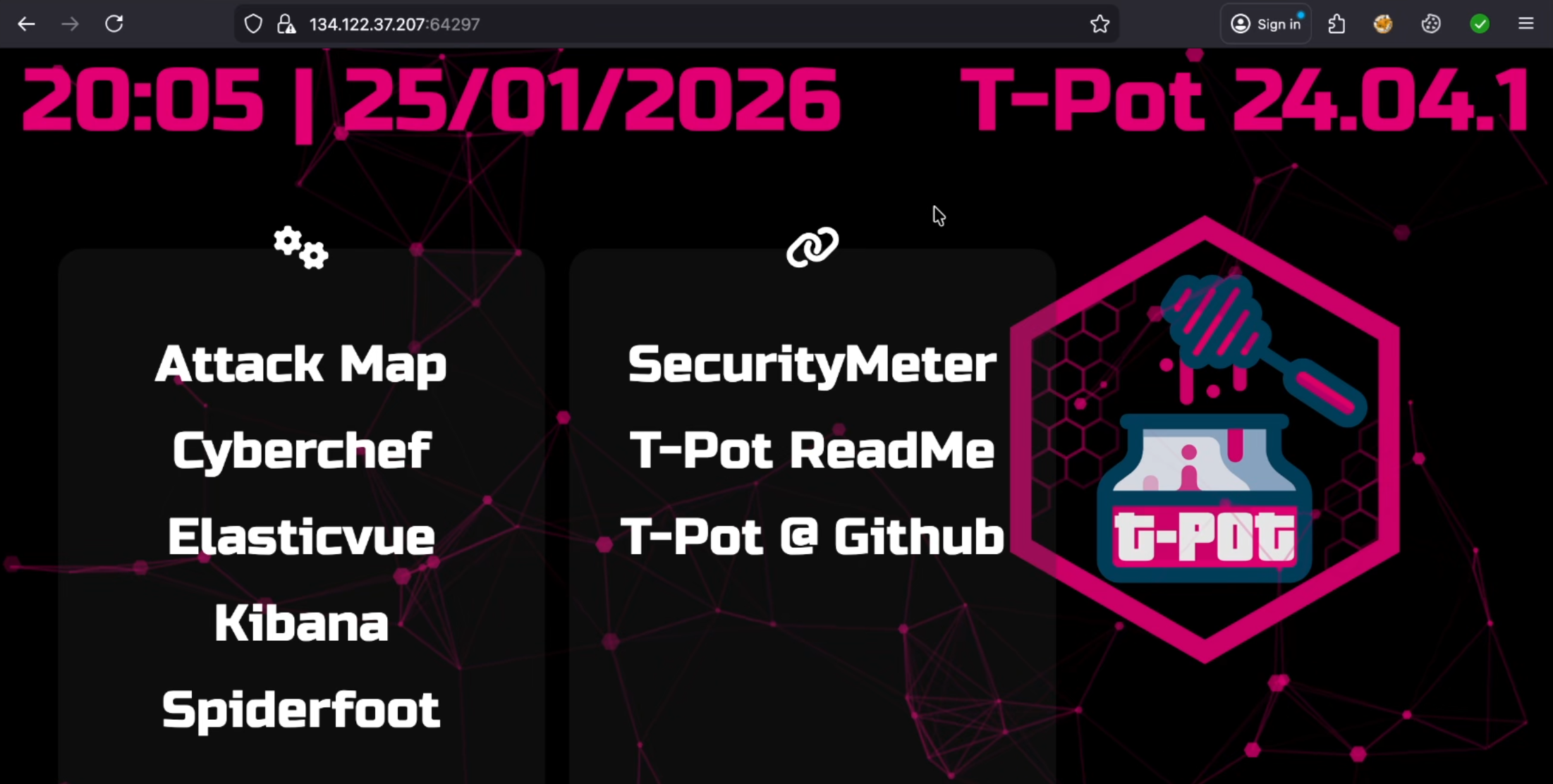
After the installation finished and the system rebooted, I accessed the T-Pot dashboard through my browser by navigating to the server’s IP address on port 64297 (e.g., 134.122.37.207:64297).
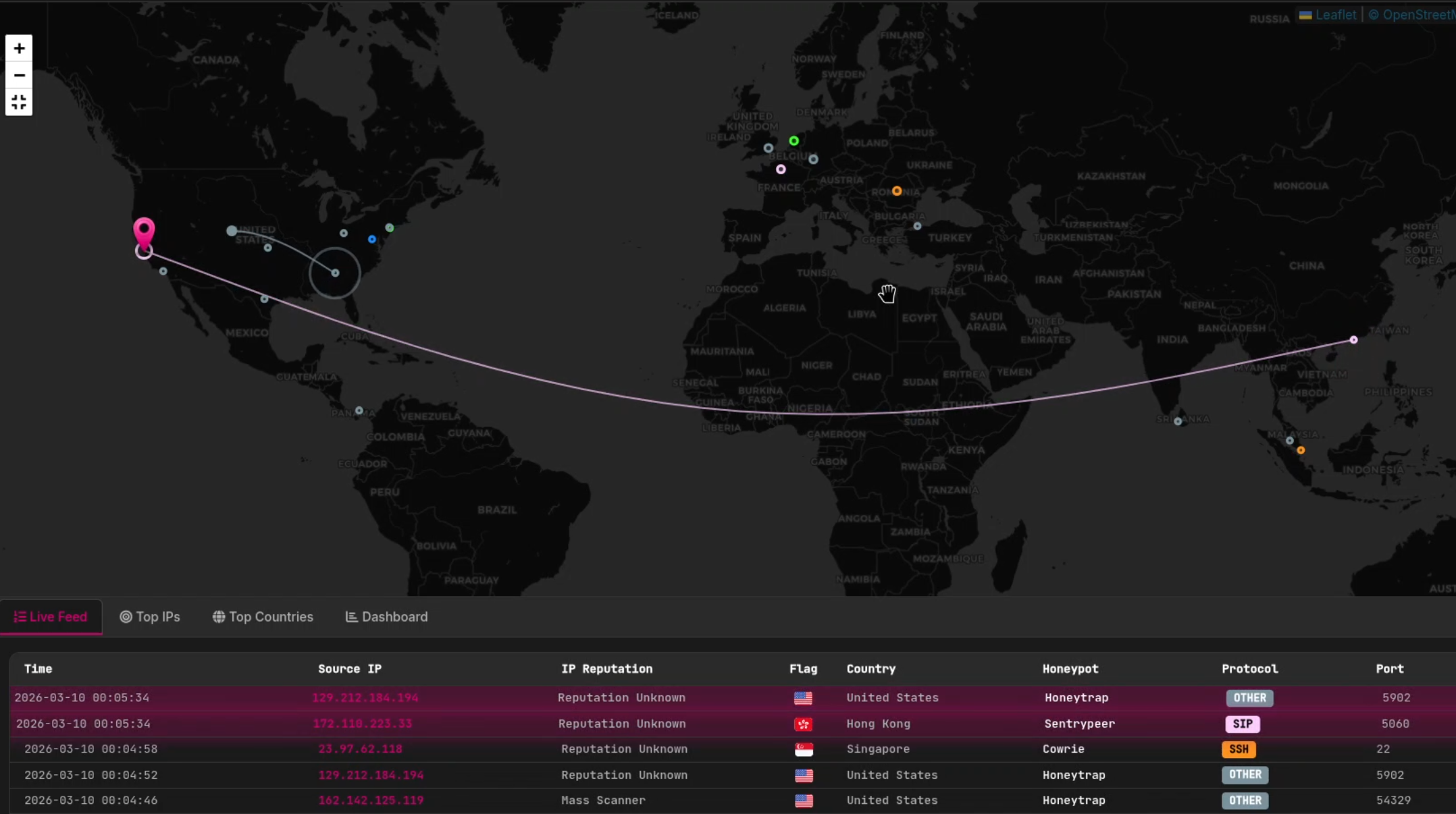
The T-Pot (version 24.04.1) dashboard is very robust and gives access to a number of powerful analysis tools, including:
- Attack Map: A live and dynamic map showing where the attacks are coming from.
- Security Meter: Gives a high-level overview of the current level of threats.
- Kibana & Elasticvue: For in-depth analysis of the Elasticsearch logs.
- Cyberchef & Spiderfoot: Intelligence and analysis utilities.
The Results: 2 Million Attacks in One Month
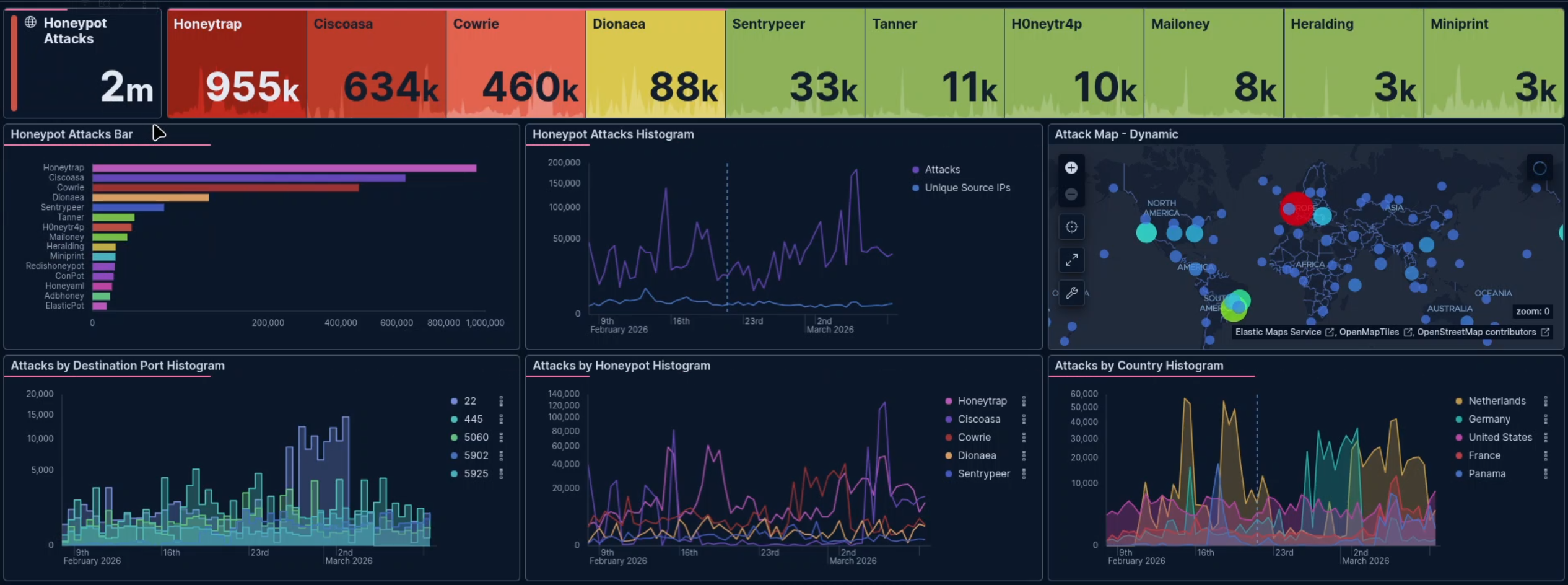
So, I left the honeypot running untouched. And after just one month, the results were staggering. The dashboard showed exactly 2 million attacks.
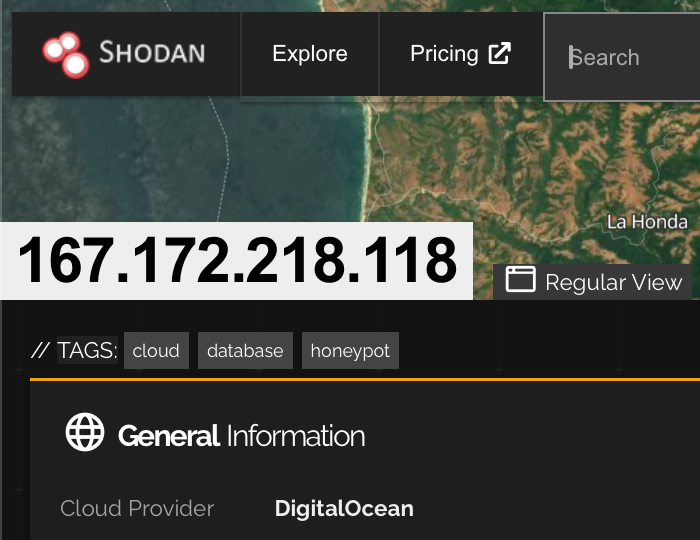
It did not take long for the open internet to discover my server. In fact, the search engine for internet devices, Shodan, has already indexed my IP address, 167.172.218.118, and correctly identified me as a honeypot and a cloud database.
T-Pot runs multiple honeypot daemons simultaneously, each simulating different services to catch different types of attacks
What Were the Attackers Trying to Guess?
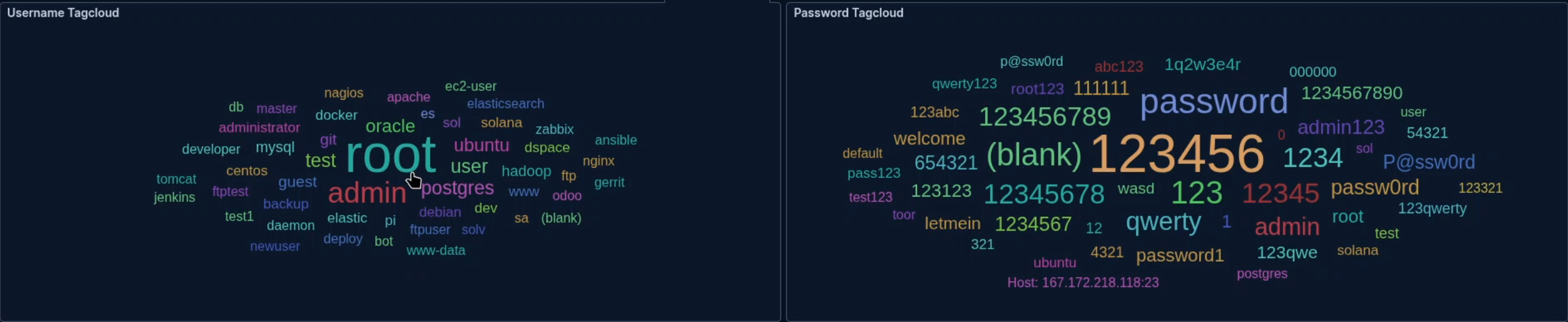
By looking at the Kibana tag clouds, I could see the brute-force dictionary attacks in real-time. Attackers rely heavily on default and lazy credentials.
- Top Usernames Guessed:
root,admin,oracle,postgres,test, anduser. - Top Passwords Guessed:
123456,password,123456789,(blank),1234,12345, andqwerty.
Investigating the Attackers
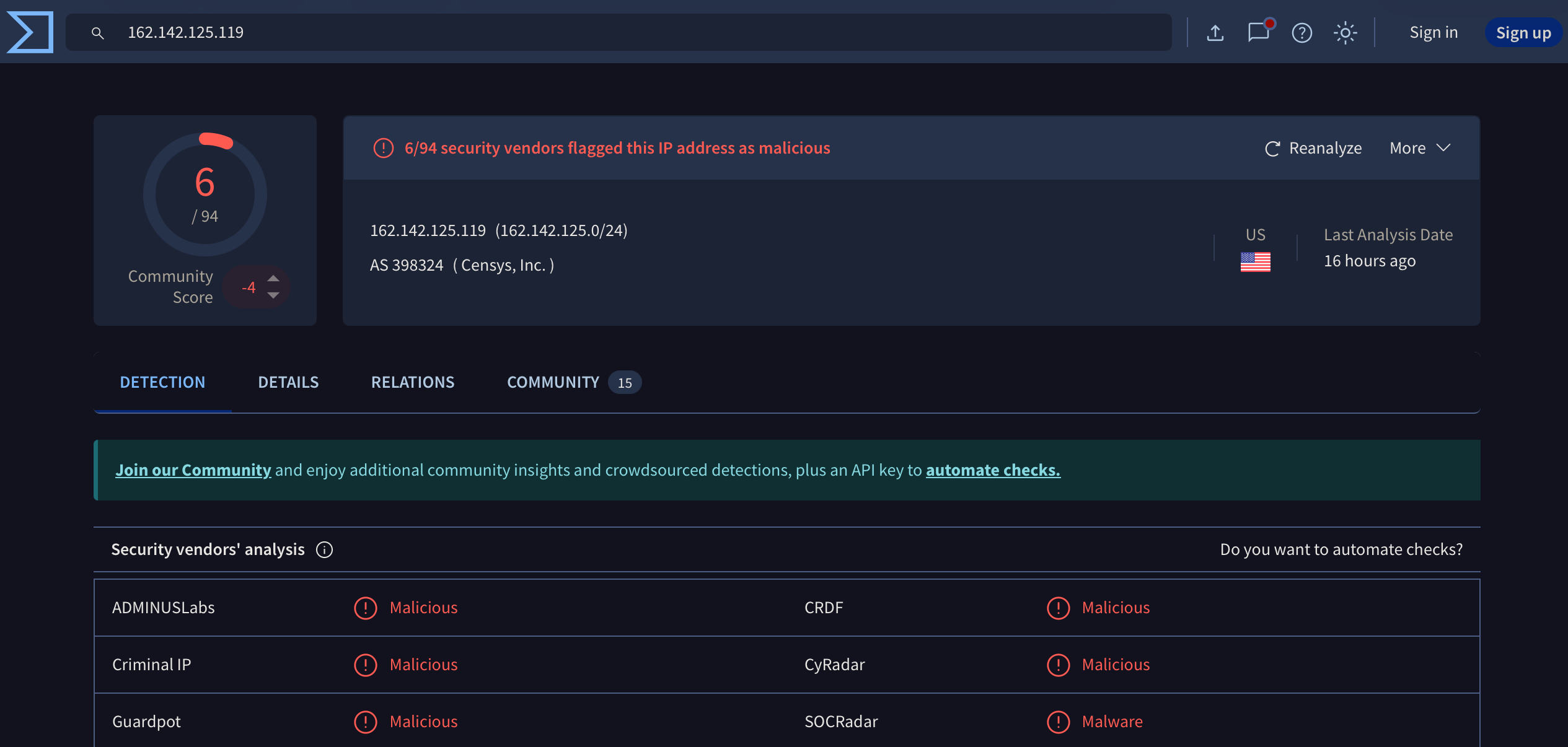
To take the analysis a step further, I grabbed one of the source IPs (162.142.125.119) that had targeted my honeypot and ran it through VirusTotal.
Unsurprisingly, 6 different security vendors had already flagged this IP address (associated with AS 398324 / Censys, Inc.) as malicious or malware. Vendors like ADMINUSLabs, CRDF, Criminal IP, CyRadar, Guardpot, and SOCRadar all recognized the threat.
Conclusion
Running a honeypot is an amazing way to grasp the automated threats that are constantly scanning the internet. Within just 30 days, this single cloud VM was probed 2 million times. It is an excellent way to grasp the importance of utilizing good passwords, not allowing root login via SSH, and enforcing strict firewall rules on any server facing the public internet.